
What this template is for
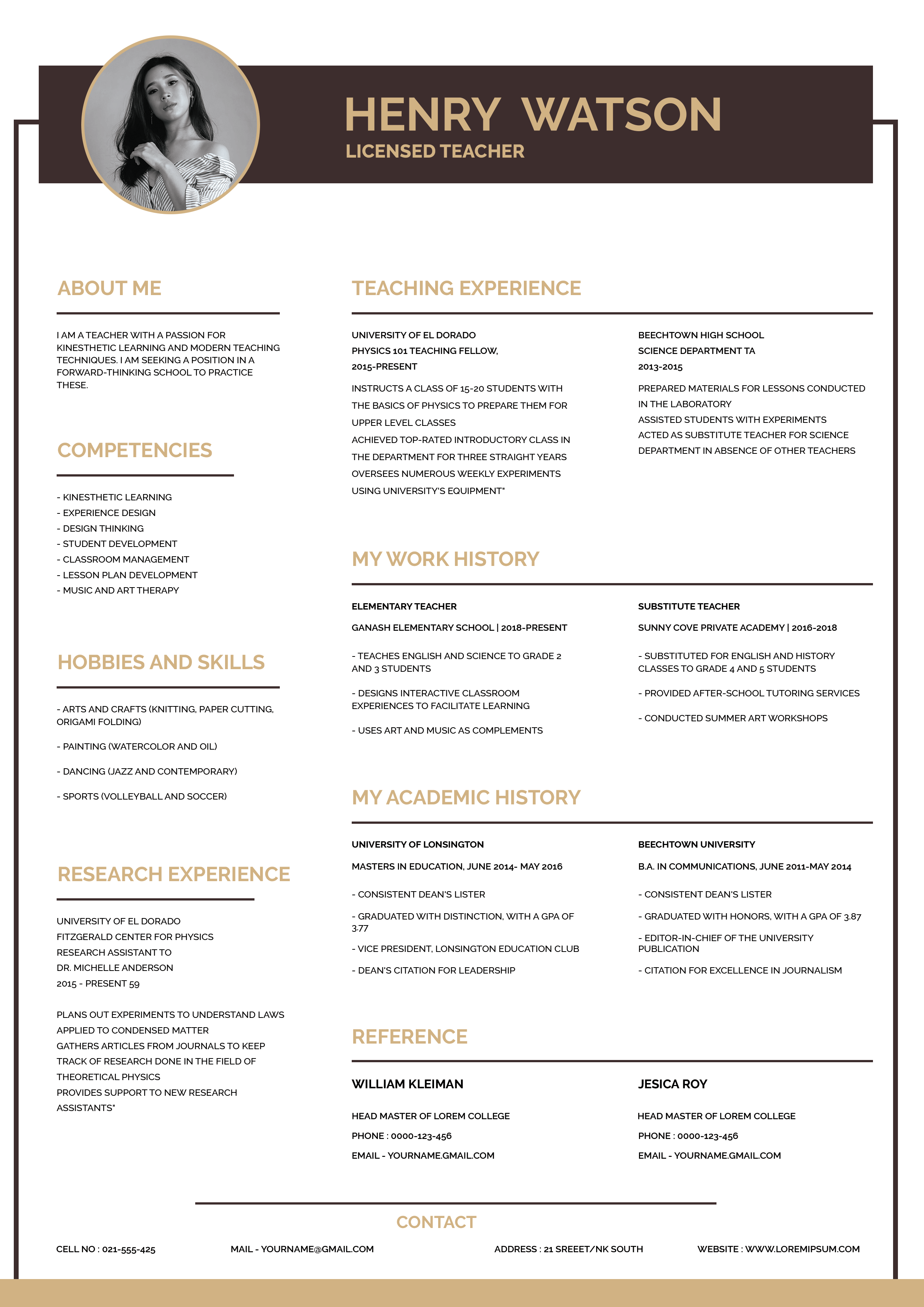
Free Photoshop Resume Template 99 is a polished, information-rich resume for educators and other experienced professionals who need to present a substantial career history on one page. The sample is written for a licensed teacher, and its academic tone suits teachers, university researchers, and education program coordinators especially well. A wide header and orderly multi-column body make the document feel established, formal, and confident without looking severe.
Design details
- A deep chocolate-brown name banner with warm sand-gold typography creates a refined, understated palette.
- A large circular portrait overlaps the header at the upper left, with a gold outline that connects it to the heading color.
- The page uses a narrow left sidebar for the summary, competencies, interests, and research experience, plus a broader right area for teaching experience, work history, education, and references.
- Bold uppercase sans serif headings, thin brown rules, and compact black body copy establish a clear professional hierarchy.
- A framed border and full-width contact strip finish the page with a structured editorial look.
How to use it
- Download the ZIP file and open the PSD source in Photoshop.
- Replace the circular portrait with a high-resolution headshot that crops cleanly around the face and shoulders.
- Edit the name, professional title, teaching or work entries, qualifications, research details, references, and footer contact information.
- Keep descriptions concise because this layout contains many sections. Remove any block you do not need and use the extra space to improve breathing room.
- Export a sharp PDF for applications or a high-quality JPG for portfolio previews.
Download
Download free-photoshop-resume-template-115.zip“>Download resume99.zip
Related templates
Compare more application layouts in the resume hub, or use the branding guide to adapt the brown and gold palette to your own professional identity.
FAQ
Can I edit this resume in Photoshop?
Yes. The PSD format is intended for replacing text, changing colors, adjusting rules, and swapping the portrait in Photoshop.
What should I change first?
Start with the portrait, name, title, and longest experience sections. Once the copy fits, check that the left column and lower contact area still feel balanced.
Can I use it for job applications today?
Yes, particularly for direct applications where a designed PDF is welcome. For automated portals, keep a separate plain-text resume available because the dense columns may not suit every applicant tracking system.








