
What this template is for
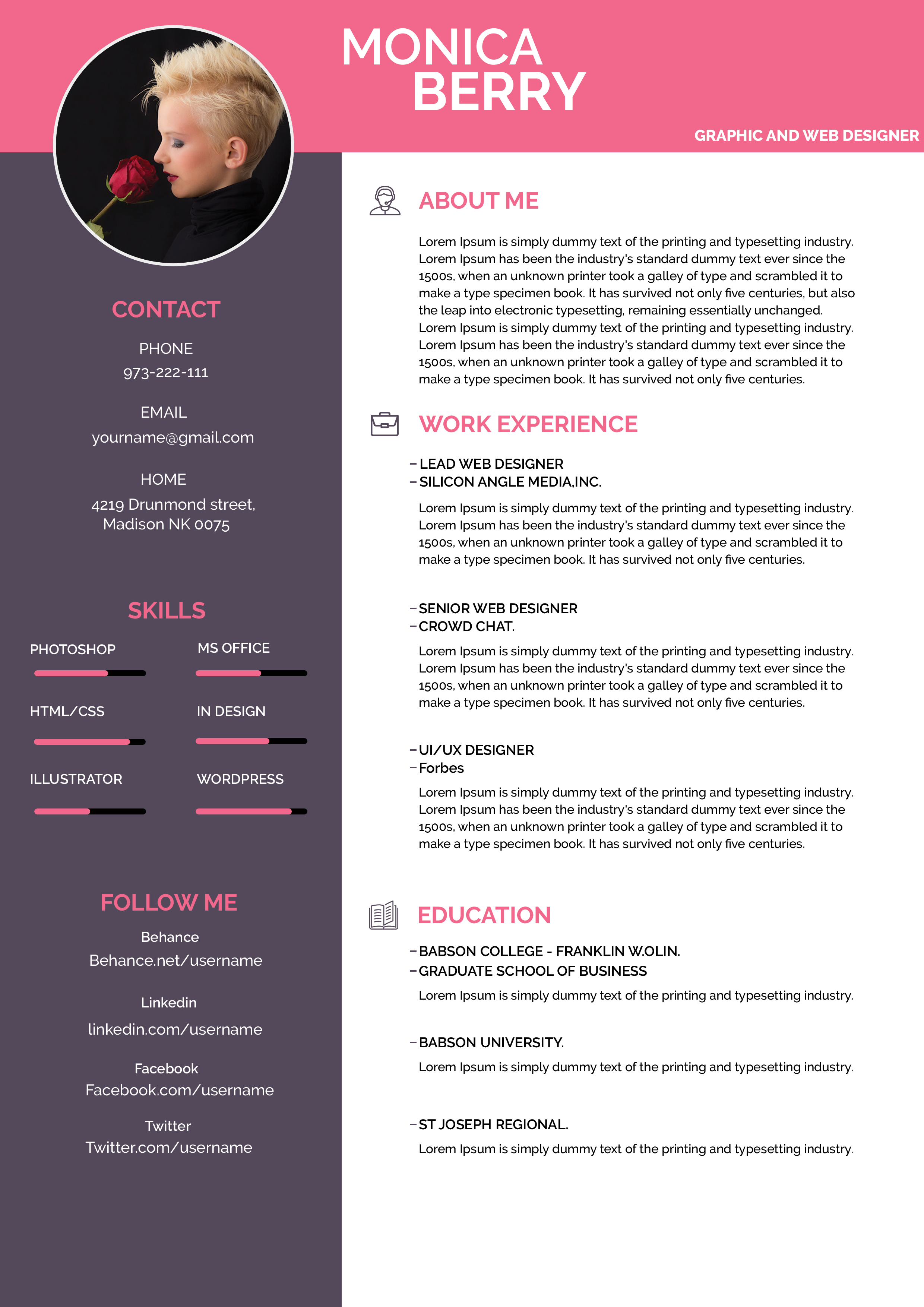
Free Photoshop Resume Template 98 is a lively two-column creative CV that combines bright pink with a deep gray-purple sidebar. Its compact layout highlights both personality and practical skills without sacrificing room for experience. It is a strong fit for graphic and web designers, UI designers, and social or digital creatives who maintain active portfolio profiles.
Design details
- A hot-pink header carries the centered two-line name and a small right-aligned professional title.
- A large circular portrait overlaps the header and dark sidebar, creating a memorable magazine-style focal point.
- The left column contains centered contact details, six horizontal skill bars, and social profile links.
- The white main column organizes about me, three work experience entries, and education with pink headings and small outline icons.
- Clean sans serif typography, compact paragraphs, and generous section gaps keep the dense content approachable.
The rose accent feels energetic and personal, while the muted sidebar prevents it from becoming overly playful. A close portrait with a simple dark background works best in the circular frame. Choose a face-forward crop with clear edges so the subject remains distinct at smaller viewing sizes.
How to use it
- Download the ZIP file and open the PSD source in Photoshop.
- Replace the circular portrait, then update the name, title, contact information, and portfolio or social links.
- Rename the skill bars and set their lengths honestly, prioritizing abilities mentioned in the target job description.
- Rewrite experience and education entries, check all small text for readability, and export the completed resume as a PDF.
Download
Download free-photoshop-resume-template-114.zip“>Download resume98.zip
Related templates
Explore the resume hub for content advice, and use the branding guide to adapt the bright pink and portrait treatment to your professional identity.
FAQ
Can I edit this resume in Photoshop?
Yes. You can change the portrait, colors, text, icons, column backgrounds, skill bars, and every section using the editable Photoshop source.
What should I change first?
Begin with the portrait and portfolio links because they support the creative focus. Next, tailor the skill labels and experience entries to the role you want.
Can I use it for job applications today?
Yes, especially for creative agencies, startups, freelance pitches, and direct recruiter emails. Keep a plain companion resume for systems that may struggle with two-column visual designs.








