
What this template is for
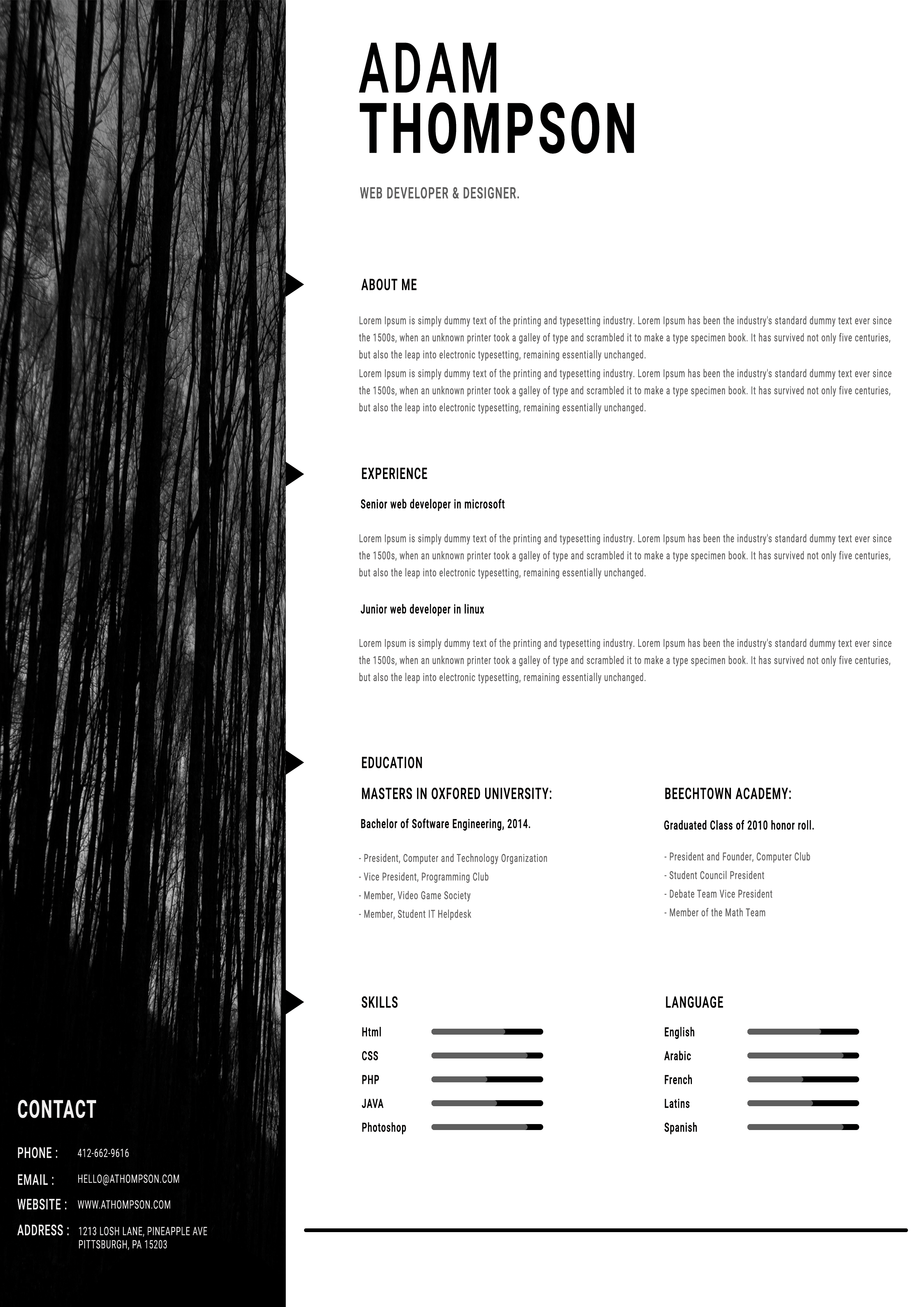
Free Photoshop Resume Template 97 is a dramatic black-and-white resume with a full-height forest photograph forming the entire left side. The broad white content area creates a strong counterpoint and supports a detailed professional history. It fits web developers, digital designers, and creative technologists who prefer a serious, minimalist personal brand.
Design details
- A monochrome tree image runs from top to bottom on the left, with white contact details positioned near its lower edge.
- The candidate’s oversized stacked name anchors the upper-right, followed by a smaller gray professional title.
- Black triangular pointers project from the image edge to mark about me, experience, education, and skills.
- The spacious main column uses narrow condensed type, generous vertical gaps, and long horizontal text blocks.
- Education splits into two columns, while skills and languages use simple gray-and-black horizontal bars.
The absence of color gives the page an architectural, slightly moody character. Tall trees reinforce vertical movement and make the resume feel distinctive without adding decorative icons. If you replace the image, choose a high-contrast vertical photograph with enough dark space at the bottom for legible contact copy.
How to use it
- Download the ZIP file and open the PSD source in Photoshop.
- Replace the forest photograph if desired, checking that the contact details remain readable over it.
- Update the name, role, profile, experience, education, skills, and languages, keeping paragraphs concise despite the wide text area.
- Adjust proficiency bars accurately, inspect the page at normal viewing size, and export a high-quality PDF.
Download
Download free-photoshop-resume-template-113.zip“>Download resume97.zip
Related templates
Browse the resume hub for stronger resume content, and review the branding guide when choosing a replacement photograph or typographic direction.
FAQ
Can I edit this resume in Photoshop?
Yes. The PSD allows you to swap the background photograph and edit all copy, type styling, markers, dividers, and proficiency bars.
What should I change first?
Enter your name and contact information first, then test their contrast against the image. After that, tailor the experience section around results relevant to the target role.
Can I use it for job applications today?
Yes. It is compelling for direct submissions to creative or technology teams. For automated portals, pair it with a simpler version that prioritizes machine-readable text.








