
What this template is for
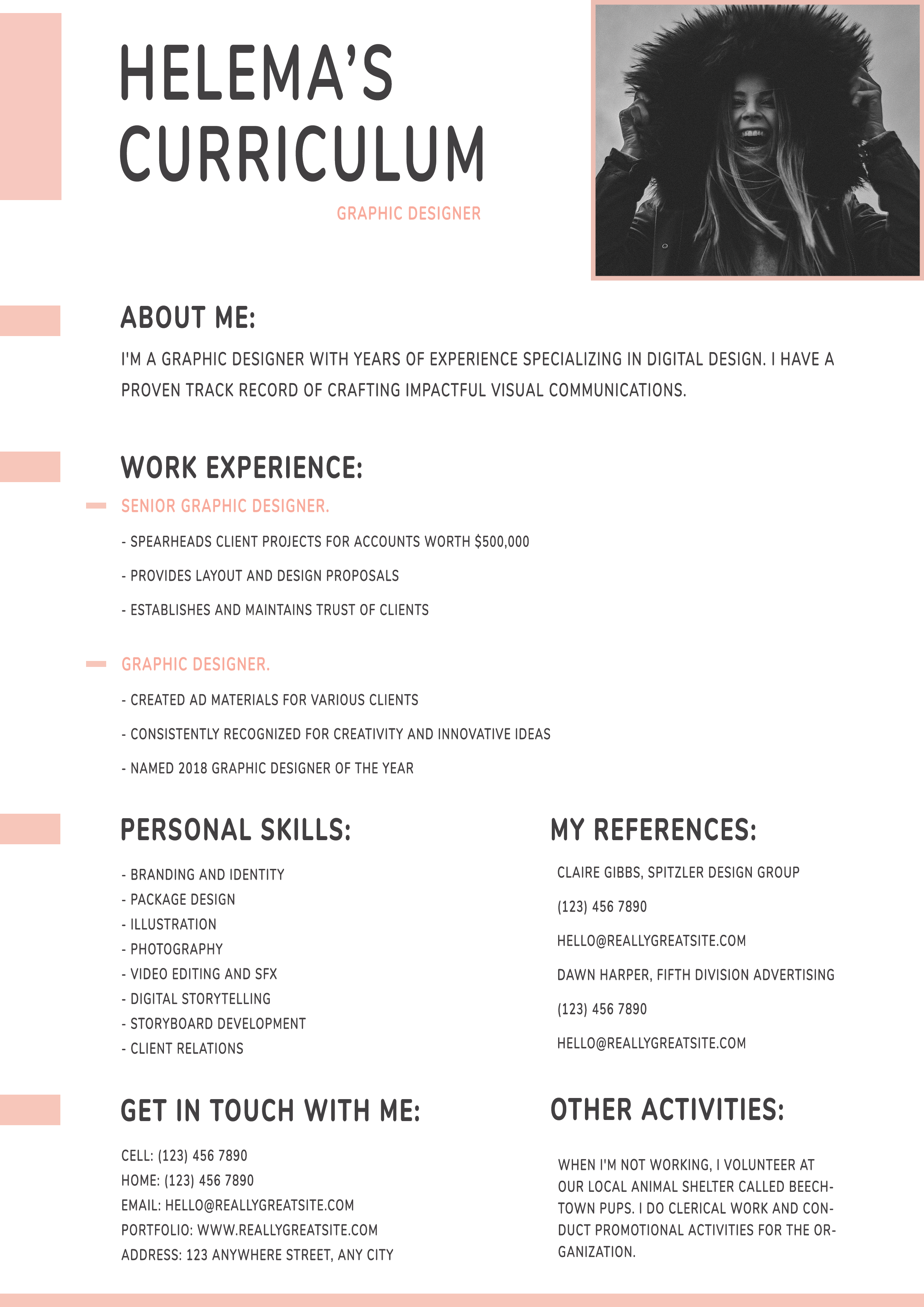
Free Photoshop Resume Template 95 is a spacious one-page creative resume with soft blush accents and a restrained grayscale palette. It balances personality with generous white space, making the content feel calm and approachable. The format suits graphic designers, illustrators, and creative marketing professionals who want a portfolio-minded resume without an elaborate sidebar.
Design details
- A large handwritten-style uppercase name dominates the top-left, with the job title set in a small blush line below.
- A wide black-and-white portrait sits in the upper-right within a thin peach frame.
- Short blush bars along the left edge act as visual markers for each major content group.
- The central column flows through about me and work experience before dividing into paired sections for skills, references, contact details, and other activities.
- Dark gray condensed type keeps the design casual and editorial, while small peach labels highlight job titles.
The warm blush color and informal lettering produce a friendly studio mood. The uncluttered page gives accomplishments room to breathe. A landscape portrait with strong expression works best, especially when converted to monochrome so it does not compete with the subtle accent color.
How to use it
- Download the ZIP and open the PSD source in Photoshop.
- Replace the header portrait, then update the name, role, profile, and experience entries.
- Tailor the lower paired sections, removing references or activities if stronger portfolio links or project highlights would be more useful.
- Check the margins and line lengths after editing, then export a crisp PDF for email or portfolio use.
Download
Download free-photoshop-resume-template-111.zip“>Download resume95.zip
Related templates
Visit the resume hub for writing guidance, and consult the branding guide before changing the accent, portrait, or expressive display type.
FAQ
Can I edit this resume in Photoshop?
Yes. The PSD lets you replace the photograph and customize all text, blush shapes, typography, spacing, and section content in Photoshop.
What should I change first?
Begin with the portrait and oversized name because they establish the visual identity. Then rewrite the profile and experience bullets to be specific and results focused.
Can I use it for job applications today?
Yes, especially for creative studios, agencies, or direct recruiter outreach. Keep a text-based alternative for application systems that may not interpret the graphic layout correctly.








