
What this template is for
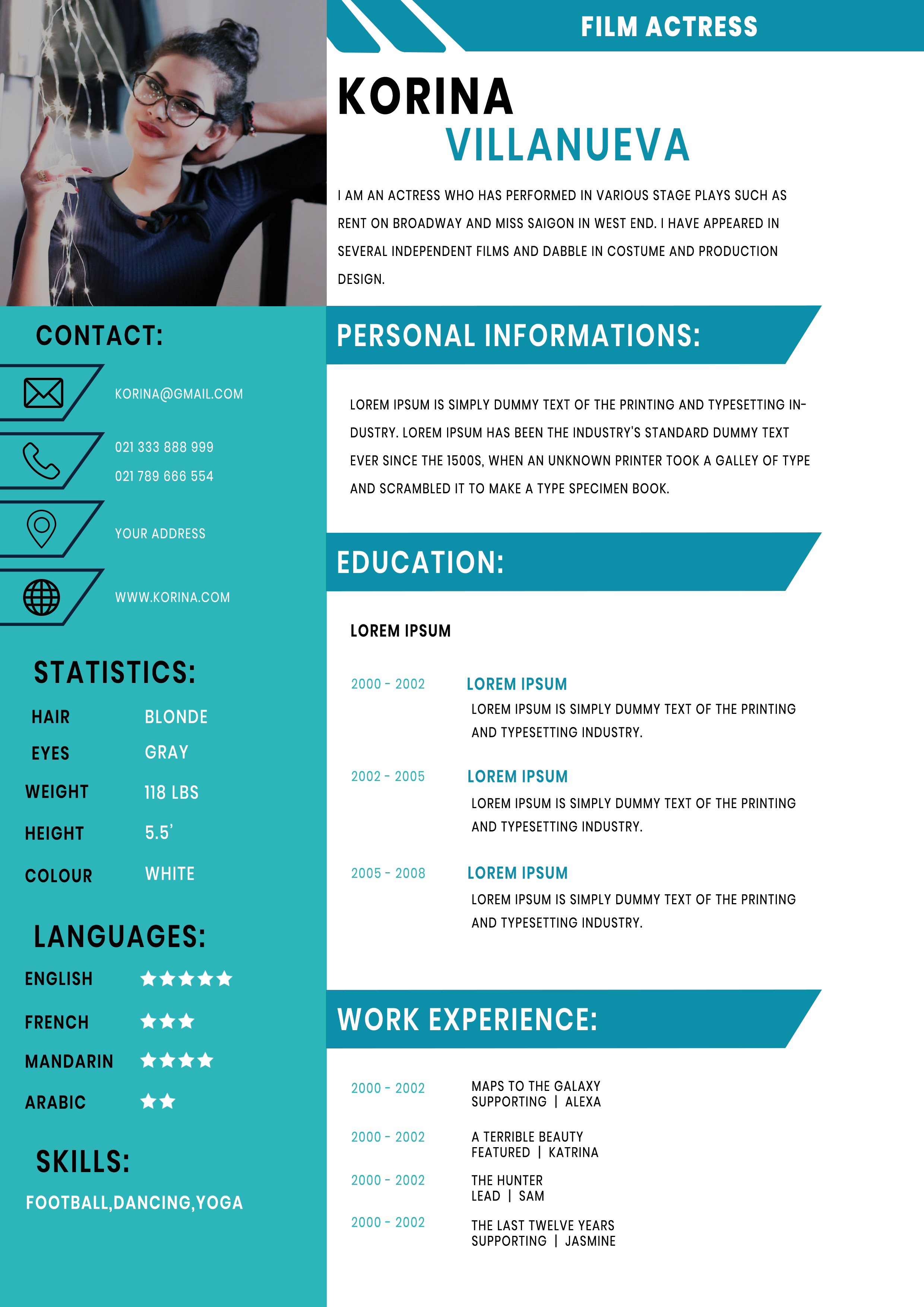
Free Photoshop Resume Template 94 is a bright turquoise and white resume built around an acting profile. It combines a prominent photo with personal statistics, contact details, training, and performance credits. The format genuinely fits film and stage actors, commercial talent, and performers preparing a casting or agency submission.
Design details
- A rectangular portrait fills the top of the turquoise sidebar, giving casting teams an immediate visual reference.
- The left panel uses outlined contact icons followed by statistics, language star ratings, and a short skills line.
- The white main area opens with a large two-color name and a turquoise banner naming the target role.
- Angled turquoise section ribbons divide personal information, education, and work experience.
- Condensed uppercase typography and crisp black body copy create an energetic, production-ready appearance.
The high-contrast turquoise accent feels contemporary and confident, while diagonal shapes suggest motion. The included photo zone is wider than a standard headshot and works well for an expressive waist-up portrait. Select an image with clean lighting and enough background space to accommodate the crop.
How to use it
- Download the ZIP file and open the PSD file in Photoshop.
- Replace the sample portrait and update your stage name, specialty, short bio, contact information, and relevant physical statistics.
- Add training and credits in reverse chronological order, naming the production, role, and director or company where useful.
- Remove any irrelevant fields, verify that type remains readable, and export a polished PDF for casting submissions.
Download
Download free-photoshop-resume-template-110.zip“>Download resume94.zip
Related templates
Browse the resume hub for content advice, and use the branding guide to coordinate the turquoise accent with your headshot and performer brand.
FAQ
Can I edit this resume in Photoshop?
Yes. The Photoshop source allows you to replace the portrait and edit the text, colors, banners, icons, ratings, and individual sections.
What should I change first?
Start with a current professional headshot and accurate contact details. Then replace every placeholder credit and remove statistics that are not expected in your market.
Can I use it for job applications today?
Yes, when applying directly to casting professionals, productions, or talent agencies. Confirm each recipient’s required file format and headshot specifications before sending it.








