
What this template is for
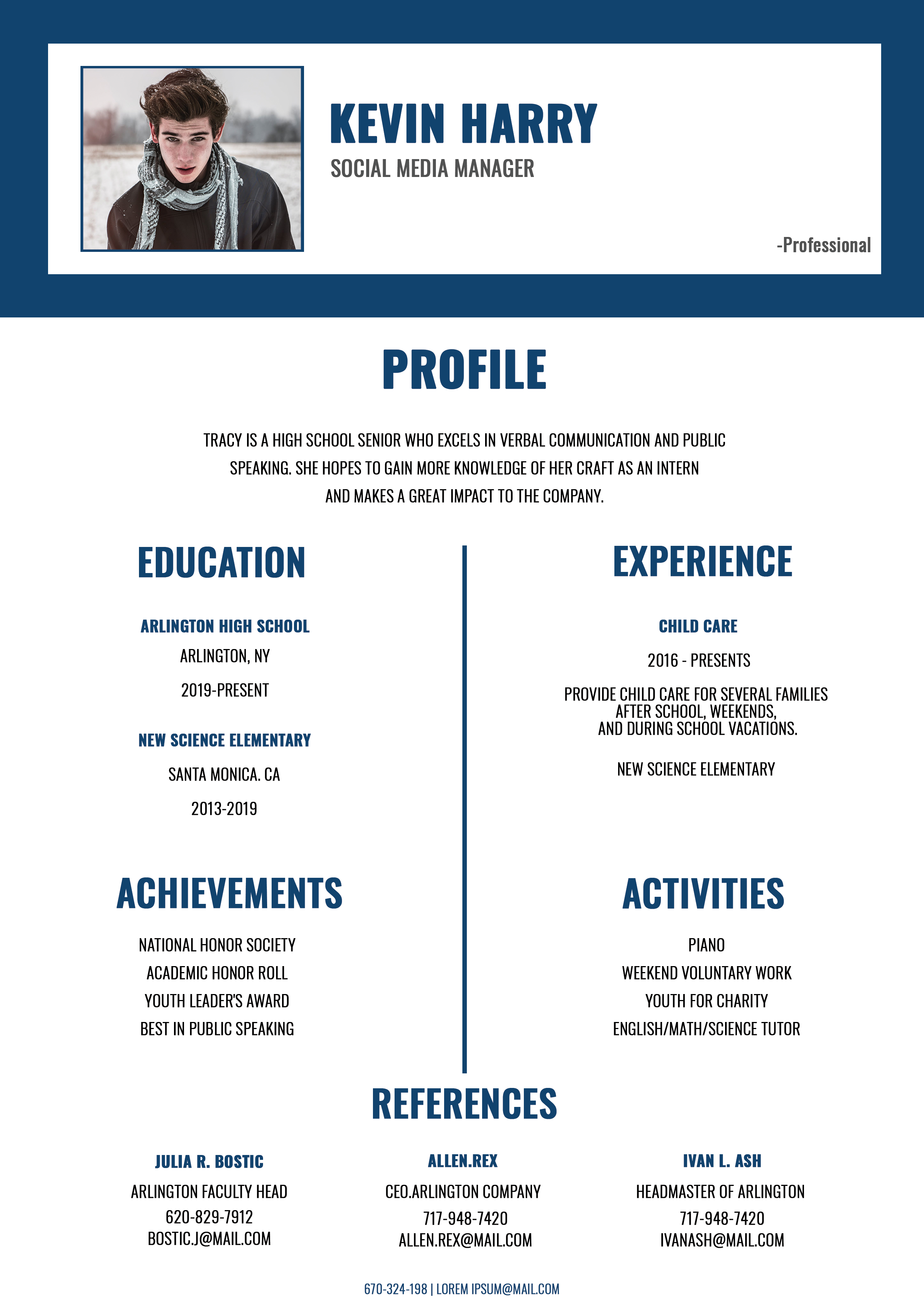
Free Photoshop Resume Template 89 is a clean navy-and-white student resume displayed as a small stack on a colorful desk. Its content is centered on profile, education, limited work experience, achievements, activities, and references rather than a long employment history. That makes it genuinely appropriate for high school seniors, college applicants, internship seekers, and entry-level social media or communications candidates.
Design details
- The promotional scene uses a split turquoise and dusty-pink desktop with a laptop, coffee, and plant, while oversized navy lettering describes the template on the right.
- The resume begins with a dark navy header surrounding a white identity card that holds a rectangular portrait, large condensed name, and social media manager title.
- A centered profile introduces the candidate, followed by a symmetrical two-column body divided by a thin navy vertical rule.
- Education and achievements appear on the left, while experience and activities appear on the right. Three references span the bottom in evenly spaced mini-columns.
- Condensed uppercase typography gives the design a bold editorial feel, and faint oversized background words add depth without introducing extra colors.
How to use it
- Download resume89.zip and open the editable Photoshop source.
- Replace the header portrait, name, target role, and short profile. Keep the profile focused on the opportunity you are pursuing.
- Update education, part-time work or volunteering, awards, clubs, tutoring, and other relevant activities. This layout works well when formal experience is still limited.
- Ask permission before including references, or replace that section with “References available upon request” if privacy is a concern.
- Export the single clean page as a PDF for applications. Reserve the stacked desk presentation for a portfolio or promotional thumbnail.
Download
Download free-photoshop-resume-template-104.zip“>Download resume89.zip
Related templates
Read the resume hub for ways to present early experience, and consult the branding guide if you plan to carry the navy style into a cover letter or online profile.
FAQ
Can I edit this resume in Photoshop?
Yes. You can update the photo, headings, text, navy color, dividers, and reference blocks in Photoshop.
What should I change first?
Start with the target role and profile, then select the education, activities, achievements, and experience that best support that goal. Remove any placeholder reference data immediately.
Can I use it for job applications today?
Yes. It is especially suitable for internships, school programs, scholarships, and first jobs. Submit the isolated page and verify that all small text is readable in the final PDF.








