
What this template is for
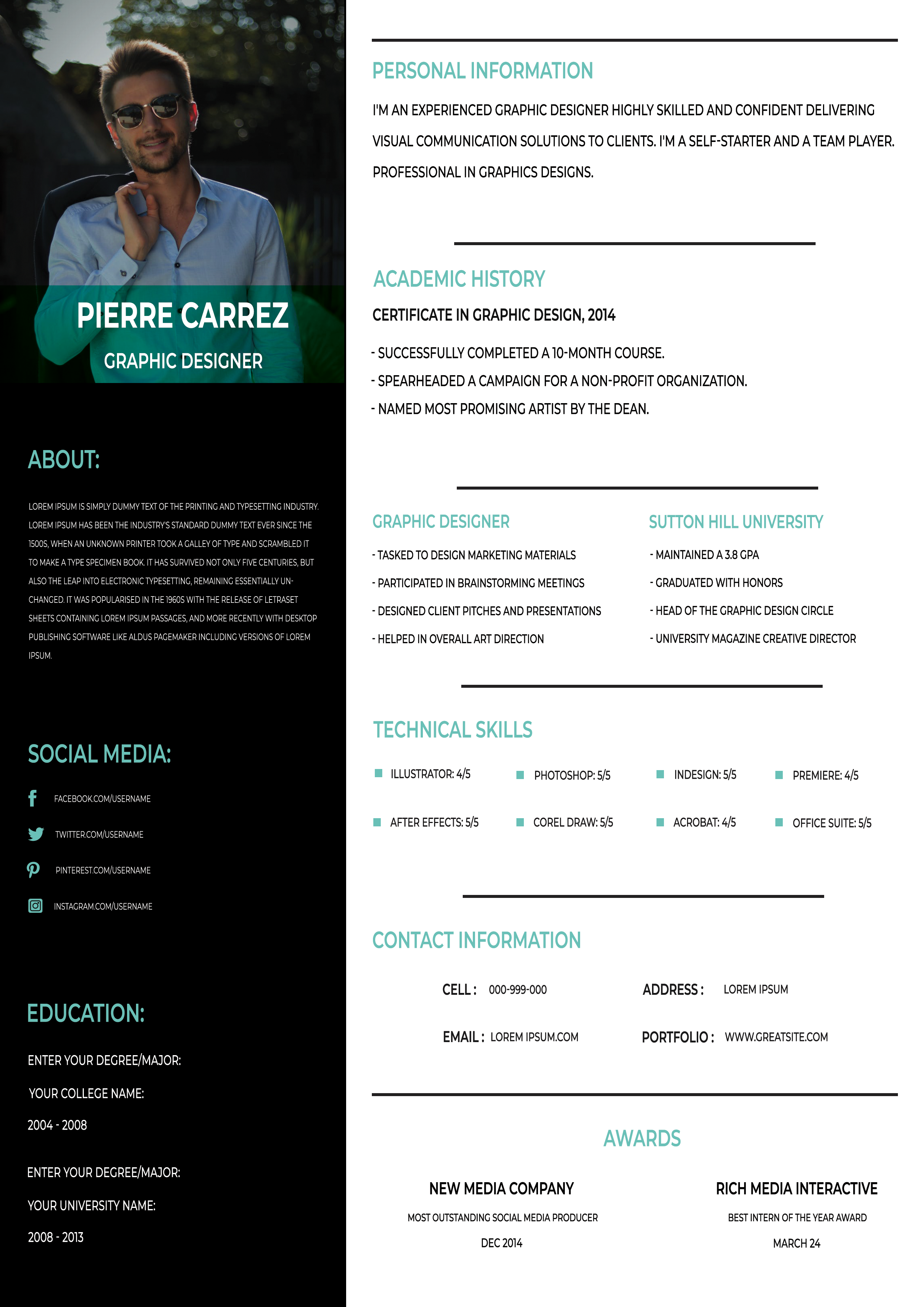
Free Photoshop Resume Template 87 is a slim, portfolio-minded resume displayed in a bright stationery mockup. The page pairs a dramatic black sidebar with teal headings and an airy white information column. Its creative presentation and highly structured content suit graphic designers, visual communication specialists, social media creatives, and recent design graduates who want a resume that feels connected to a personal portfolio.
Design details
- The promotional preview places the resume on a white wooden desk surrounded by a keyboard, pencils, clips, notebooks, pens, and large teal template lettering.
- A tall black left rail contains a rectangular lifestyle portrait, a teal name band, a short about section, social links, and education details.
- The wider white column uses thin black horizontal rules and narrow teal uppercase headings to separate personal information, academic history, experience, technical skills, contact information, and awards.
- The typography is condensed and modern, allowing many facts to fit within the narrow portrait-oriented page while maintaining a clear hierarchy.
- Teal accents appear sparingly in headings, social icons, and small skill markers, producing a crisp black, white, and green-blue palette.
How to use it
- Download the ZIP and open the layered source in Photoshop.
- Replace the sidebar photograph and update the name, title, about text, social handles, and education information.
- Rewrite the right-column sections with concise achievements. Use short bullet-style statements rather than long paragraphs so the condensed type remains legible.
- Update software skill levels, contact details, and awards, then recolor the teal accent if another shade better matches your portfolio.
- Export the isolated resume page as a high-resolution PDF. Save the complete desk mockup as a JPG only when you need a promotional image.
Download
Download free-photoshop-resume-template-102.zip“>Download resume87.zip
Related templates
See the resume hub for advice on writing concise creative credentials, then use the branding guide to coordinate the teal accent and portrait style with your portfolio.
FAQ
Can I edit this resume in Photoshop?
Yes. Photoshop can be used to replace the photo, rewrite every section, adjust the teal accent, and revise the skill and social details.
What should I change first?
Start with the dark sidebar because it establishes the personal brand. Then tailor the main column, prioritizing experience and technical skills that match the target role.
Can I use it for job applications today?
Yes. Send the clean resume page, not the full stationery scene. The mockup works best for Behance, a portfolio site, or a social post announcing your availability.








