
What this template is for
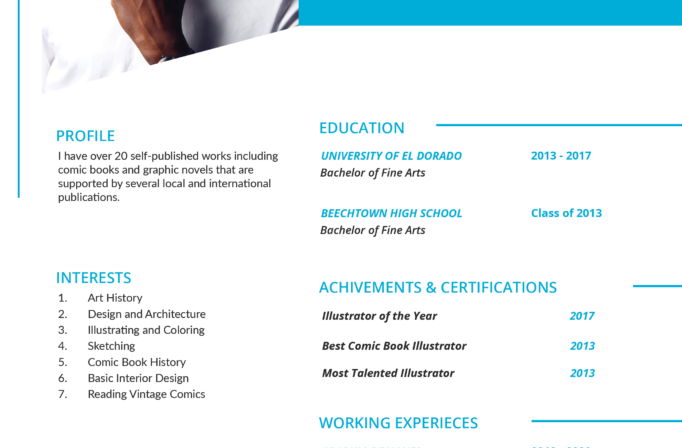
Free Photoshop Resume Template 84 is a modern turquoise-accented resume built for candidates with varied skills, accomplishments, and international experience. A prominent portrait and oversized name create a memorable introduction, while the split body makes room for both quick visual ratings and detailed career content. The design genuinely suits project managers, consultants, multilingual professionals, and candidates applying to internationally focused organizations.
Design details
- The pale-gray masthead places a large square portrait on the left, an extra-large two-line name in the center, and a compact icon-led contact block on the right.
- Bright turquoise is used for the surname, headings, date labels, rating dots, and map pins, giving the page a crisp, energetic identity.
- A narrow left column holds the profile, language ratings, personal expertise, achievements, hobbies, and LinkedIn callout.
- The wider right column contains a business objective, three experience entries, paired education records, and a large world map with numbered location markers.
- The typography is clean and contemporary, with bold sans-serif headings and small, tightly set body copy designed for a detailed one-page presentation.
How to use it
- Download the ZIP file and open the PSD source in Photoshop.
- Replace the square headshot, then update the large name, professional title, and contact details in the top band.
- Tailor the profile, objective, work experience, education, languages, achievements, and expertise. Use short paragraphs so the dense layout remains readable.
- Change the filled rating circles honestly and move or relabel the world map markers to represent real projects, assignments, or study locations.
- Export the finished resume as a sharp PDF, checking that turquoise text and fine body copy remain legible at normal viewing size.
Download
Download free-photoshop-resume-template-99.zip“>Download resume84.zip
Related templates
Visit the resume hub for guidance on organizing detailed experience, then consult the branding guide if you want to replace the turquoise with a personal or company color.
FAQ
Can I edit this resume in Photoshop?
Yes. You can edit the PSD’s portrait, text, accent color, skill dots, icons, and map labels in Photoshop.
What should I change first?
Start with the headline information and profile, then prioritize the experience entries. After that, customize the ratings and map so the visual elements communicate real qualifications rather than decoration.
Can I use it for job applications today?
Yes. It is best for direct applications, portfolio presentations, or emailed PDFs where its map and rating graphics can be appreciated. Keep a simpler ATS version for automated application portals.








