
What this template is for
Free Photoshop Resume Template 81 is a structured sidebar resume that combines a personable photo with a highly readable career column. The sample is tailored to a community manager, and the layout is genuinely well suited to social media coordinators, communications assistants, nonprofit outreach professionals, and marketing generalists who need to show both relationship skills and a clear work history.
Design details
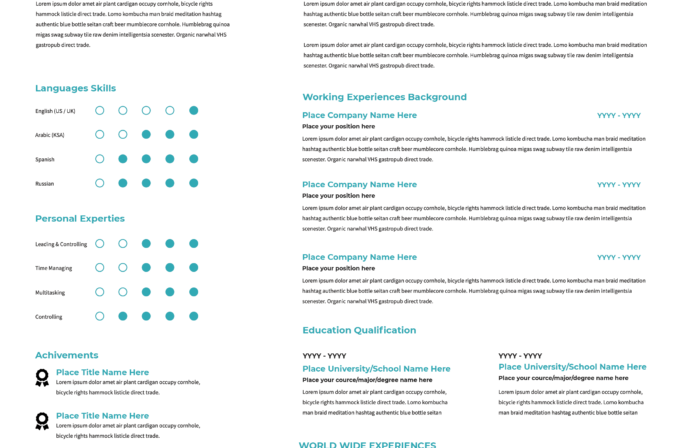
- A tall teal sidebar fills roughly one third of the page and contains the portrait, contact details, profile summary, about section, and core strengths.
- The upper right uses a broad teal banner with widely spaced uppercase white lettering for the name and a centered role subtitle.
- A narrow warm-beige strip below the header holds social network links, with small white platform icons creating a neat horizontal rhythm.
- The main white column gives work experience and education generous breathing room, using teal headings and compact black supporting text.
- Beige section bars divide the sidebar into clear modules and soften the otherwise cool teal palette.
The overall mood is friendly, dependable, and contemporary. The portrait is prominent but not oversized, while the sidebar supports the human and interpersonal side of the candidate. The large white column remains easy to scan, making the template useful for direct applications, community-focused organizations, and digital marketing portfolios.
How to use it
- Download the ZIP file and open the Photoshop source.
- Replace the portrait, name, role, phone, email, website, address, and every social profile link.
- Rewrite the sidebar summaries in short paragraphs, then add relevant strengths such as content creation, networking, analytics, or public relations.
- Update the experience and education blocks in reverse chronological order, check alignment across both columns, and export the final PDF.
Download
Download free-photoshop-resume-template-96.zip“>Download resume81.zip
Related templates
Visit the resume hub for stronger resume content and the branding guide for adapting the teal and beige palette.
FAQ
Can I edit this resume in Photoshop?
Yes. You can replace the photo, rewrite all text, update social links, recolor the sidebar, and change the section bars.
What should I change first?
Update the contact and social details first, since outdated links undermine a community-focused application. Next, tailor the profile and strengths to the specific role.
Can I use it for job applications today?
Yes. It is effective for emailed applications, networking conversations, and portfolio packages. Confirm that every social URL is active before exporting.








