
What this template is for
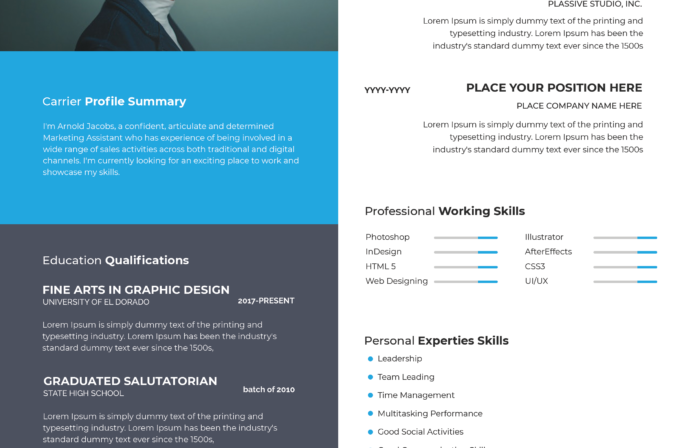
Free Photoshop Resume Template 63 presents a clean one-page resume with understated editorial styling. The actual resume shown on the right uses a compact two-column grid and muted taupe accents, making it a strong choice for graphic designers, art directors, and brand or communications specialists who prefer quiet sophistication.
Design details
- A small rectangular portrait sits at the upper left of the resume header, paired with a large two-tone name and a compact professional title.
- The central white area is divided into two equal columns by a fine vertical rule. Work experience and skill ratings appear on the left; education and references sit on the right.
- Black sans serif type carries most of the content, while a muted gray-taupe accent highlights the surname, dates, rules, rating dots, and footer block.
- A full-width taupe footer organizes the personal profile, contact information, and interests into three neat columns in reversed white text.
- Generous white space, restrained line work, compact paragraphs, and minimal ornament create a precise, mature mood suited to a polished creative portfolio.
How to use it
- Download the ZIP file and open the included PSD in Photoshop.
- Replace the header image with a simple waist-up or head-and-shoulders portrait that remains recognizable at a relatively small size.
- Edit the name, title, experience, education, reference, profile, contact, interests, and skills content. Keep each description short enough to preserve the generous white margins.
- Update the dot ratings and recolor the taupe accent if your portfolio uses another restrained neutral.
- Inspect the small footer type carefully, then export a sharp PDF for sending and a JPG for previewing.
Download
Download free-photoshop-resume-template-76.zip“>Download resume63.zip
Related templates
Consult the resume hub for stronger application copy, and visit the branding guide before coordinating the neutral accent, portrait, and typography with your portfolio.
FAQ
Can I edit this resume in Photoshop?
Yes. The PSD allows you to replace all text and the photo, adjust the taupe color, and edit the rules and proficiency dots.
What should I change first?
Begin with the compact header, especially the photo, two-tone name, and title. Next, fit your longest experience entry before editing the smaller footer columns.
Can I use it for job applications today?
Yes. It is especially suitable for direct applications, portfolio PDFs, and creative networking. Since the two-column format is visually organized, keep a linear text version ready for systems that parse resumes automatically.








