
What this template is for
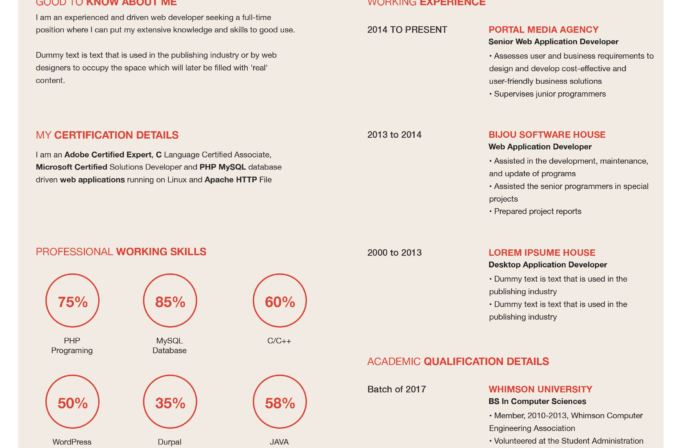
Free Photoshop Resume Template 61 is a warm, structured two-column resume that combines a personal sidebar with a spacious professional record. Its approachable neutral palette suits brand designers, visual communicators, and junior art directors who want a creative page that still feels orderly and restrained.
Design details
- A soft sand and beige sidebar covers roughly two-fifths of the page, while the main experience column remains white for strong readability.
- A large circular portrait sits across the boundary between the two columns near the top, creating a memorable focal point with a clean white outline.
- The name is set in chunky rounded uppercase lettering in pale tan, paired with a simple black job title. Section titles mix light and bold sans serif weights for a modern editorial rhythm.
- The left column contains a personal profile, four award icons, references, and contact details. The right column carries experience, education, and dot-based professional skill ratings.
- Thin white or light-gray rules separate sections, while restrained black body text and pale date labels keep the mood calm, polished, and personable.
How to use it
- Download the ZIP and open the PSD file in Photoshop.
- Choose a portrait with a simple background and enough room for the large circular crop. Position the face away from the outer edge for visual balance.
- Replace the profile, experience, education, references, contact details, awards, and skill names. Limit entries to the strongest evidence relevant to the role.
- Customize the sand accent if desired, but maintain clear contrast between the sidebar text, white rules, and background.
- Check alignment at 100 percent zoom, then export a print-ready PDF and a web-friendly JPG.
Download
Download free-photoshop-resume-template-74.zip“>Download resume61.zip
Related templates
Use the resume hub to refine your content, then review the branding guide for advice on matching the portrait, neutral palette, and typography to your professional identity.
FAQ
Can I edit this resume in Photoshop?
Yes. The Photoshop source supports edits to the text, portrait crop, background panels, rules, icons, and skill dots.
What should I change first?
Replace the portrait and header text first, followed by the longer experience and education entries. This reveals whether any copy needs trimming before you adjust smaller sidebar sections.
Can I use it for job applications today?
Yes. The layout is best for direct emails, interviews, and creative employers that appreciate designed resumes. Consider a simple alternate resume for application systems that require strict text extraction.








