
What this template is for
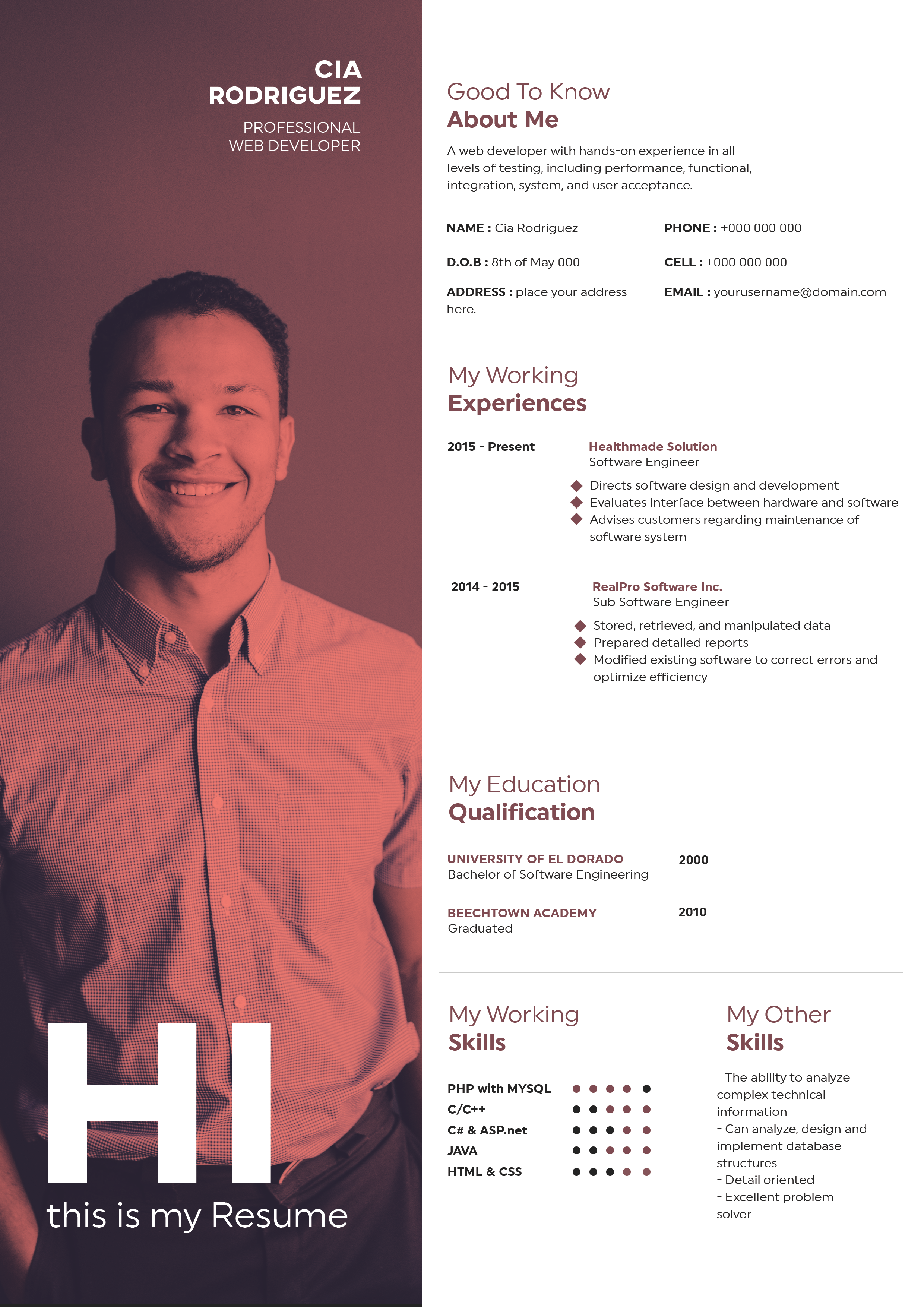
Free Photoshop Resume Template 51 is a bold one-page resume for creative professionals who want their application to feel polished, energetic, and easy to scan. Its mustard-yellow frame, crisp white content panel, and black display type create a confident editorial look. The design is especially fitting for graphic designers, art directors, and brand or marketing creatives who can benefit from a visually distinctive introduction.
Design details
- A wide yellow header places the candidate name on the left and a large rectangular portrait on the right.
- Tall condensed uppercase lettering gives the name and section labels a strong poster-inspired personality.
- The white body uses a balanced two-column grid for profile, contact details, experience, education, skills, and accomplishments.
- Yellow label blocks, small orange bullets, gray secondary text, and black body copy maintain a clear visual hierarchy.
- Horizontal proficiency bars make the software-skills area quick to understand without overwhelming the page.
The result feels bright and modern while remaining structured. It works best when the content stays concise, since the compact columns are designed for short summaries and focused achievement bullets rather than long paragraphs.
How to use it
- Download the ZIP file and open the editable source in Photoshop.
- Replace the header portrait with a well-lit headshot cropped to the wide rectangular photo zone.
- Update the name, job title, profile, contact information, work history, education, skills, and accomplishments.
- Adjust the yellow accent if needed, but preserve strong contrast between the header, labels, and white content area.
- Export a high-resolution PDF for applications and a JPG for portfolio previews or email sharing.
Download
Download free-photoshop-resume-template-63.zip“>Download resume51.zip
Related templates
Explore the resume hub for practical application advice, or use the branding guide to coordinate the yellow, black, and white palette with your portfolio.
FAQ
Can I edit this resume in Photoshop?
Yes. You can replace the text and portrait, modify the accent color, and fine-tune the skill bars in Photoshop.
What kind of photo suits this layout?
Use a professional horizontal head-and-shoulders image with enough background space for a clean crop. A simple backdrop will complement the graphic header.
Who is this design best suited to?
Its assertive typography and bright palette make it a natural choice for designers, creative directors, and visual marketing professionals.








