
What this template is for
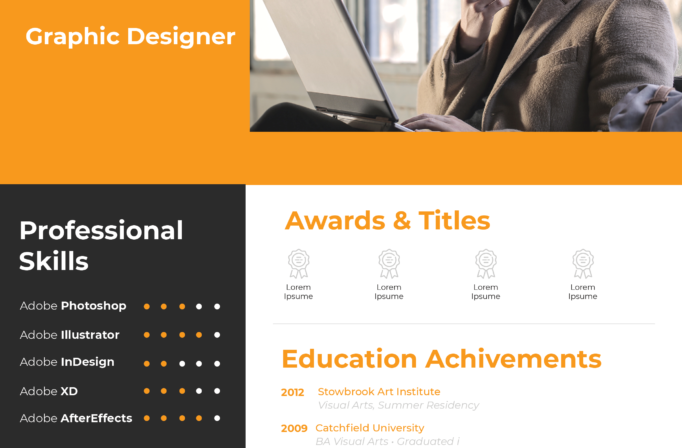
Free Photoshop Resume Template 40 is a restrained grayscale resume with a strong modular structure. Its circular black-and-white portrait, oversized name, dark section bars, and timeline details suit a graphic designer, production artist, or layout specialist who prefers an understated visual identity. The monochrome approach also makes it practical for economical printing and for portfolios that already contain colorful work.
Design details
- A large circular portrait at the upper-left, cropped in black and white for a focused editorial introduction
- An oversized uppercase name and thin professional title aligned horizontally with the photograph
- A two-column body with profile, contact details, and hobbies on the left
- Education, working history, and professional skills arranged in the wider right column
- Charcoal section bars with white headings, plus vertical timelines, round markers, dates, and dot-based skill ratings
The light gray page background softens the contrast between the white space and near-black title bands. Typography alternates between bold sans serif labels and lighter gray body copy, producing a clean hierarchy without color. The timeline sections use dark circular nodes and pale connector lines, while the skill matrix turns proficiency into a compact row of filled and unfilled dots. The result feels systematic, mature, and quietly creative.
How to use it
- Download the ZIP file and open the PSD source in Photoshop.
- Replace the circular portrait with a high-resolution headshot that remains clear in grayscale.
- Update the name, design specialty, profile, contact information, hobbies, education, employment, and software skills.
- Keep each timeline description short, use consistent date formatting, and set the skill dots to realistic levels.
- Proofread the pale gray text for sufficient contrast, then export a print-ready or screen-ready PDF.
Download
Download free-photoshop-resume-template-51.zip“>Download resume40.zip
Related templates
See the resume hub for writing guidance, and use the branding guide to coordinate this neutral design with a portfolio, cover page, or personal identity.
FAQ
Can I edit this resume in Photoshop?
Yes. You can replace the portrait, edit all text, modify the gray tones, adjust timeline entries, and change the skill-rating dots.
What should I change first?
Begin with the circular photo and prominent name line. Next, tailor the work history and education timelines, since these occupy the largest visual area.
Can I use it for job applications today?
Yes. Its restrained palette is suitable for direct applications, creative interviews, and printed leave-behinds. Confirm that small gray body text is legible in your final export and that PDF text remains searchable.








