
What this template is for
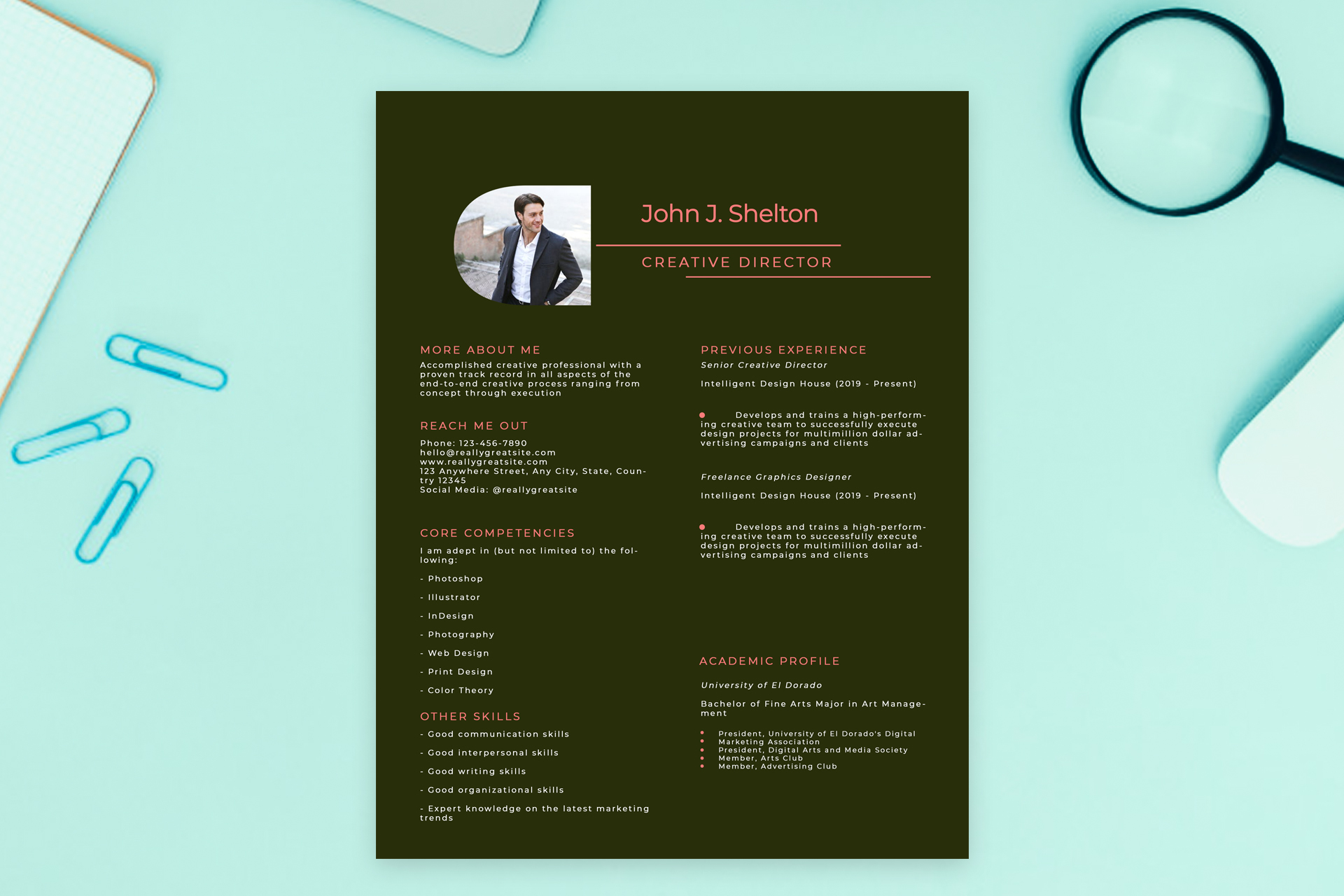
Free Photoshop Resume Template 3 is a bold, dark resume for creative professionals who want their application to feel more like a polished portfolio page. The nearly black olive background, coral accents, and compact two-column structure give it a confident editorial mood. It is especially fitting for creative directors, brand designers, and art or marketing leads whose personality and visual judgment are part of the pitch.
Design details
- A full-page deep olive canvas with warm coral headings, rules, bullets, and name text
- An asymmetrical header with a rounded-corner portrait on the left and a large name and role lockup on the right
- A narrow left column for the profile, contact details, core competencies, and supporting skills
- A wider right column for previous experience and academic credentials, with generous gaps between entries
- Wide letter spacing and small uppercase labels that create a refined, fashion-forward typography feel
The white body copy stands out clearly against the dark page, while the salmon-coral details keep the layout from feeling severe. The portrait has a distinctive curved upper-left edge, adding personality without overwhelming the information. This design is best treated as a visually led resume for direct sharing, portfolio submissions, or interviews rather than a plain text document.
How to use it
- Download the ZIP file and open the PSD in Photoshop.
- Replace the sample portrait, then update the name and professional title in the header.
- Keep the left column concise so the contact and competency sections remain easy to scan.
- Use the larger right column for two or three strong roles, focusing on results instead of long duty lists.
- Export a high-resolution PDF for applications or a JPG for portfolio previews.
Download
Download free-photoshop-resume-template-39.zip“>Download resume3.zip
Related templates
Explore the resume hub for application tips, or use the branding guide to coordinate the coral and olive palette with your portfolio.
FAQ
Can I edit this resume in Photoshop?
Yes. You can replace the portrait, edit every text section, and change the dark olive and coral colors to suit your own creative identity.
What should I change first?
Start with the image, name, title, and coral accent color. Those elements establish the visual personality before a reader reaches your experience.
Can I use it for job applications today?
Yes. It works particularly well for creative roles where a designed PDF is welcome. Keep a simpler text version available if an employer requests an ATS-focused resume.








