
What this template is for
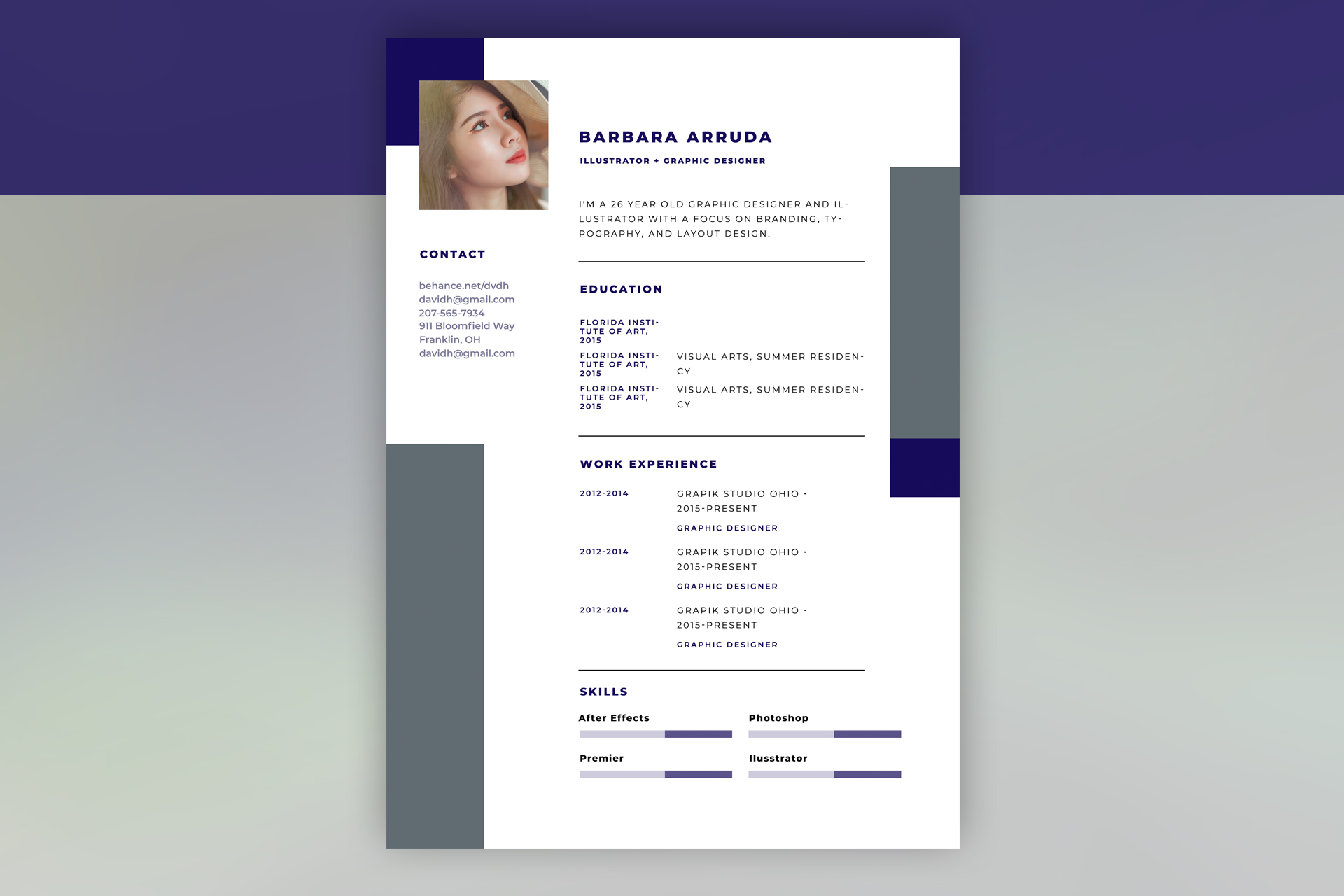
Free Photoshop Resume Template 28 is a bold portfolio-style resume built around a navy, white, and slate color system. A portrait and compact contact rail establish a personal brand on the left, while the larger white column presents the profile, education, work experience, and software skills. It is a natural fit for illustrators, graphic designers, art directors, and other visual creatives applying to studios or agencies.
Design details
- A deep indigo vertical band anchors the page, with large slate blocks extending beyond the main white sheet.
- The square portrait overlaps the colored rail and content area, creating a modern layered composition.
- Heavy uppercase sans serif headings and generous letter spacing give the resume a confident studio aesthetic.
- Thin horizontal rules separate the introduction, education, work experience, and skills without adding clutter.
- Two-column entries pair dates or institutions with descriptions, while segmented lavender and navy bars visualize software proficiency.
How to use it
- Download the ZIP file and open the editable PSD in Photoshop.
- Replace the square portrait with a sharp, well-lit image and crop it so the face remains clear at resume size.
- Update the name, creative title, short introduction, contact details, education, and experience while preserving the strong alignment.
- Rename the four skill bars for the tools you actually use, then adjust each segmented fill to reflect a credible level.
- Proofread the widely spaced uppercase text and export the finished page as a high-resolution PDF or JPG.
Download
Download free-photoshop-resume-template-37.zip“>Download resume28.zip
Related templates
Use the resume hub to shape concise experience statements and the branding guide to coordinate the indigo accents with your portfolio.
FAQ
Can I edit this resume in Photoshop?
Yes. You can replace the portrait, change the indigo and slate blocks, edit all text, and resize the skill indicators in Photoshop.
What should I change first?
Begin with the portrait, name, and role because they define the visual identity. Then revise the summary and entries so the concise text fits the existing grid without crowding.
Can I use it for job applications today?
Yes, especially for creative roles where a designed PDF is welcome. Pair it with a portfolio link and keep an alternate plain-text resume ready for forms that do not preserve visual formatting.








