
What this template is for
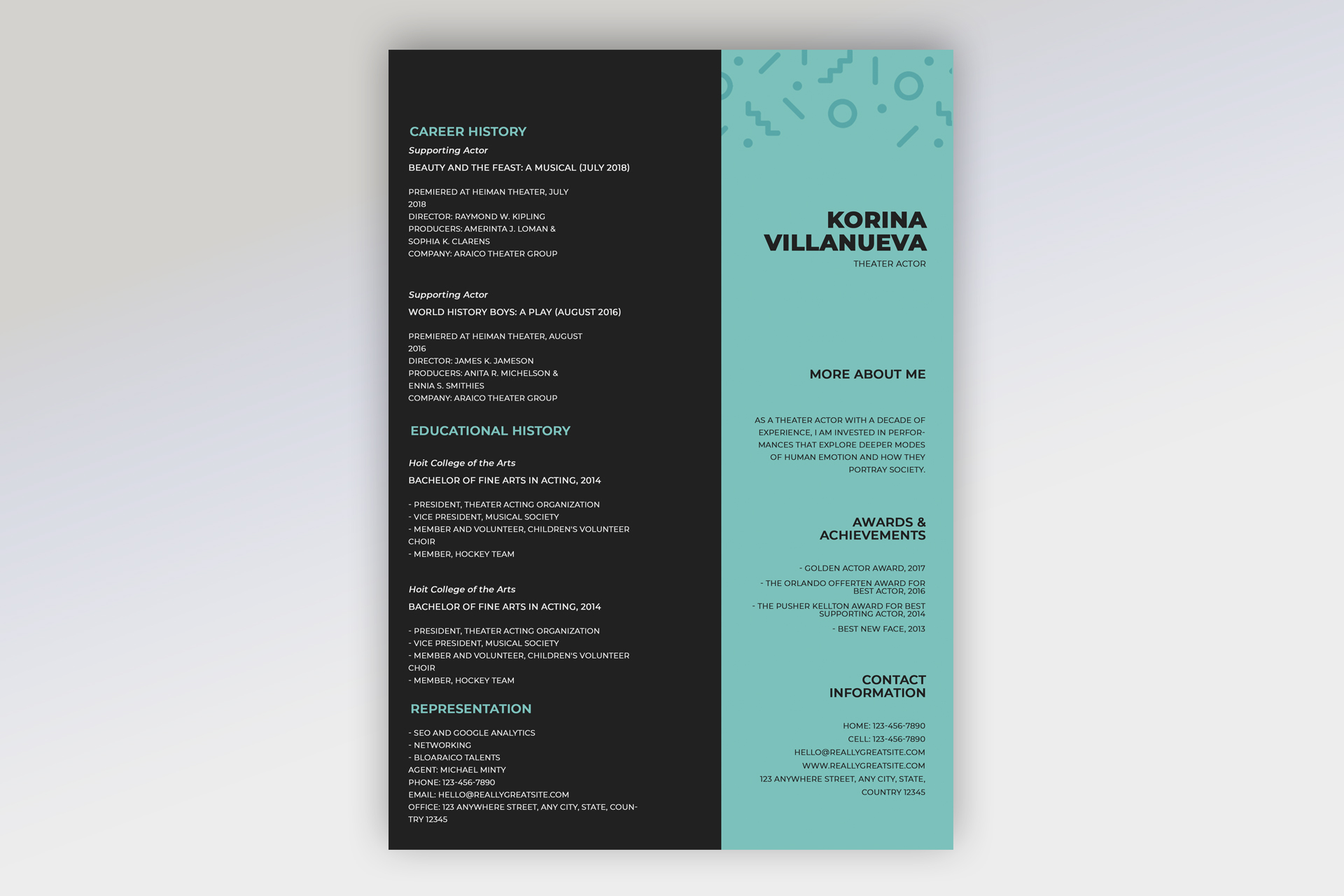
Free Photoshop Resume Template 26 is a theatrical resume built as a sharply divided black-and-aqua page. The sample is specifically organized for a theater actor, making it a strong choice for stage performers, musical theater applicants, and drama graduates assembling a concise career profile. It can also suit a voice performer or production artist if the career-history and representation fields are relabeled for relevant credits.
Design details
- A wide black left panel for career history, education, and representation, paired with a narrower aqua sidebar for identity and personal information
- A bold stacked name in heavy black uppercase type near the top of the aqua panel, with a small Theater Actor label beneath it
- Subtle darker aqua geometric marks across the top edge, adding a playful contemporary pattern without competing with the content
- Aqua uppercase section headings on black and black headings on aqua, creating a consistent reversed-color system
- Career entries that distinguish role type, production title, premiere details, director, producers, and company
- Right-aligned sidebar sections for More About Me, Awards & Achievements, and Contact Information
The template feels modern, confident, and slightly unconventional. It contains no portrait zone, so the emphasis stays on stage credits and professional details rather than a headshot. The left column is information-dense but clearly grouped, while the aqua sidebar creates a memorable casting-friendly identity panel. Because the sample uses uppercase body text and narrow columns, short lines and careful manual breaks are essential for legibility.
How to use it
- Download the ZIP file and open the PSD source in Photoshop.
- Replace the name and role, then write a compact professional statement for the More About Me area.
- Organize acting credits consistently by role, production, date, venue, director, and company, keeping only the most relevant details.
- Update training, awards, representation, phone, email, website, and location. Remove any field you cannot verify.
- Review line breaks at full size and export a clear PDF for casting submissions or a JPG for quick digital sharing.
Download
Download free-photoshop-resume-template-35.zip“>Download resume26.zip
Related templates
Consult the resume hub for editing advice and the branding guide for ideas on extending the aqua palette to a performer website.
FAQ
Can I edit this resume in Photoshop?
Yes. The PSD lets you edit all credits and contact details, change the aqua color, and adjust the patterned header elements.
What should I change first?
Start with your stage name, professional label, and strongest recent credits. Then add training, awards, and representation details in a consistent format.
Can I use it for job applications today?
Yes. It is best suited to casting and theater opportunities, ideally submitted alongside the headshot or portfolio materials requested by the production.








