
What this template is for
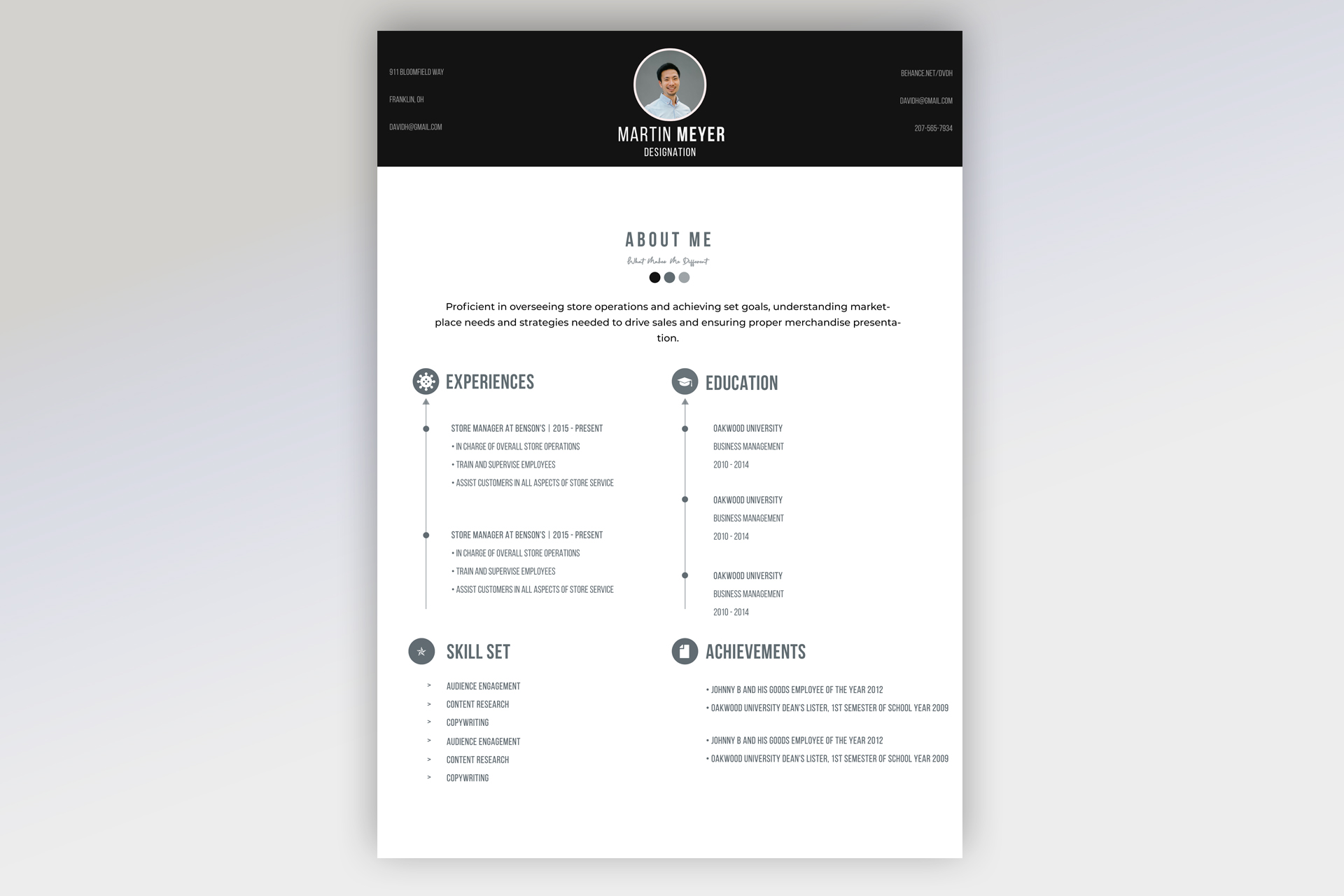
Free Photoshop Resume Template 23 is a restrained grayscale resume with a centered identity header and timeline-based content. Its calm, professional tone works well for retail managers, operations coordinators, and business administration candidates. It can also suit account managers who need to summarize experience, education, practical skills, and achievements on one polished page without relying on bright color.
Design details
- A wide black header containing a small circular portrait in the center, contact details at both outer edges, and a condensed uppercase name beneath the photo
- A spacious white body with a centered About Me heading, a short script-style subtitle, three gray dots, and a centered summary paragraph
- Two balanced middle columns for Experiences and Education, each introduced by a circular gray icon
- Thin vertical timeline rules with dots and a small arrow, creating a clear sequence for job and school entries
- Lower sections for Skill Set and Achievements, aligned to the same two-column grid
- Tall condensed display type for major headings, paired with straightforward sans serif body text and muted slate-gray accents
The template feels formal, minimal, and orderly. Its generous white space prevents the four information blocks from becoming heavy, while the compact portrait adds a personal touch without dominating the page. The timeline treatment is most effective with two or three strong entries per column. Avoid filling every open area, since the breathing room is central to the design.
How to use it
- Download the ZIP file and open the PSD in Photoshop.
- Replace the circular headshot with a well-lit portrait and update the name, role, and contact details in the black header.
- Write a focused summary, then add your most relevant experience and education in reverse chronological order.
- Keep skill and achievement lines short so the lower grid remains aligned and easy to scan.
- Proof the condensed text at actual size, then export a high-quality PDF for applications or a JPG for previewing.
Download
Download free-photoshop-resume-template-32.zip“>Download resume23.zip
Related templates
Explore the resume hub for writing guidance and the branding guide for advice on extending the monochrome style.
FAQ
Can I edit this resume in Photoshop?
Yes. You can replace the portrait, revise every text block, change the grayscale accents, and reposition timeline entries in Photoshop.
What should I change first?
Update the header identity and summary first. Then select only the strongest timeline entries so the clean spacing remains intact.
Can I use it for job applications today?
Yes. The neutral palette is versatile for direct applications, though a separate text-only version may perform better in strict automated systems.








