
What this template is for
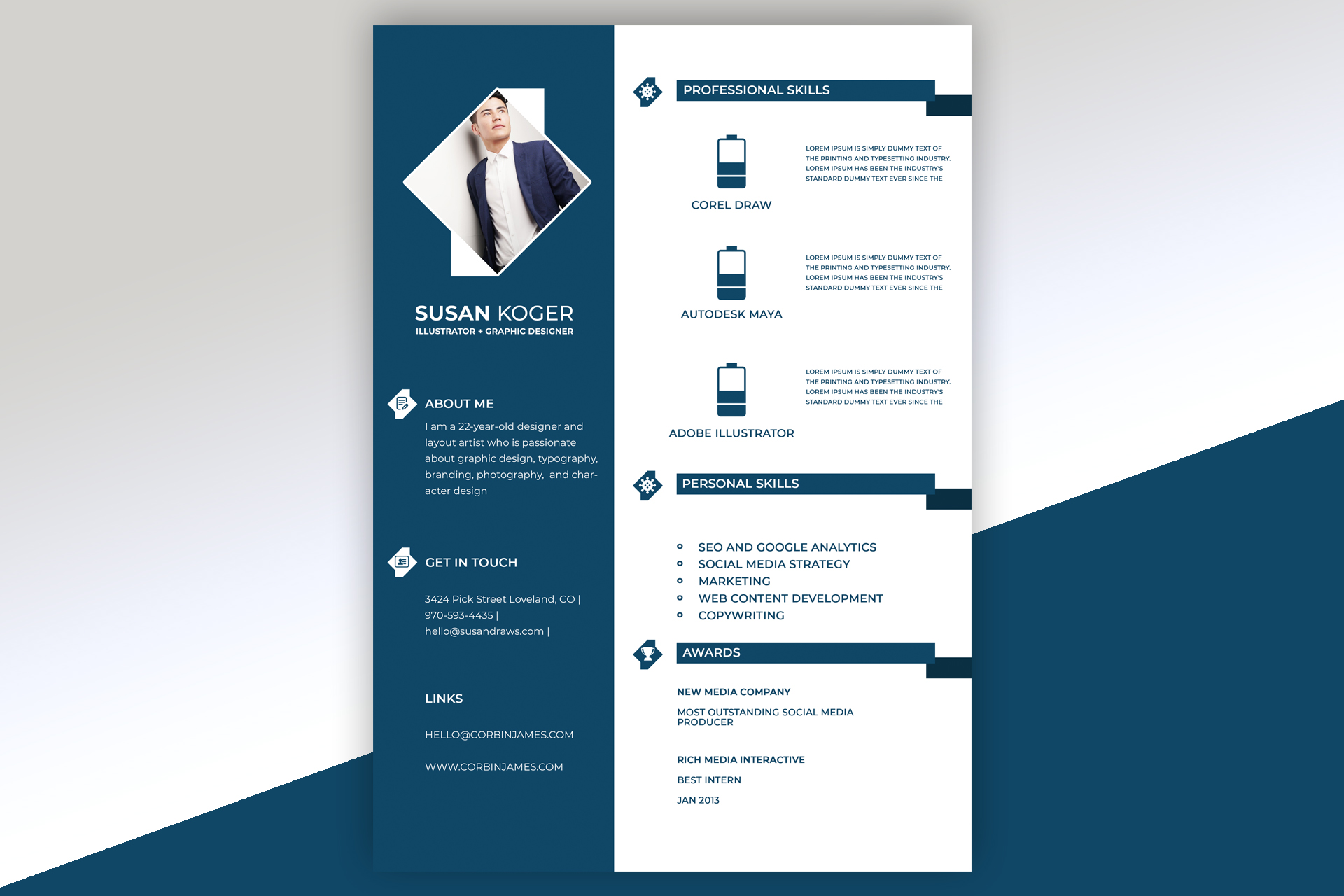
Free Photoshop Resume Template 22 is a cool blue, two-column profile focused on skills and awards. It suits illustrators, graphic designers, and 3D artists who want to foreground software expertise rather than a long chronological work history. The structured visual system can also work for digital content specialists or creative marketing applicants with a concise portfolio-led story.
Design details
- A deep teal sidebar covering about two-fifths of the page, paired with a clean white content panel
- A diamond-shaped portrait crop near the top, backed by white geometric panels for a crisp, architectural frame
- A prominent white name and compact job title beneath the photo, followed by About Me, Get in Touch, and Links sections
- Dark teal banner headings with small diamond icons and stepped end caps that extend toward the right edge
- Three professional-skill rows with large battery-style level graphics, software names, and short descriptions
- A bulleted personal-skills list and a separate awards area arranged vertically in the white column
The overall mood is precise, corporate, and contemporary. White text on the sidebar keeps personal information distinct from the skills-focused main area, while the repeated diamond motifs tie the portrait and section icons together. The template prioritizes proficiency and recognition over employment chronology, so it is most convincing when accompanied by a portfolio link and specific, evidence-based skill descriptions.
How to use it
- Download the ZIP file and open the PSD source in Photoshop.
- Replace the portrait and adjust its scale inside the diamond mask without stretching the image.
- Update your name, specialty, profile, contact details, links, professional tools, personal skills, and awards.
- Set each battery graphic to an honest proficiency level and replace the placeholder paragraphs with short examples of how you use each tool.
- Check the white-on-teal text for readability, then export a high-resolution PDF or JPG.
Download
Download free-photoshop-resume-template-31.zip“>Download resume22.zip
Related templates
Use the resume hub to strengthen your supporting copy and the branding guide to adapt the teal geometric system to your portfolio.
FAQ
Can I edit this resume in Photoshop?
Yes. The PSD allows you to replace the masked portrait, edit all text, recolor the panels, and adjust the skill indicators.
What should I change first?
Start with your name and portrait, then replace every placeholder skill description. Concrete examples will make the visual proficiency bars more credible.
Can I use it for job applications today?
Yes, if a skills-led resume fits the role. Add a portfolio link, and consider a chronological companion resume when employers request detailed work history.








