
What this template is for
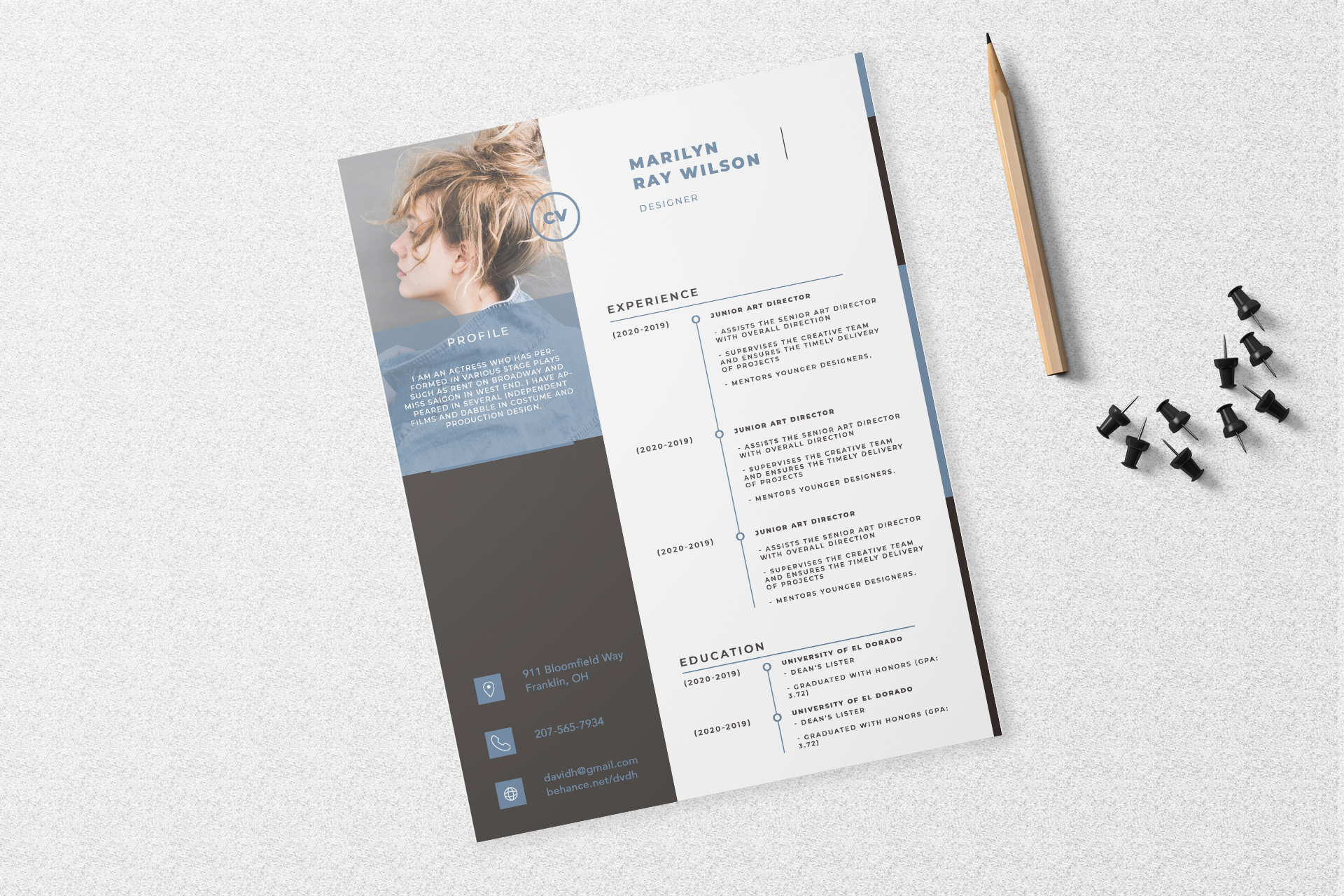
Free Photoshop Resume Template 13 is a modern creative resume with a strong portrait sidebar and a structured career timeline. Its cool blue-gray accents, oversized photo area, and compact uppercase typography make it a natural fit for art directors, graphic designers, and fashion or editorial creatives. The layout gives visual identity real weight while leaving most of the page available for experience and education.
Design details
- A full-height dark charcoal sidebar containing a large rectangular portrait, profile text, and contact information
- A translucent dusty-blue profile panel layered over the lower portion of the photograph
- A bright white main column with the name at the top and timeline-style experience and education sections below
- Fine blue rules, circular timeline markers, and small blue icon tiles for contact details, paired with widely tracked uppercase sans serif type that feels technical and design conscious
How to use it
- Download the ZIP file and open the PSD source in Photoshop.
- Replace the tall portrait with a high-resolution vertical image. Choose a crop with useful negative space so the profile overlay remains readable.
- Rewrite the profile as a brief professional introduction and replace the address, phone, email, and portfolio details.
- Add work entries to the upper timeline and education entries to the lower timeline, keeping dates aligned along the left edge. Check contrast where text overlaps the photograph, then export a print-ready PDF and a flattened JPG preview. Preserve the asymmetrical balance between the atmospheric image-led sidebar and the calm, information-focused main column.
Download
Download free-photoshop-resume-template-21.zip“>Download resume13.zip
Related templates
Use the resume hub to refine your content, then review the branding guide before adapting the blue accents to your portfolio identity.
FAQ
Can I edit this resume in Photoshop?
Yes. The PSD lets you edit the portrait, overlay colors, typography, icons, rules, and all resume content.
What portrait suits this design?
A vertical editorial portrait with the subject placed slightly off center works best. Avoid busy backgrounds behind the profile copy.
Who should use this template?
It is strongest for designers, art directors, photographers, and fashion creatives who want their personal image to be part of the presentation.








