
What this template is for
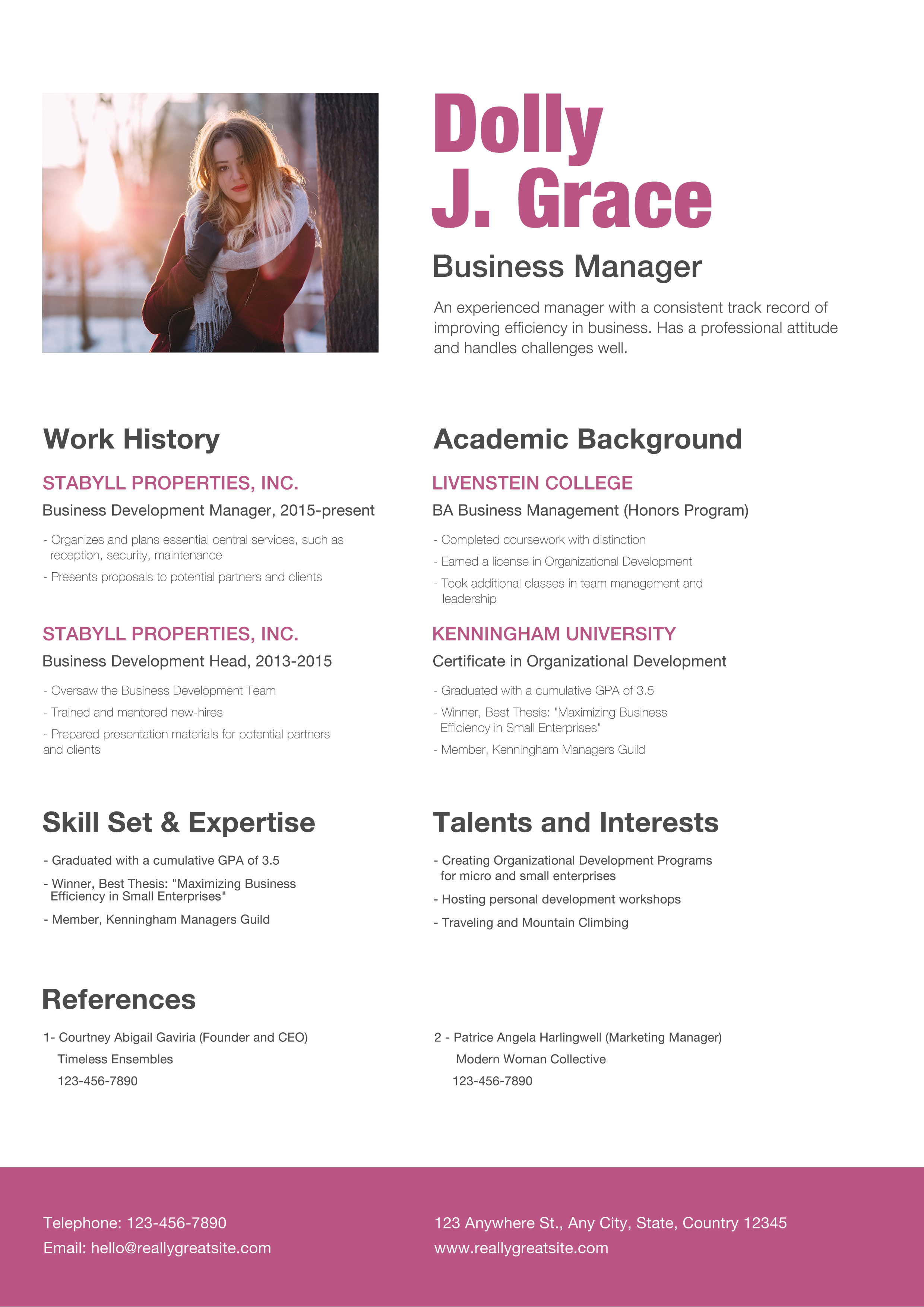
Free Photoshop Resume Template 111 is a spacious, editorial resume with a confident personal-branding focus. A large rectangular lifestyle portrait opens the page on the left, while an oversized raspberry name and dark professional title fill the right. Below, a clean two-column layout presents work history, education, expertise, interests, references, and contact details. The approachable yet polished style fits business development managers, account managers, and communications or nonprofit leaders.
Design details
- A broad rectangular photo zone uses nearly half of the opening row and supports a warm, personable first impression
- The oversized condensed display name in raspberry pink supplies the page’s main visual signature
- Dark charcoal headings and gray body copy create a clear hierarchy against the bright white background
- Work History and Academic Background run in parallel columns, followed by Skill Set and Expertise and Talents and Interests
- A full-width references section gives two contacts equal space without making the central career sections feel crowded
- A solid raspberry footer band holds telephone, email, address, and website information in white type
How to use it
- Download the ZIP file and open the PSD in Photoshop.
- Replace the wide portrait with a high-resolution image that has a simple background and natural light.
- Update the name, title, and two-line professional summary, checking the display name for clean line breaks.
- Tailor the two work entries, two academic entries, expertise, and interests to the role you are pursuing.
- Ask permission before listing references, or replace that section with certifications or selected achievements.
- Update every footer contact field and export a PDF after checking contrast and small type.
Download
Download free-photoshop-resume-template-14.zip“>Download resume111.zip
Related templates
resume hub and branding guide.
FAQ
Can I edit this resume in Photoshop?
Yes. Photoshop can be used to replace the portrait, revise all copy, recolor the raspberry accents, and reorganize individual sections. Keep the column starts aligned to preserve the magazine-like rhythm.
What should I change first?
Change the large name and photo first because they dominate the opening. Then tailor the summary and work history, using short achievement-led bullets so the generous white space remains intact.
Can I use it for job applications today?
Yes. It is especially effective as a direct PDF for client-facing, leadership, and communications roles. Remove private reference details from public portfolio uploads, and maintain a simpler version for applicant tracking systems that may read two columns out of order.








