
What this template is for
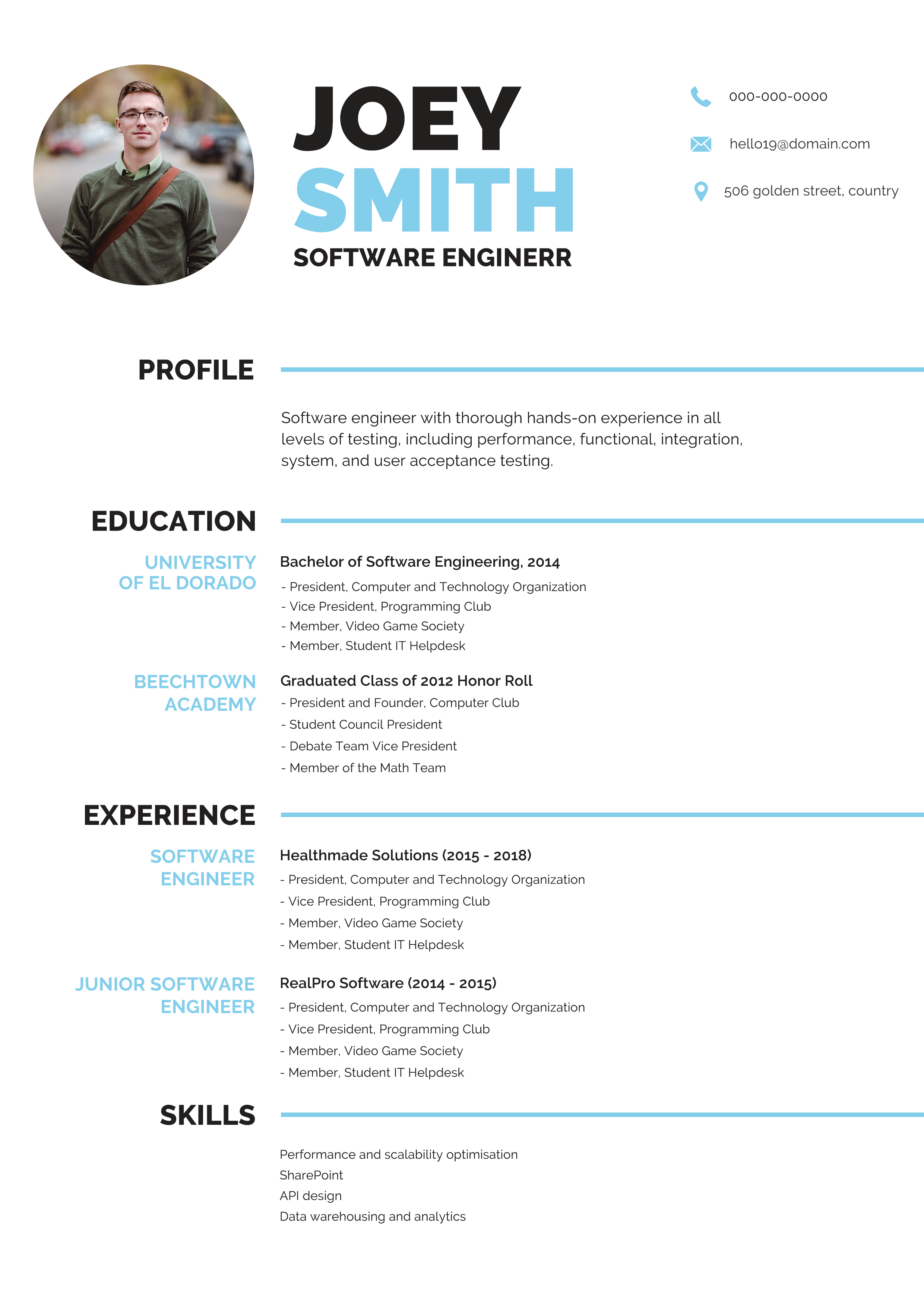
Free Photoshop Resume Template 110 is a crisp one-page resume built around strong hierarchy and efficient horizontal sections. In the preview, the finished sheet is clipped to a wooden desk beside a pencil, eraser, and sharpener. The actual page uses black type, pale blue highlights, a circular headshot, and a generous white field. Its practical structure fits software engineers, product specialists, and technical graduates who want a designed resume without a decorative creative-agency look.
Design details
- A compact circular photo anchors the upper left, beside an oversized stacked name with the surname highlighted in light blue
- Contact details sit in a tidy icon-led row at the upper right, leaving the central identity uncluttered
- Profile, education, experience, and skills are arranged as full-width horizontal bands separated by thin blue rules
- Section names occupy a bold left label column, while the detailed content aligns in the wider area to the right
- Black uppercase sans serif type feels direct and technical, with blue used sparingly for roles, schools, and visual navigation
- The page favors concise bullet points and chronological entries rather than charts or ornamental graphics
How to use it
- Download the ZIP and open the editable resume file in Photoshop.
- Replace the portrait and enter your name, technical title, and current contact details.
- Write a short profile focused on your engineering scope, systems, or product impact rather than general personality claims.
- Update education and experience with measurable achievements, keeping each bullet short enough to preserve the open layout.
- Replace the sample skills with your strongest technologies, then export the resume itself as a sharp PDF.
Download
Download free-photoshop-resume-template-13.zip“>Download resume110.zip
Related templates
resume hub and branding guide.
FAQ
Can I edit this resume in Photoshop?
Yes. The PSD can be edited for text, color, portrait, spacing, and section labels. When adding longer content, move complete horizontal groups together so the blue rules continue to divide the page cleanly.
What should I change first?
Start with your name, role, and profile, then tailor the experience bullets to the target job. The large name treatment is prominent, so check line breaks after replacing the shorter sample text.
Can I use it for job applications today?
Yes. Its restrained palette and conventional career sections make it suitable for technical recruiters, startup roles, and direct PDF applications. If an online form requires automated parsing, also keep a plain text-based version because this layout uses a label column and icons.








