
What this template is for
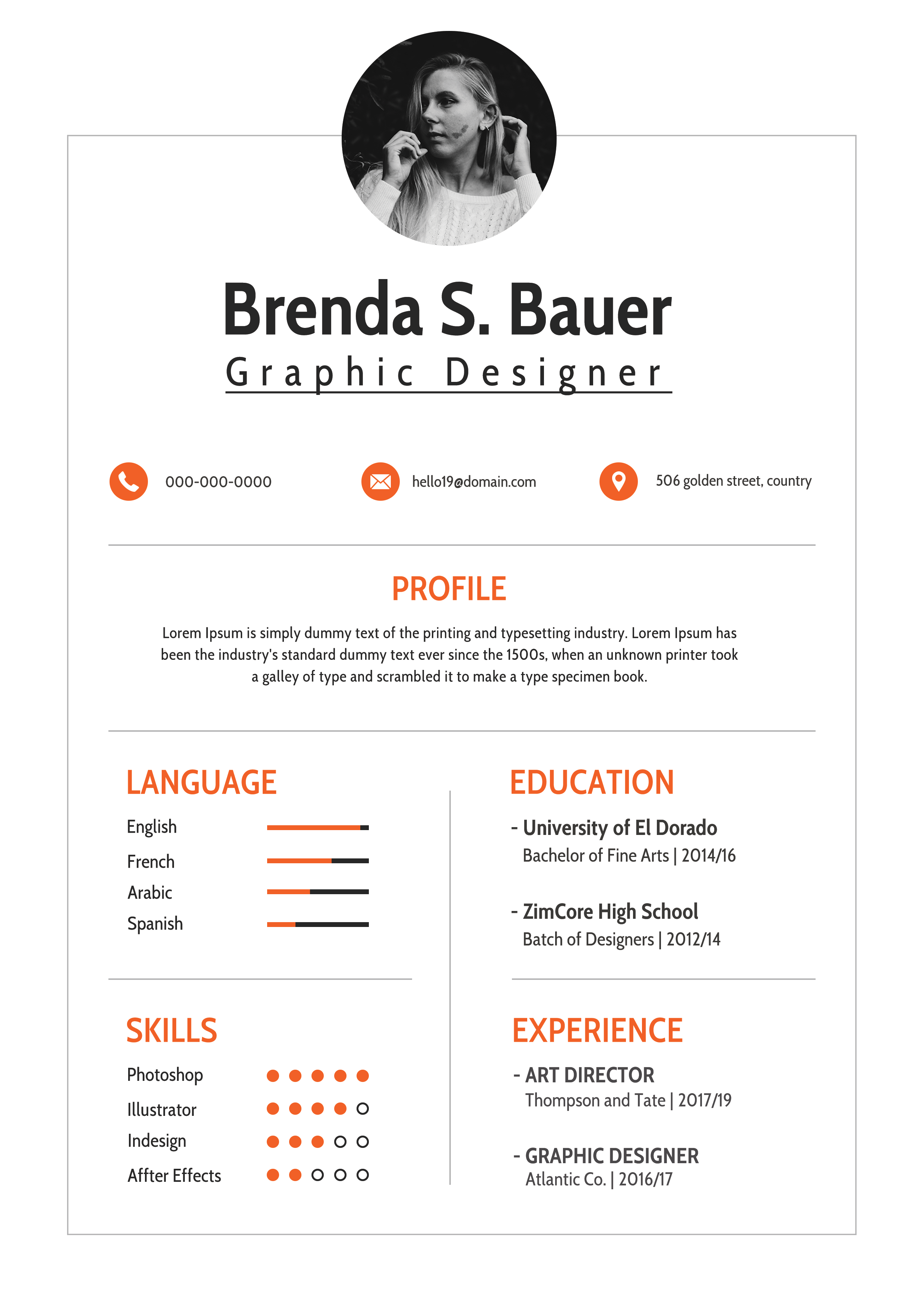
Free Photoshop Resume Template 109 is a compact, centered creative resume designed to look refined on a single printed sheet. The preview presents it as a realistic desk mockup with pencils, pushpins, and a hand holding the paper, but the resume itself is a clean white composition with warm orange accents. It suits graphic designers, junior art directors, and creative freelancers who want a concise introduction rather than a text-heavy career document.
Design details
- A small circular black-and-white portrait sits above a centered name and widely tracked job title
- Orange section headings and matching phone, email, and location icons add energy without overwhelming the neutral page
- A thin rectangular border frames the content, with delicate horizontal and vertical rules establishing a precise grid
- The centered profile spans the page before the content divides into language and skills on the left and education and experience on the right
- Condensed sans serif headings give the resume a neat editorial feel, while compact body text keeps the layout airy
- Simple horizontal language bars and dot-based software ratings communicate proficiency at a glance
How to use it
- Download the ZIP file and open the resume source in Photoshop rather than editing the surrounding mockup image.
- Replace the circular portrait with a tightly cropped headshot that also works in grayscale.
- Update the centered identity and contact row, then write a brief profile that fits within two or three compact lines.
- Replace the sample education and experience entries and adjust the orange bars and skill dots to match your abilities.
- Export the resume alone as a PDF for applications, using the desk presentation only as a portfolio preview if desired.
Download
Download free-photoshop-resume-template-11.zip“>Download resume109.zip
Related templates
resume hub and branding guide.
FAQ
Can I edit this resume in Photoshop?
Yes. The Photoshop source lets you change the portrait, orange accent, typography, text, rating graphics, and rules. Use guides to maintain the centered alignment and balanced two-column lower section.
What should I change first?
Replace the identity, portrait, and contact line first. Then reduce your profile and job history to the most relevant facts, since this design depends on compact copy and visible white space.
Can I use it for job applications today?
Yes, particularly for direct outreach to studios, agencies, and freelance clients. Export the flat resume rather than the photographed mockup, and keep an alternate text-only file for application systems that struggle with columns or visual ratings.








