
What this template is for
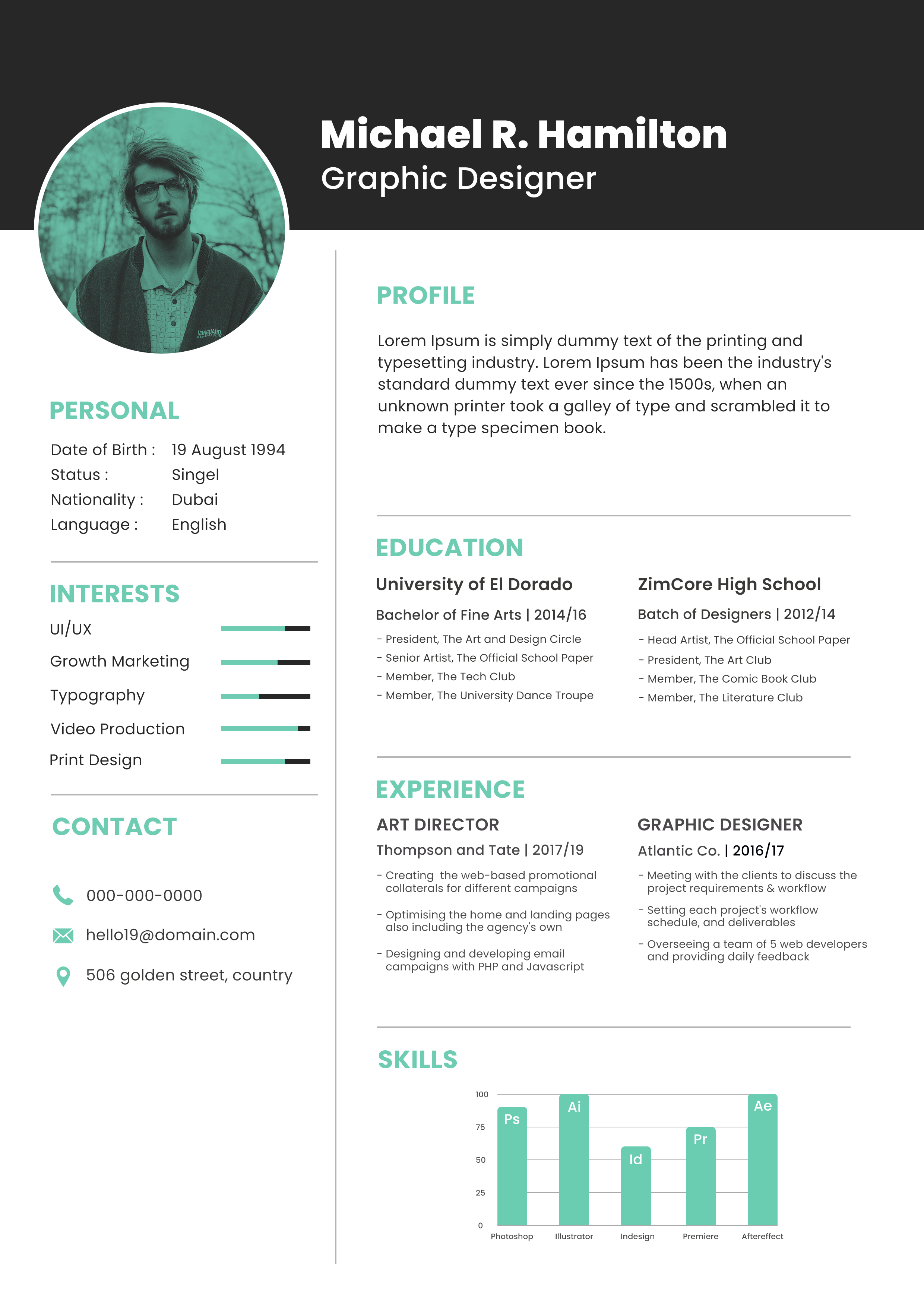
Free Photoshop Resume Template 108 is a polished two-column resume with a strong editorial profile. Its black masthead, mint accents, and oversized circular portrait create a confident first impression, while the white body keeps detailed information easy to scan. The sample is aimed at a graphic designer, and the visual language genuinely suits brand designers, art directors, and UI or marketing creatives who need to show both career history and software ability.
Design details
- A deep charcoal header carries the large white name and job title, giving the page a crisp, high-contrast opening
- The circular portrait overlaps the header and body and uses a mint monochrome treatment that matches the section headings
- A narrow left rail contains personal details, interests with progress bars, and icon-led contact information
- The wider right column organizes profile, education, experience, and skills with thin gray dividers and generous spacing
- Bold geometric sans serif headings feel modern, while smaller dark gray copy remains restrained and professional
- A compact mint bar chart at the bottom turns software proficiency into a clear visual feature
How to use it
- Download the ZIP and open the editable file in Photoshop.
- Replace the portrait, then recreate or adjust the mint color treatment so the photo belongs with the rest of the design.
- Enter your profile, education, roles, personal details, and contact information, keeping descriptions short enough for the fixed columns.
- Change the interest bars and software chart to reflect real strengths, and rename each application label as needed.
- Proofread the small text carefully before exporting a print-ready or screen-ready PDF.
Download
Download free-photoshop-resume-template-10.zip“>Download resume108.zip
Related templates
resume hub and branding guide.
FAQ
Can I edit this resume in Photoshop?
Yes. You can replace the portrait, revise every text block, recolor the mint elements, and adjust the bars in Photoshop. Keep the vertical divider and section rules aligned when changing column widths.
What should I change first?
Start with the name, title, portrait, and profile. Those elements set the candidate’s positioning immediately. Next, edit the two education and two experience entries to preserve the deliberate symmetry.
Can I use it for job applications today?
Yes. It works particularly well as a designed PDF sent directly to a creative studio or hiring manager. For automated application portals, consider pairing it with a plain single-column resume because charts, icons, and sidebars may not parse consistently.








