
What this template is for
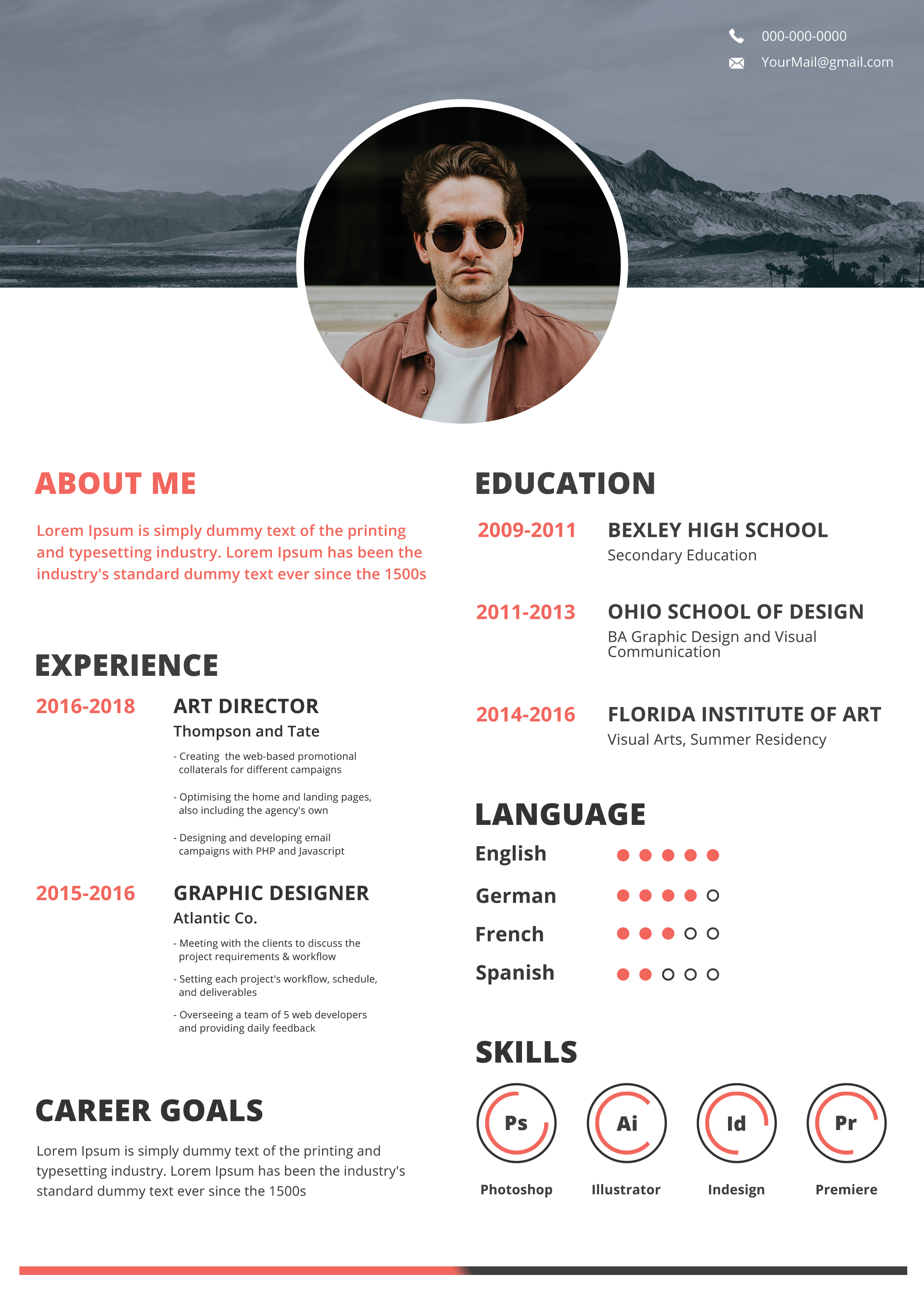
Free Photoshop Resume Template 106 is a modern two-column resume with a cinematic landscape header and an oversized circular portrait. Its coral accents and confident typography are well suited to graphic designers, photographers, and creative marketing professionals. The design balances a striking personal introduction with a clean white content area, producing a polished but relaxed mood for visually focused applications.
Design details
- A desaturated mountain panorama spans the top of the page, creating a cool gray backdrop for white phone and email details.
- A very large circular portrait overlaps the landscape and white body, framed by a thick white ring for a crisp cutout effect.
- The lower page uses two broad columns: about, experience, and career goals on the left; education, languages, and skills on the right.
- Heavy charcoal uppercase headings contrast with coral section titles, date ranges, proficiency dots, and circular software gauges.
- A thin coral-to-charcoal rule along the bottom echoes the split color palette and neatly closes the composition.
How to use it
- Download the ZIP file and open the Photoshop source.
- Replace both the mountain header and the central portrait. Choose images with compatible tones and keep the face centered inside the circle.
- Update contact details, about text, experience, education, language ratings, software skills, and career goals.
- Keep role descriptions compact and set the rating dots and skill rings to honest proficiency levels. Adjust spacing if your education or experience history is longer.
- Export a PDF for applications and check the light contact text against the replacement background before sharing.
Download
Download free-photoshop-resume-template-8.zip“>Download resume106.zip
Related templates
Explore the resume hub for more photo-based layouts, or consult the branding guide before adapting the coral accent to your portfolio palette.
FAQ
Can I edit this resume in Photoshop?
Yes. The PSD is designed for replacing both image zones, revising the text, recoloring accents, and updating visual proficiency indicators.
What should I change first?
Start with the landscape and portrait because their color, crop, and contrast define the entire header. Then fit the longest experience and education entries.
Can I use it for job applications today?
Yes, for direct creative applications, portfolio packages, or networking materials. The large imagery and multi-column layout may not parse cleanly in every ATS, so maintain a simple text version when required.








