
What this template is for
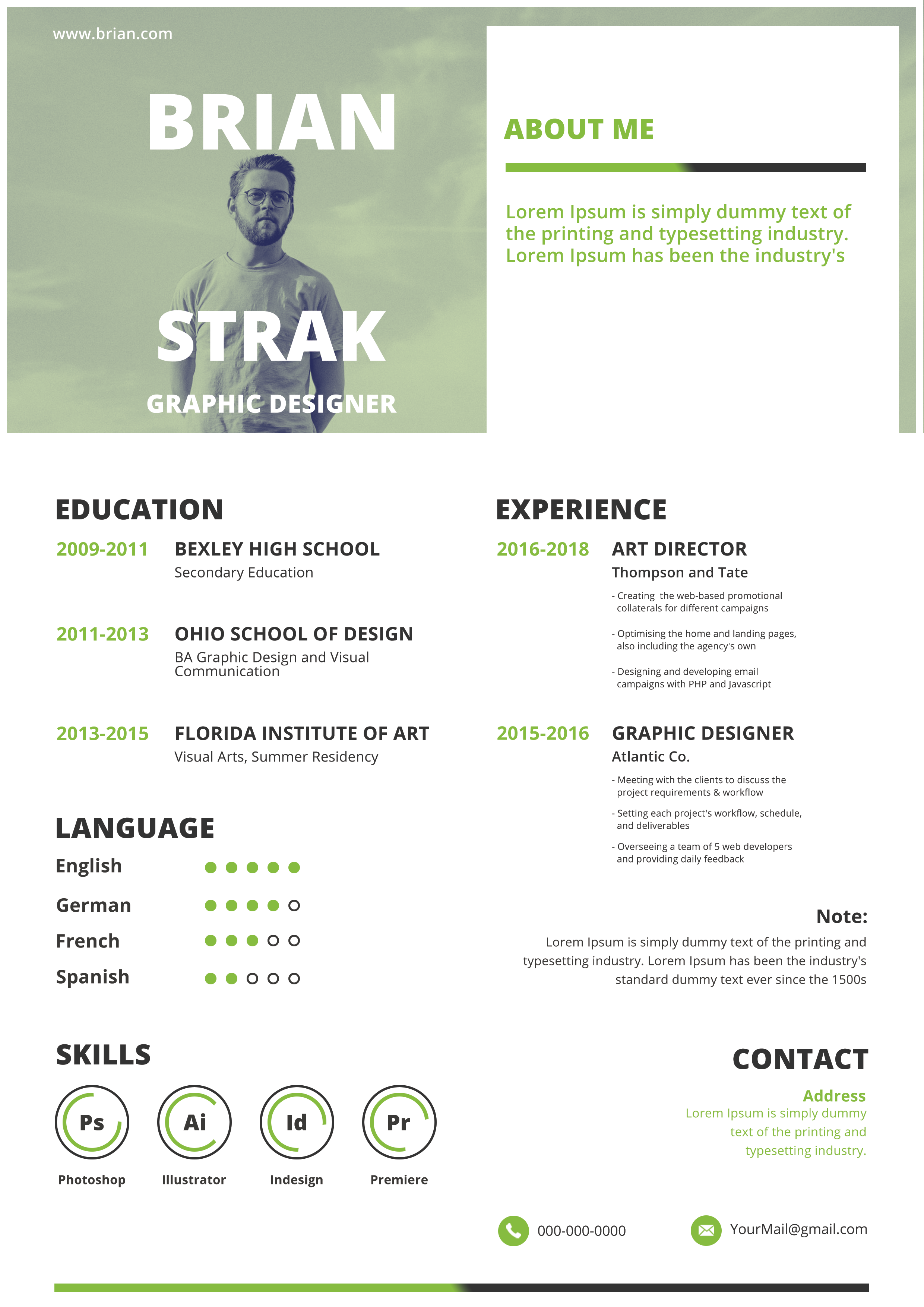
Free Photoshop Resume Template 105 is a contemporary graphic-design resume built around a muted green photo panel and an open two-column body. It suits art directors, visual designers, and multimedia creatives who want personality without using a loud palette. The soft green tint, oversized name, and generous white space create an approachable, modern mood that feels equally at home in a studio portfolio or a direct application.
Design details
- The upper-left block contains a full-height portrait treated with a pale sage-green monochrome overlay.
- The candidate name is split into two oversized white lines around the standing figure, with the job title anchored below.
- A white about-me panel occupies the upper right and uses a green-to-charcoal rule as a repeating visual motif.
- The lower page divides education and language details on the left from experience, notes, and contact information on the right.
- Bright green dates and headings provide navigation, while circular skill meters display proficiency in common creative applications.
How to use it
- Download the ZIP and open the editable PSD in Photoshop.
- Replace the tall portrait with a full-body or three-quarter image that has a simple background, then apply a matching color treatment.
- Edit the large name, title, about text, education, experience, languages, software skills, note, and contact details.
- Adjust the filled language dots and circular software gauges so they reflect your real abilities rather than decorative estimates.
- Export a high-quality PDF and verify that the pale portrait, green type, and small experience copy remain clear on screen and in print.
Download
Download free-photoshop-resume-template-7.zip“>Download resume105.zip
Related templates
Browse more visual layouts in the resume hub. Use the branding guide if you want to trade the sage green for another consistent portfolio color.
FAQ
Can I edit this resume in Photoshop?
Yes. The source can be customized in Photoshop, including the portrait tint, text, green accents, proficiency dots, and skill rings.
What should I change first?
Choose and crop the portrait first, then fit your name around the figure. After that, edit the denser education and experience columns.
Can I use it for job applications today?
Yes, especially for creative applications, portfolio attachments, and networking. Since graphics and multiple columns are central to the design, keep an ATS-friendly resume for text-parsing portals.








