
What this template is for
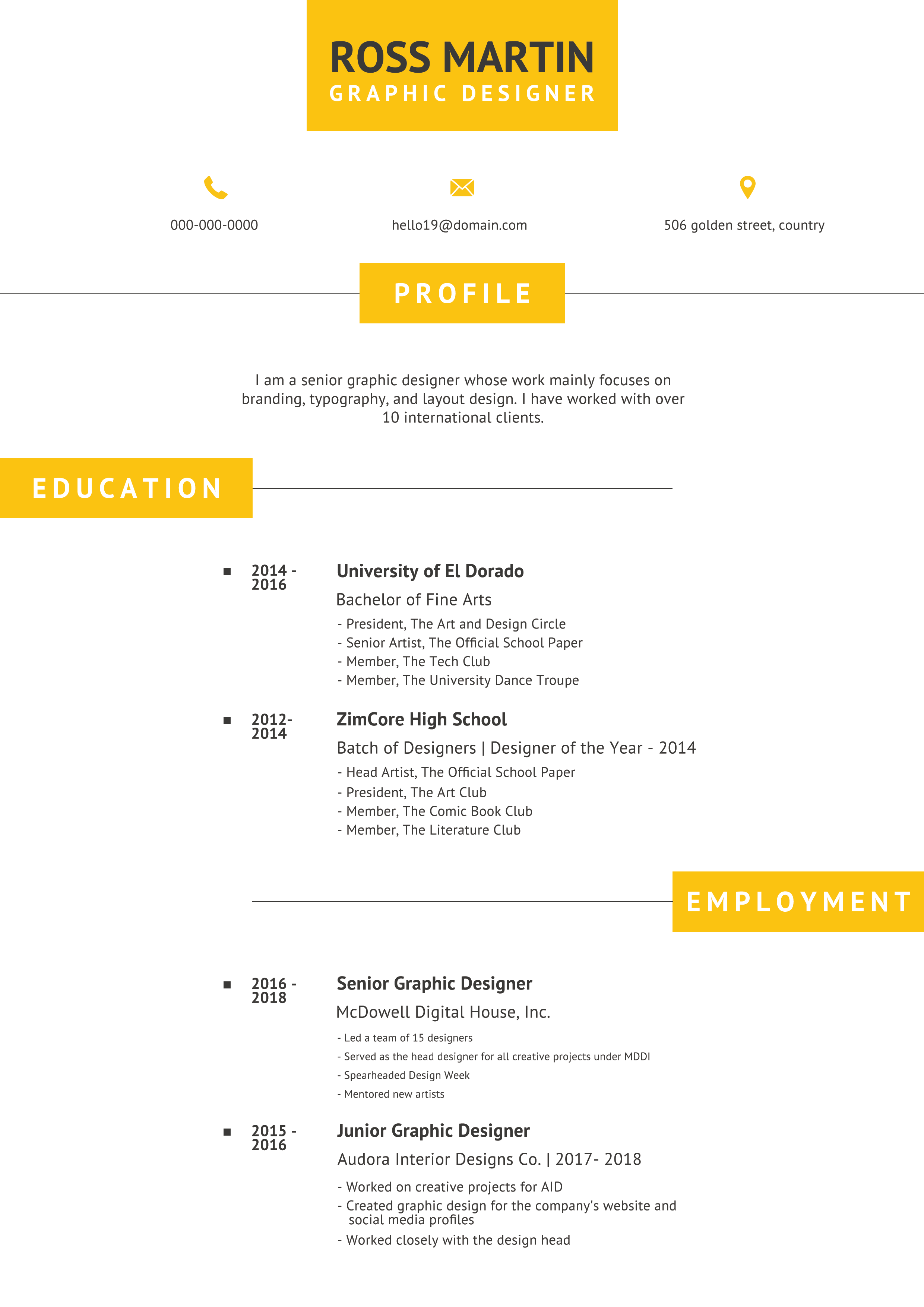
Free Photoshop Resume Template 104 is a minimalist, single-column CV with sunny yellow accents and a highly ordered timeline. The sample presents a senior graphic designer, and the flexible structure also works for architects, product designers, or creative consultants. It is best for applicants who prefer a clean page without a portrait and want education and employment to read in a clear chronological sequence.
Design details
- A centered yellow nameplate projects down from the top edge, pairing a dark navy name with a widely spaced white job title.
- Three small contact items sit in a horizontal row beneath the header, each marked by a simple yellow icon.
- The profile is centered and separated by fine gray rules, giving the opening section a calm, formal appearance.
- Education and employment are arranged as spacious timelines with years on the left and institutions, roles, and concise bullets on the right.
- Yellow section tabs alternate from the left and right edges, adding movement to an otherwise crisp white and gray layout.
How to use it
- Download the ZIP file and open the resume source in Photoshop.
- Replace the header identity, contact row, and short profile statement before editing the timeline entries.
- Enter years consistently, align each role or qualification with its date, and keep supporting bullets short enough to preserve the generous white space.
- Remove unused timeline rows or duplicate an existing group when more history is required. Reposition the section rule and label after changing content height.
- Export a PDF for applications or a JPG for online previews, checking that the fine gray rules remain visible.
Download
Download free-photoshop-resume-template-6.zip“>Download resume104.zip
Related templates
See the resume hub for more chronological options. The branding guide can help you replace the golden yellow while keeping the restrained professional mood.
FAQ
Can I edit this resume in Photoshop?
Yes. The Photoshop source allows you to edit the timeline copy, contact icons, rules, typography, and yellow accent blocks.
What should I change first?
Begin with your dates and longest job descriptions. They control the page height more than the centered header and profile do.
Can I use it for job applications today?
Yes. Its portrait-free layout is more restrained than many creative resumes and works well for direct applications, interview handouts, or emailed PDFs. A plain text version may still be preferable for automated systems.








