
What this template is for
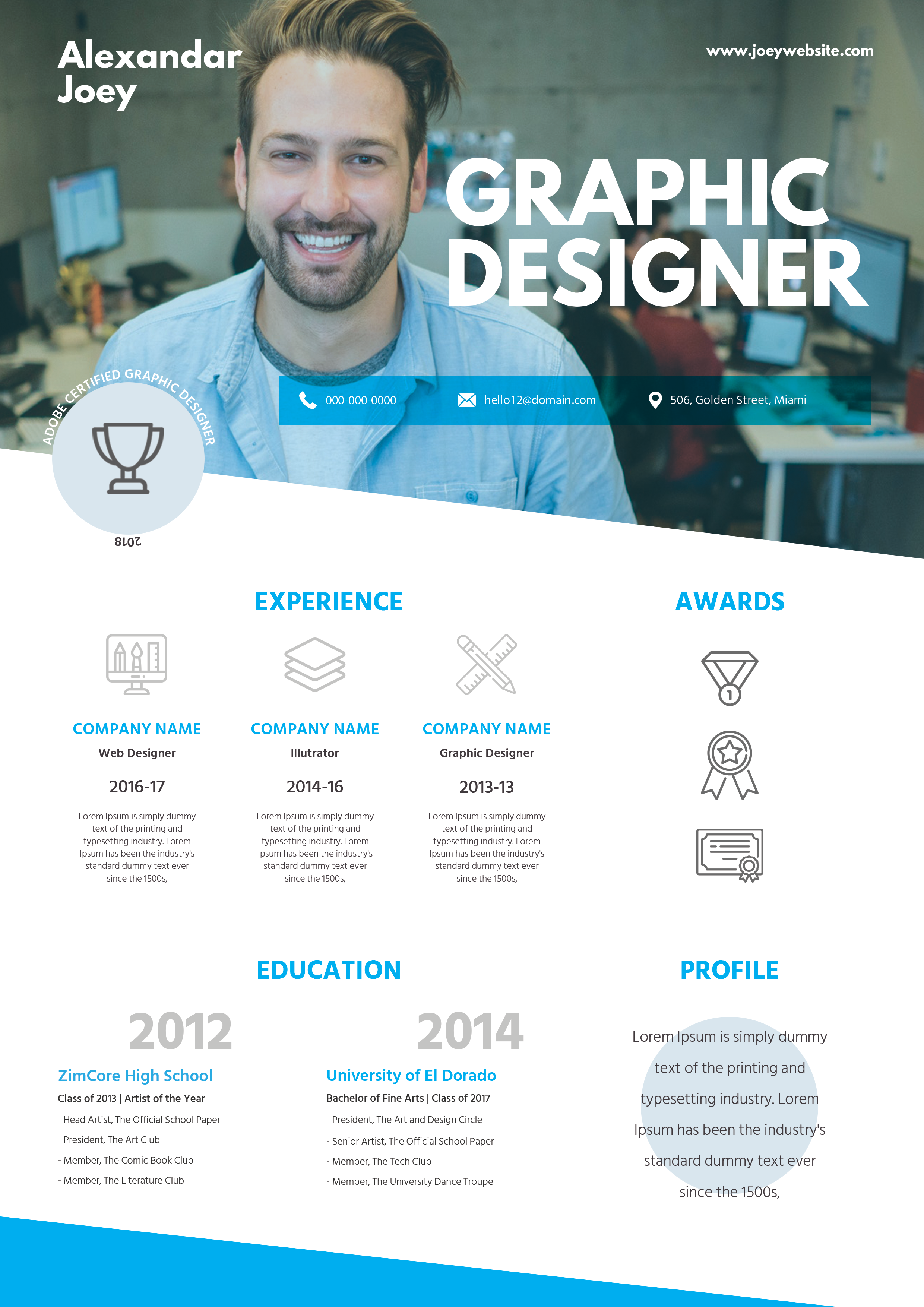
Free Photoshop Resume Template 102 is a bright, photo-forward resume designed to make a memorable first impression. A full-width workplace portrait dominates the top of the page, making the layout a natural fit for graphic designers, creative directors, and visual content specialists with a strong personal brand. The lower half converts experience, education, awards, and profile information into an infographic-style presentation.
Design details
- A large blue-toned office photo spans the upper section, with the candidate placed prominently on the left.
- Oversized white uppercase lettering announces the creative role, while the name and website sit in smaller corner positions.
- A translucent cyan contact bar crosses the portrait and uses phone, email, and location icons for quick scanning.
- The white body is divided into experience, awards, education, and profile areas with vivid cyan headings and pale gray line icons.
- Angled white and blue edges, large year numerals, and ample open space create an energetic infographic feel.
How to use it
- Download the ZIP and open the template source in Photoshop.
- Replace the hero image with a wide, high-resolution environmental portrait that leaves clear space for the large title.
- Update the contact strip, website, experience roles, education milestones, profile copy, and award symbols or labels.
- Use short descriptions in the three experience columns. Longer paragraphs will weaken the clean symmetry and become difficult to read.
- Export a high-resolution PDF for digital presentation or printing, and check that white text remains legible over your chosen photo.
Download
Download free-photoshop-resume-template-4.zip“>Download resume102.zip
Related templates
Find more visual application designs in the resume hub, then review the branding guide if you want to replace the cyan with a signature brand color.
FAQ
Can I edit this resume in Photoshop?
Yes. Photoshop can be used to replace the large background portrait, edit every text block, recolor accents, and customize the icons.
What should I change first?
Choose the hero portrait first, since its crop and contrast determine where the name, title, and contact bar can sit comfortably.
Can I use it for job applications today?
Yes, for direct outreach, portfolio presentations, or creative-industry applications. The image-heavy infographic layout is less suitable for strict automated screening, so retain a plain resume for ATS submissions.








