
What this template is for
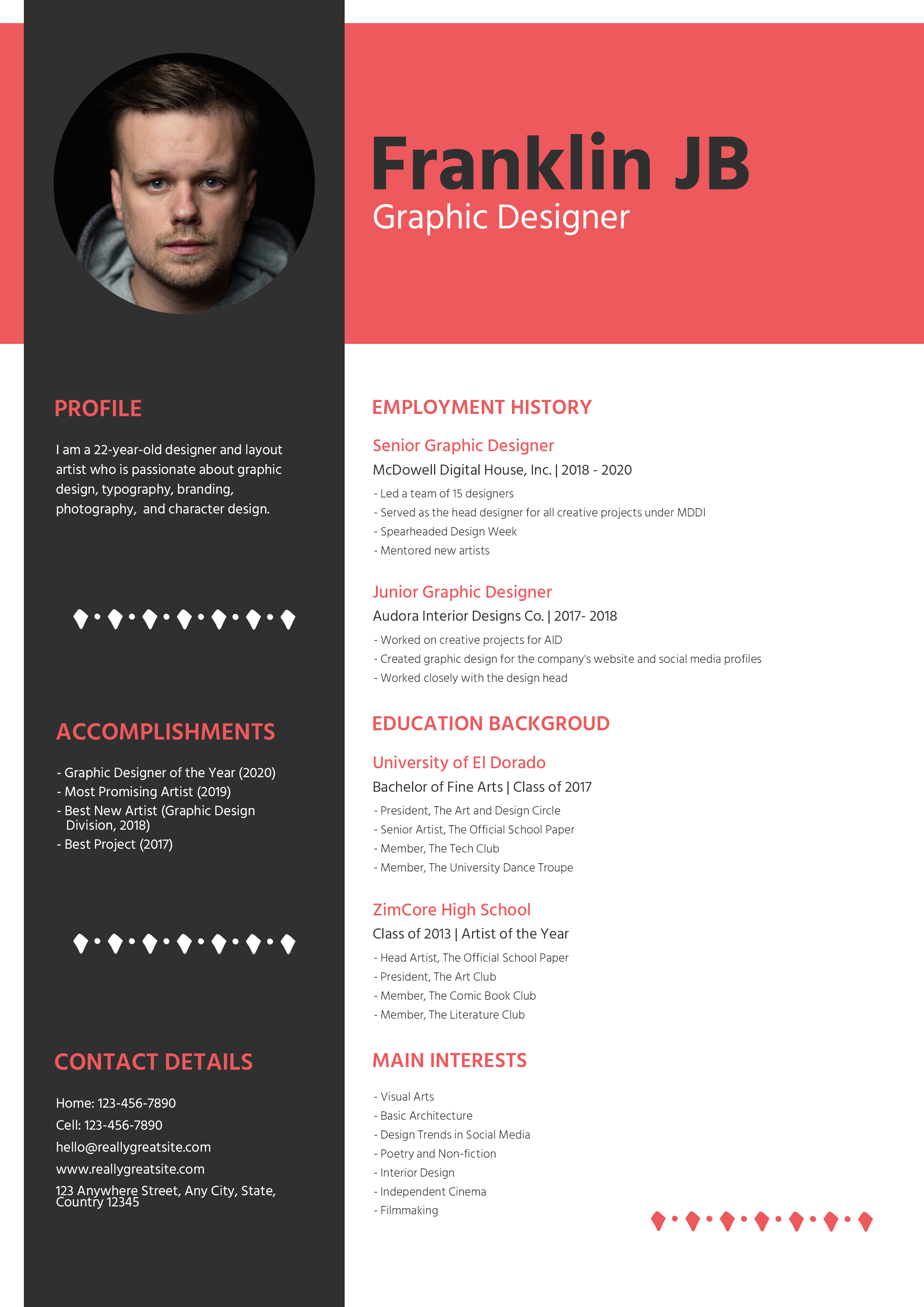
Free Photoshop Resume Template 101 is a bold creative resume with a charcoal sidebar and a vivid coral-red header. The design is shown for a graphic designer and feels equally appropriate for art directors, brand designers, and digital illustrators. Its asymmetrical color blocking, circular portrait, and compact editorial typography give it a confident portfolio-ready mood while keeping professional history easy to scan.
Design details
- A dark charcoal column occupies roughly one third of the page and contains the portrait, profile, accomplishments, and contact details.
- The circular headshot sits near the top of the sidebar and is framed by the dark background rather than a decorative border.
- A broad coral-red header block places the candidate name in large black type with a smaller white role beneath it.
- The white main column organizes employment history, education background, and interests with coral headings and compact gray text.
- Rows of small diamond ornaments break up the sidebar and add a distinctive graphic-design touch without overwhelming the content.
How to use it
- Download the ZIP file and open the PSD in Photoshop.
- Insert a tightly cropped square portrait, then mask it into the existing circular photo zone.
- Replace the name, job title, profile, accomplishments, employment entries, education, interests, and contact information.
- Keep individual bullets brief so the small body type remains readable. If you have fewer sections, enlarge the text slightly or add more spacing.
- Customize the coral accent to match your portfolio, then export a PDF and inspect it at normal viewing size.
Download
Download free-photoshop-resume-template-3.zip“>Download resume101.zip
Related templates
Explore additional creative layouts in the resume hub. The branding guide can help you choose a replacement accent color that complements your portfolio.
FAQ
Can I edit this resume in Photoshop?
Yes. The PSD lets you replace the portrait and copy, recolor the red blocks, and adjust the individual content areas.
What should I change first?
Set the header identity and portrait first because they define the visual tone. Next, edit employment and education, then balance the shorter sidebar sections.
Can I use it for job applications today?
Yes, especially when applying directly to studios or creative teams that value visual presentation. For application systems that extract text, submit a separate single-column version if one is requested.








