
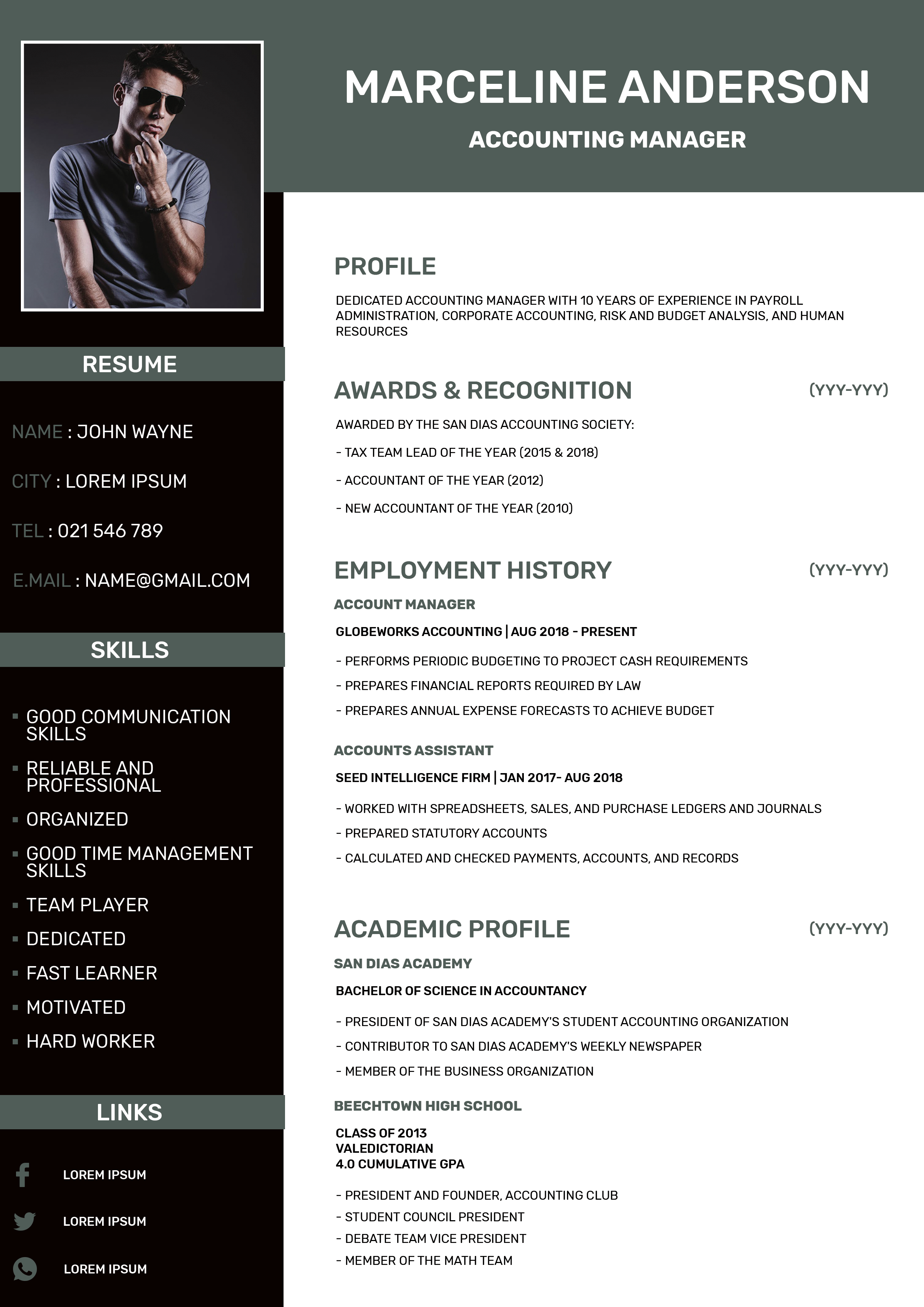
What this template is for
Free Photoshop Resume Template 100 is a compact, modern resume built around a strong vertical sidebar and a clean white content panel. The sample targets an accounting manager, but the restrained gray, black, and white styling also fits finance specialists, operations managers, and corporate administrators. It is a practical choice for applicants who want a portrait-led design with plenty of room for employment and education details.
Design details
- A muted slate-gray header carries the candidate name and title in bold white uppercase type.
- The narrow near-black sidebar holds a rectangular portrait, personal details, a long skills list, and social links.
- Gray label bars divide the sidebar into clear modules, while the main white panel uses generous margins and simple stacked sections.
- Profile, awards, employment history, and academic profile headings use sturdy uppercase sans serif lettering in gray.
- Small date placeholders align at the right edge, giving the detailed body copy a tidy corporate rhythm.
How to use it
- Download the ZIP and open the editable resume file in Photoshop.
- Replace the portrait with a vertical photo that has a dark or neutral background for the closest visual match.
- Update the header name and role, then revise the sidebar contact details, skills, and link labels.
- Replace the profile, awards, positions, dates, responsibilities, and academic information in the main column. Short bullet points will preserve the spacious layout.
- Export to PDF for sending or printing, and review all small text at 100 percent size before applying.
Download
Download free-photoshop-resume-template-2.zip“>Download resume100.zip
Related templates
Browse the resume hub for other professional formats, and consult the branding guide before changing the slate-gray accent system.
FAQ
Can I edit this resume in Photoshop?
Yes. You can change the text, portrait, gray bars, spacing, and sidebar content in Photoshop using the supplied source.
What should I change first?
Begin with the narrow sidebar because long contact lines or skill names can wrap quickly. Then fit the employment section and adjust the smaller supporting sections.
Can I use it for job applications today?
Yes. It is especially suitable for emailed applications, networking, and interview handouts. Since it relies on two columns and small copy, keep a simpler ATS-focused version for portals that parse resumes automatically.








