
What this template is for
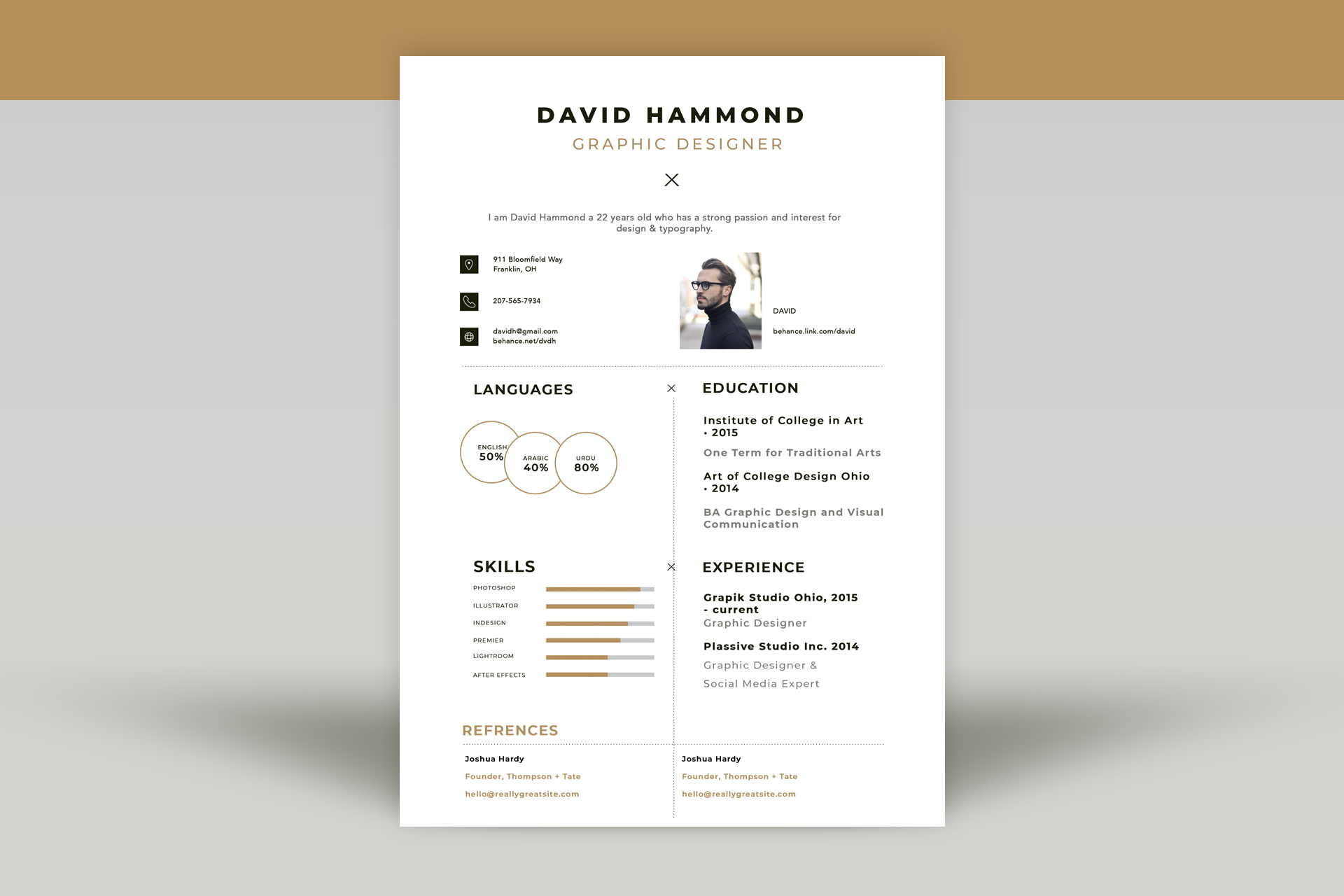
Free Photoshop Resume Template 5 is a refined one-page resume with a warm gold accent, fine dotted dividers, and a compact editorial grid. It suits graphic designers, illustrators, and creative freelancers who need to show skills, experience, education, references, and contact information without making the page look dense. The style is elegant and personal, but still restrained enough for a studio or agency application.
Design details
- A centered name and job title at the top, followed by a small decorative cross and brief profile statement
- A contact band that pairs three icon-led details with a small rectangular portrait and portfolio link
- A two-column body divided by a dotted vertical rule, with matching dotted horizontal separators
- Overlapping outlined circles for language percentages and slim gold progress bars for software skills
- Bold black section headings, soft gray secondary text, and muted ochre-gold highlights
- A full-width references area at the foot of the page, divided into two neat entries
The design uses generous margins and lots of white space, giving even its information-rich sections room to breathe. Small decorative crosses repeat through the layout and create a subtle visual signature. The portrait is deliberately modest, so the candidate’s qualifications remain the focus.
How to use it
- Download the ZIP and open the editable PSD in Photoshop.
- Replace the portrait and update the centered identity, summary, contact details, and portfolio URL.
- Tailor the left column with only the languages and software skills relevant to your target role.
- Use the right column for concise education and experience entries, preserving the strong typographic hierarchy.
- Confirm permission before listing references, or rename that final section for awards or selected clients.
- Export the finished page as a PDF for applications.
Download
Download free-photoshop-resume-template-61.zip“>Download resume5.zip
Related templates
The resume hub can help you sharpen the content, while the branding guide explains how to carry the gold accent into related materials.
FAQ
Can I edit this resume in Photoshop?
Yes. You can revise the copy, swap the image, recolor the accents, and resize the skill and language indicators.
What should I change first?
Begin with the profile, photo, and portfolio details, then replace the sample percentages with honest measures of your ability.
Can I use it for job applications today?
Yes. Its compact one-page format works well for direct PDF applications, creative introductions, and freelance proposals.






