
What this template is for
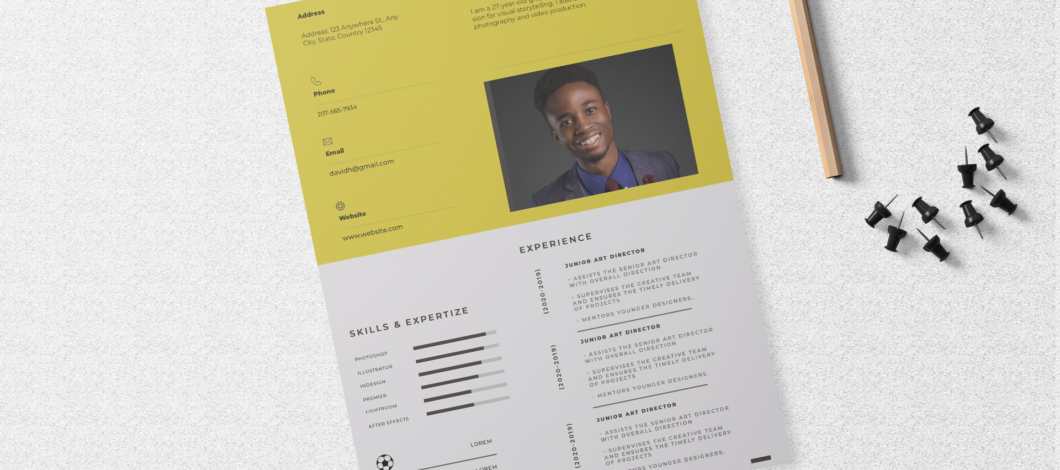
Free Photoshop Resume Template 14 is a bold one-page resume built around a vivid chartreuse-yellow identity panel. It combines personal details, a wide landscape portrait, software proficiency, interests, and a chronological experience section in a lively editorial composition. The energetic palette makes it especially fitting for illustrators, motion designers, content creators, and junior art directors who want a portfolio-friendly resume that does not blend into a stack of neutral applications.
Design details
- A bright yellow upper half that places contact details on the left and a broad rectangular headshot on the right
- A compact name and profile statement positioned above the portrait for an informal magazine-like introduction
- A pale gray lower half split between skills and interests on the left and experience on the right
- Horizontal software bars for key creative applications, accompanied by rotated dates, thin rules, spaced uppercase headings, and simple hobby pictograms
How to use it
- Download the ZIP file and open the PSD source in Photoshop.
- Replace the landscape headshot and reposition it so the face remains visible beside the surrounding text.
- Update the name, short introduction, address, phone, email, and website in the yellow header.
- Rename the software categories and adjust the proficiency bars. Swap the interest icons and labels for genuine hobbies or relevant capabilities. Add concise experience entries, proofread the small text carefully, and export a PDF for applications. Retain the optimistic, experimental mood of the sharp yellow and cool gray pairing, controlled by fine rules and compact type.
Download
Download free-photoshop-resume-template-22.zip“>Download resume14.zip
Related templates
See the resume hub for content guidance, and use the branding guide to decide whether the yellow accent supports your creative identity.
FAQ
Can I edit this resume in Photoshop?
Yes. You can replace the photo, revise every text block, recolor the panels, and modify bars, rules, and icons in Photoshop.
Can I change the yellow?
Yes. A saturated brand color works best, but test it against dark body text to maintain comfortable contrast.
What jobs fit this style?
It works particularly well for illustrators, multimedia designers, video creators, and creative marketing professionals with software-based skills.






