
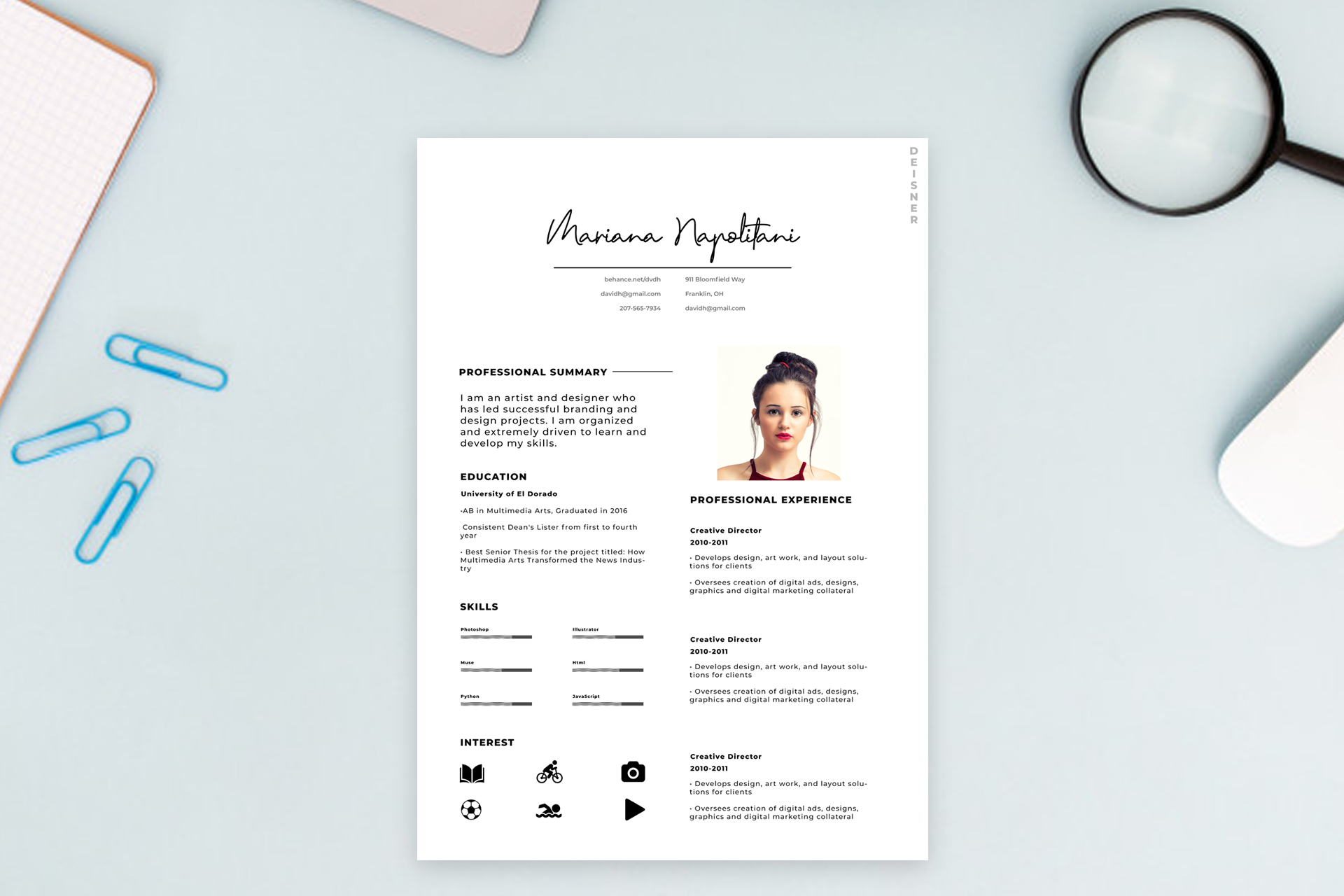
What this template is for
Free Photoshop Resume Template 10 is a minimalist designer resume that mixes an elegant handwritten nameplate with a disciplined two-column information layout. Its black-and-white palette, delicate rules, and modest portrait create a fashion-conscious but professional mood. It is a fitting choice for graphic designers, brand designers, creative directors, and visual artists who want a personal signature without using strong color.
Design details
- A large script-style name centered at the top with a thin underline and compact contact details below
- A small vertical “designer” label tucked into the upper-right margin as an editorial detail
- A two-column body with professional summary, education, skills, and interests on the left
- A rectangular portrait above a long professional experience column on the right
- Bold uppercase sans serif section labels paired with smaller, clean body text
- Horizontal skill meters and solid black interest icons for reading, cycling, photography, football, swimming, and media
The generous white space gives the page a gallery-like calm. The handwritten header supplies most of the personality, while the lower content remains aligned and practical. Black graphic elements, short rules, and strong headings create enough contrast to guide the eye without disrupting the minimalist aesthetic.
How to use it
- Download the ZIP file and open the source PSD in Photoshop.
- Replace the portrait with a clean headshot and edit the signature name, checking that your name fits the available width.
- Update the summary, education, and experience with concise, role-specific language.
- Resize the skill meters honestly and swap or remove interest icons so they reflect you.
- Keep experience bullets short to preserve the open spacing in the right column.
- Export a sharp PDF for applications or a JPG for a portfolio preview.
Download
Download free-photoshop-resume-template.zip“>Download resume10.zip
Related templates
Browse the resume hub for content guidance, and see the branding guide for advice on pairing expressive typography with a wider personal identity.
FAQ
Can I edit this resume in Photoshop?
Yes. You can edit all copy, replace the portrait, change the type and rules, and customize the skill and interest graphics.
What should I change first?
Start with the script name and portrait because they define the page, then tailor the summary and most recent experience.
Can I use it for job applications today?
Yes. It works well as a designed PDF for creative applications, portfolio introductions, and freelance proposals.






