
What this template is for
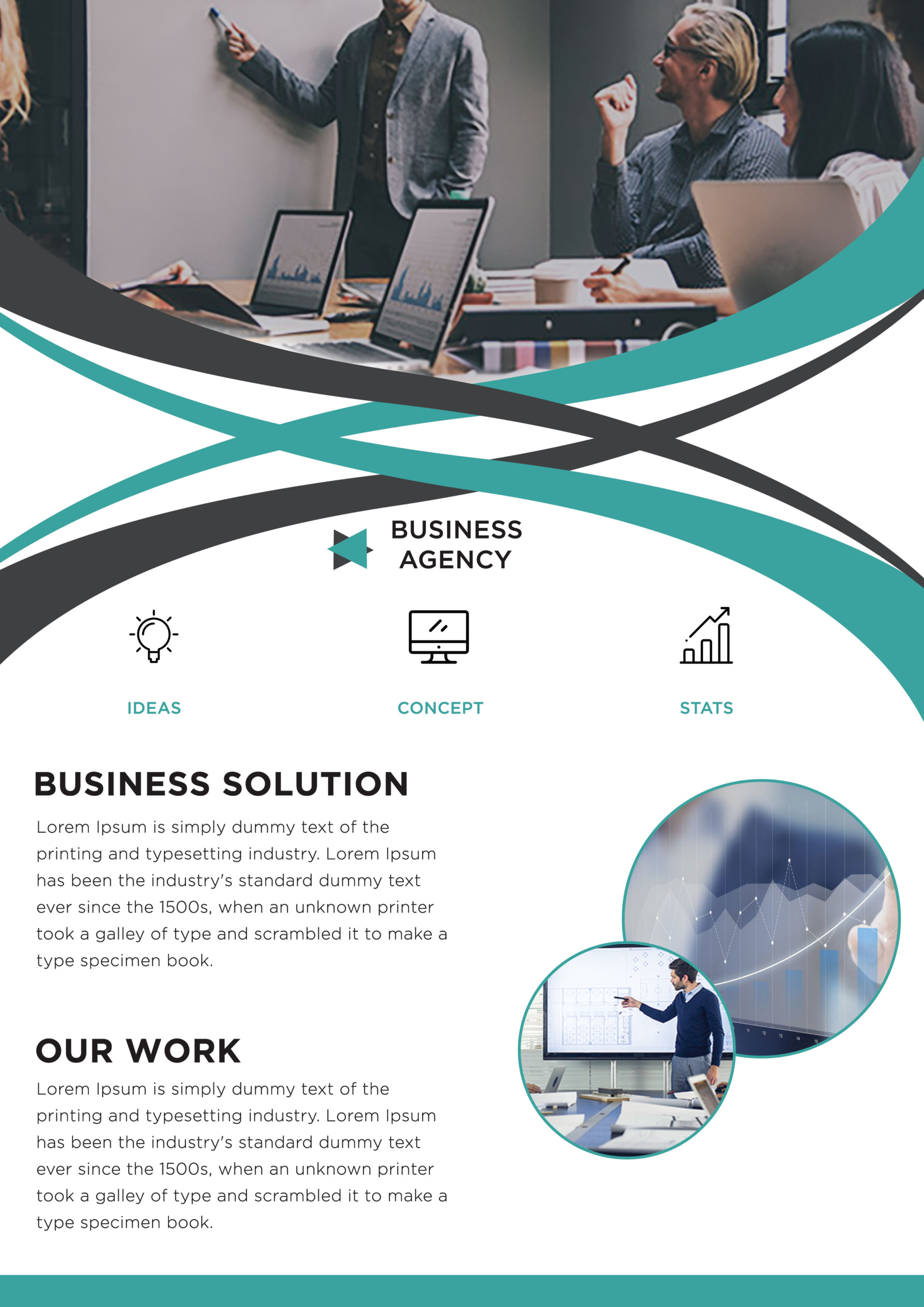
Free Corporate Business Photoshop Flyer Template 9 presents a modern business agency through a collaborative meeting photo, dynamic crossing ribbons, and a compact three-part capability row. The supplied preview matches the visual composition shown for Flyer 6, so this description follows the actual asset rather than implying a different layout. It is a useful choice for a consulting practice, marketing agency, analytics provider, or innovation team promoting a focused set of services.
Design details
- A wide office meeting image fills the top of the portrait page and immediately establishes a collaborative professional setting.
- Broad teal and charcoal curves cross over white channels, producing an energetic wave transition between the photograph and content.
- A small angular mark and two-line “Business Agency” wordmark appear near the center of the composition.
- Three black outline icons introduce Ideas, Concept, and Stats, with their turquoise labels arranged evenly across the page.
- Two large black headings, “Business Solution” and “Our Work,” organize concise gray paragraphs on the lower left.
- Overlapping circular photos on the lower right show a chart and a presenter, each contained by a thin turquoise border.
The flyer has a capable, forward-moving mood. Its bold uppercase headings contrast with light, rounded body typography, while the generous white background keeps the layered curves and image circles readable. The arrangement is especially effective for a strategy service launch, a digital transformation overview, or an agency capabilities handout.
How to use it
- Download the ZIP and open the PSD in Photoshop.
- Update the logo, business name, three capability labels, section headings, and supporting paragraphs.
- Replace the meeting image and two round photos with coordinated workplace, presentation, or performance imagery.
- Keep the top photo’s important subjects above the crossing curves and recenter details inside both circular masks.
- Change the teal accent to your brand color if required, then export at full quality for print or in RGB for digital campaigns.
Download
Download free-corporate-business-photoshop-flyer-template-18.zip“>Download Flyer-Design-9.zip
Related templates
See more options in the best flyer templates roundup and the business flyer hub.
FAQ
What are the three icon positions for?
Use them for services, benefits, workflow phases, or measurable strengths. Short one-word labels fit the design best.
How many replacement photos are needed?
Prepare one wide team image and two supporting photos for the circular frames.
Is the flyer appropriate for formal consulting?
Yes. Its charcoal structure feels credible, while the turquoise curves add enough motion for strategy, technology, and creative firms.







