What this template is for
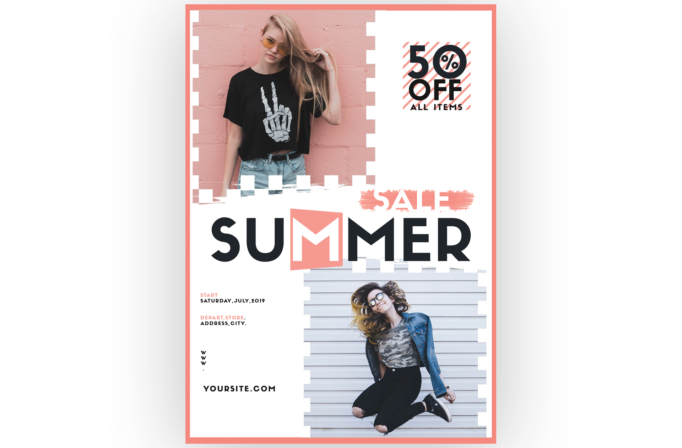
Free Summer Sale Flyer Template for Fashion Stores and Retail Promotions is a lively retail flyer made specifically for a seasonal fashion campaign. It works well for a boutique summer sale, a youth clothing promotion, or a shopping-center clearance event. Two lifestyle photo zones, a large sale headline, and a prominent discount badge make the offer understandable at a glance.
Design details
- A warm coral border frames the full portrait page and establishes the summery accent color.
- The upper-left image shows a casually dressed model against a pink wall, while the lower-right image features a second model in motion.
- Both photos use blocky white cutout edges and rough paint transitions, giving the collage an energetic streetwear feel.
- A large black “SUMMER” wordmark spans the center, with the letter M boxed in coral and a brushed “SALE” label above it.
- The upper-right “50% OFF ALL ITEMS” badge combines oversized black type with coral diagonal stripes for immediate promotional impact.
- Small date, store, address, and website details sit in the open lower-left area without competing with the headline.
The palette of white, black, blush pink, and coral feels youthful and fashion-forward. Heavy geometric lettering supplies retail urgency, while brush textures and stepped photo masks keep the design playful rather than corporate.
How to use it
- Download the ZIP file and open the PSD source in Photoshop.
- Replace both model photographs with campaign images that have simple backgrounds and clear silhouettes. Coordinate their colors for a unified collage.
- Update the discount, sale name, start date, store location, website, and any eligibility details.
- Recolor the coral frame, striped badge, and highlighted letter to match your seasonal collection or shop branding.
- Proof all promotional terms, then export a print-ready version for storefront display and a resized version for social posts or email announcements.
Download
Download free-summer-sale-flyer-template.zip“>Download Flyer-Design-Template-69.zip
Related templates
Best flyer templates roundup and business flyer hub.
FAQ
Can I edit this flyer in Photoshop?
Yes. You can swap both fashion photos, change every promotional detail, and recolor the coral accents in Photoshop.
What should I change first?
Start with the discount and sale dates so the offer is accurate. Then replace the model images with photos from the promoted collection.
Can I use it for print and social media?
Yes. The tall design works for printed flyers and window posters, while the headline, discount badge, and photo collage can be cropped into social formats.