
What this template is for
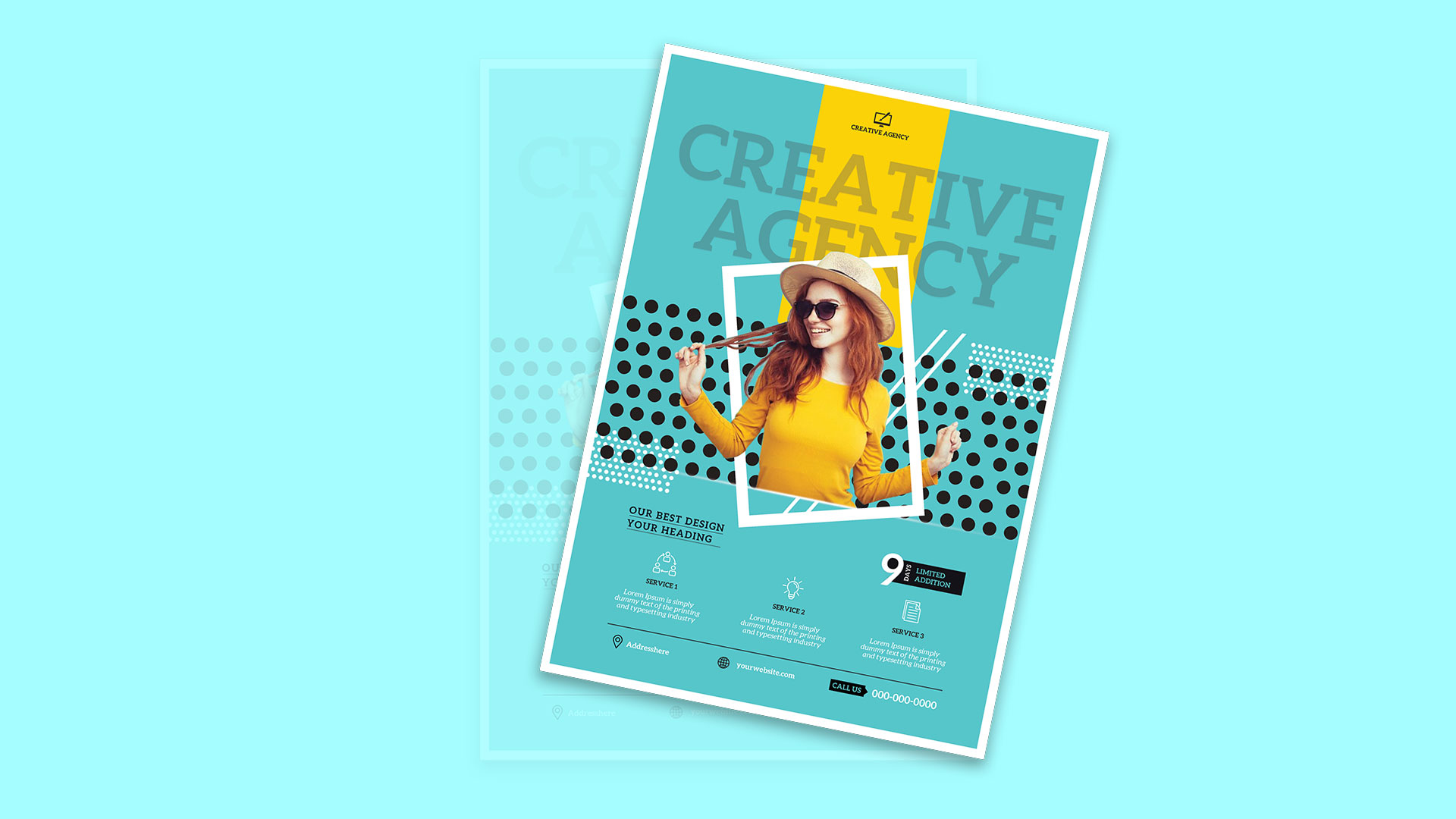
Free Brochure-Style Photoshop Flyer Template 45 is a playful creative agency flyer with a bright turquoise background, yellow center stripe, black polka dots, and layered white geometric outlines. A smiling cutout model in a yellow top becomes the central focus, reinforcing an upbeat, youthful brand personality. Oversized translucent “Creative Agency” lettering provides texture rather than acting as a conventional headline. The layout works well for a design studio introduction, a limited-time creative service campaign, or a freelancer collective promoting branding, ideas, and content services.
Design details
- A narrow yellow stripe runs from the logo through the hero area, connecting the brand mark to the model’s clothing.
- The cutout portrait overlaps a tilted white frame, black dot pattern, and diagonal white strokes for a layered pop-art effect.
- Large low-contrast serif lettering fills the upper background and adds scale without overpowering the portrait.
- White halftone-dot blocks introduce extra rhythm at opposite corners of the main composition.
- The lower section holds a short campaign heading, a nine-day limited-edition badge, and three evenly spaced service columns.
- A thin black rule separates the service descriptions from the address, website, and phone footer.
How to use it
- Download the ZIP and open the editable source in Photoshop.
- Replace the agency logo, background headline, campaign heading, duration badge, service names, and contact details.
- Insert a cleanly isolated portrait with an expressive pose that works naturally inside and outside the tilted frame.
- Swap the three service icons and descriptions to match your actual offer, such as brand strategy, social content, and web design.
- Export for creative-event handouts, studio mailers, portfolio leave-behinds, or vertical social promotion.
Download
Download free-brochurestyle-photoshop-flyer-template-19.zip“>Download Flyer-Design-Template-45.zip
Related templates
Find more expressive designs in the best flyer templates roundup and compare versatile agency layouts in the business flyer hub.
FAQ
What kind of portrait fits the layout?
Choose a full or three-quarter-length subject photographed against a plain background. Bright clothing and an open, energetic pose suit the pop-art composition.
Can I use a different color palette?
Yes. Keep one bright base color, one contrasting vertical accent, black pattern elements, and white linework to retain the original visual logic.
How should I use the nine-day badge?
Turn it into a campaign countdown, workshop duration, limited offer, or launch window. Keep the wording brief so the bold number remains dominant.







