
What this template is for
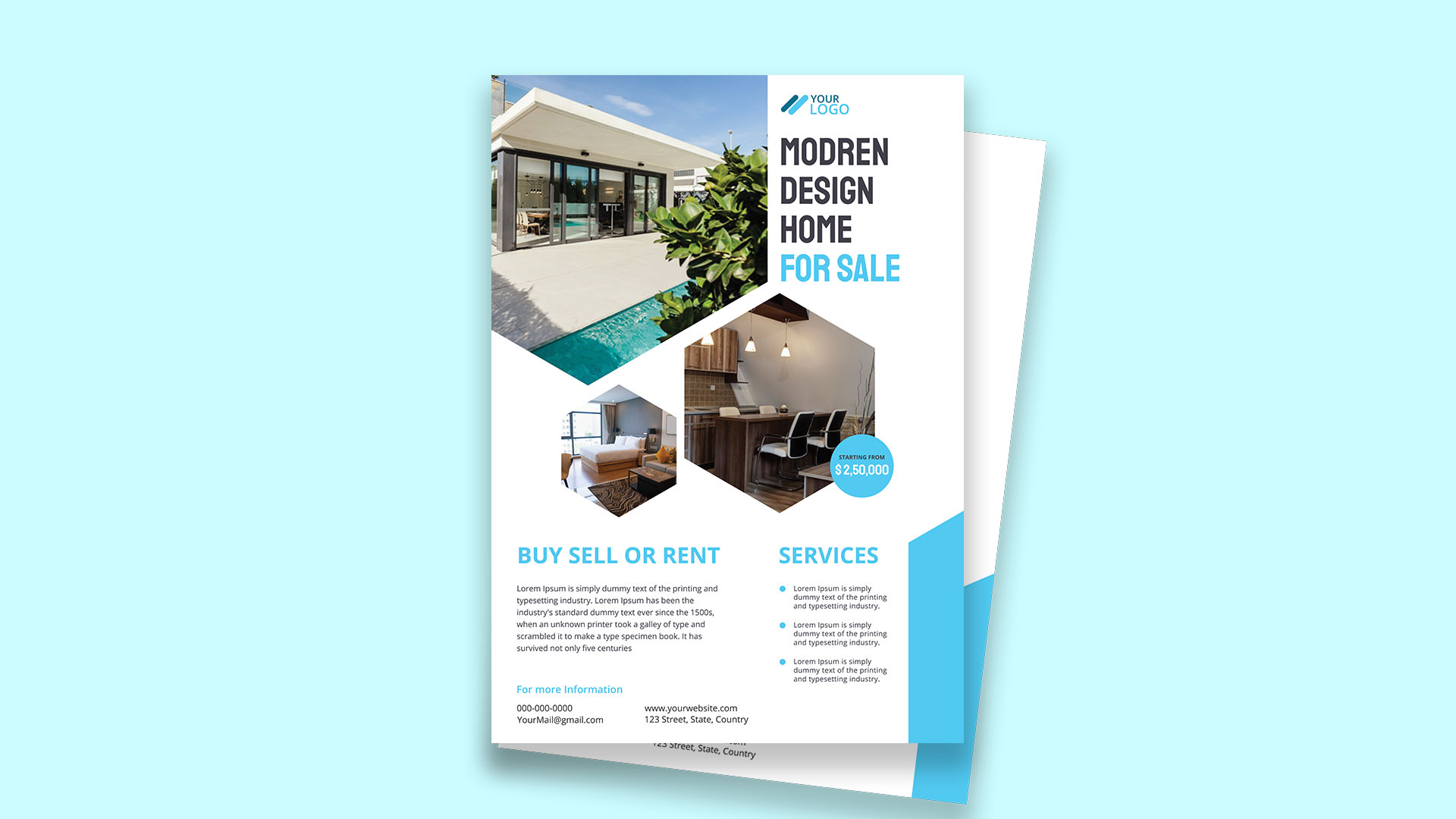
Free Brochure-Style Photoshop Flyer Template 42 is a clean real estate flyer advertising a modern home for sale. The page pairs a large exterior pool photograph with two angular interior image frames, allowing prospective buyers to see the property, bedroom, and kitchen at once. A white background, bright cyan accents, and dark charcoal condensed headings give it a crisp contemporary character. The template is well suited to a single-property listing, a new-development sales sheet, or a real estate agent’s open-house handout.
Design details
- A wide exterior photograph fills the upper-left area and ends in a sharp geometric point that directs attention down the page.
- The upper-right column holds the logo and a large stacked “Modern Design Home for Sale” headline.
- Two polygonal photo zones showcase a bedroom and kitchen, with thick white gaps maintaining separation and clarity.
- A cyan circular price badge overlaps the main interior photo for immediate visibility.
- The lower section balances a substantial property description on the left with a three-item services list on the right.
- A large cyan corner shape reinforces the brand color without competing with the listing photographs.
How to use it
- Download the ZIP and open the PSD file in Photoshop.
- Replace the logo, listing headline, asking price, property description, services, and contact details.
- Insert one strong exterior hero image and two complementary interior photographs with consistent lighting and color.
- Use the body section for bedrooms, bathrooms, floor area, key amenities, viewing arrangements, and the property location.
- Export a high-resolution print copy for viewings and a compressed digital copy for email campaigns or property portals.
Download
Download free-brochurestyle-photoshop-flyer-template-17.zip“>Download Flyer-Design-Template-42.zip
Related templates
Discover more image-led layouts in the best flyer templates roundup and browse the business flyer hub for additional sales materials.
FAQ
What property photos work best?
Use a bright horizontal exterior image for the top and uncluttered interior views for the geometric frames. Straight architectural lines will complement the angular crops.
Can I use this for rentals?
Yes. Change the sale headline and price to monthly rent, then adapt the service list to show lease terms, included amenities, and viewing availability.
How much listing copy should I add?
A short overview plus three concise service or feature points is ideal. Avoid dense legal details and direct readers to your website or agent for the complete listing.







