
What this template is for
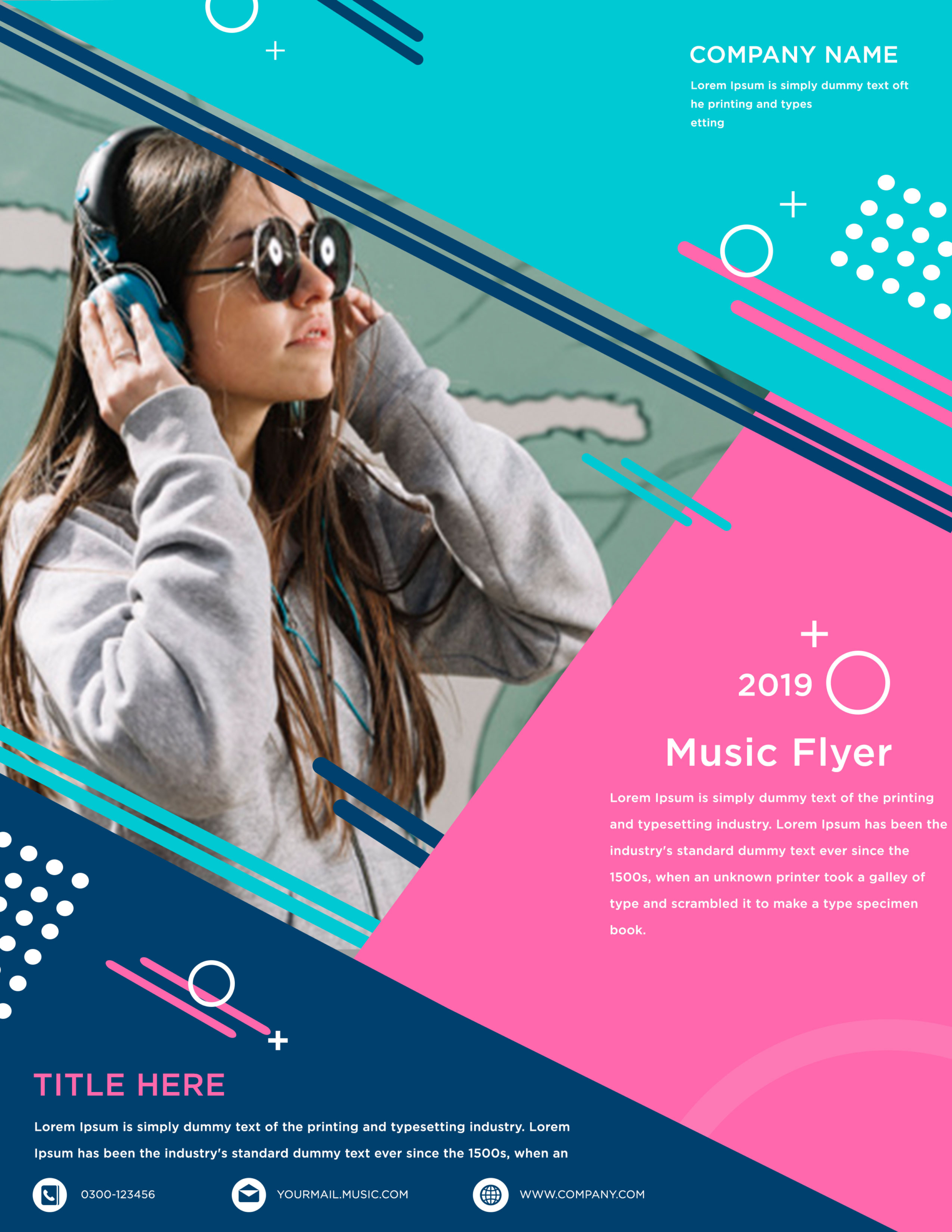
Free Music Event Flyer Template for DJs, Clubs, and Concert Promotions is a youthful Photoshop design centered on a large lifestyle photo of a woman wearing headphones and sunglasses. Its bright cyan, bubblegum pink, white, and deep navy shapes create a playful electronic-pop mood. The layout works particularly well for a DJ night announcement, a student music festival, or a headphone and streaming event promotion.
Design details
- The left side is dominated by an angled photo crop, giving the headphone-wearing subject plenty of scale while keeping her face clear of the text areas.
- A cyan field fills the upper-right corner and holds a compact company name, short description, and geometric decorations.
- A large pink diagonal panel creates the main event information zone, with white sans serif type for the year, “Music Flyer” title, and supporting description.
- Deep navy wedges anchor the bottom and slice across the photo. Parallel navy, cyan, gray, and pink lines reinforce the diagonal motion throughout the composition.
- White circles, plus signs, dotted clusters, and partial rings add a lively late-2010s graphic style without competing with the main photograph.
- The bottom section provides a second pink headline, a short details block, and three white icon-based contact fields for phone, email, and website.
How to use it
- Download the ZIP file and open the PSD source in Photoshop.
- Replace the year, music title, company name, and lower headline with the event name, date, venue, lineup, and ticket message.
- Keep the existing portrait for a lifestyle-focused promotion, or add a similarly energetic DJ, performer, or attendee photo that can handle the steep diagonal crop.
- Update all three contact fields, check the small white copy for contrast, and export a high-resolution print file or a resized digital version.
Download
Download free-music-event-flyer-template.zip“>Download Flyer-Design-4.zip
Related templates
See more colorful event layouts in the best flyer templates roundup, or explore the business flyer hub for editable promotional designs.
FAQ
Can I edit this flyer in Photoshop?
Yes. You can change the photograph, event copy, company name, contact details, accent shapes, and colors in the Photoshop source.
What should I change first?
Replace the generic “Music Flyer” title and year first, then add the exact event date, venue, performers, and ticket information. Update the lower contact row before exporting.
Can I use it for print and social media?
Yes. The full composition suits posters and handouts. For social channels, resize it vertically for stories or crop around the subject and pink title panel for a concise event post.







