
What this template is for
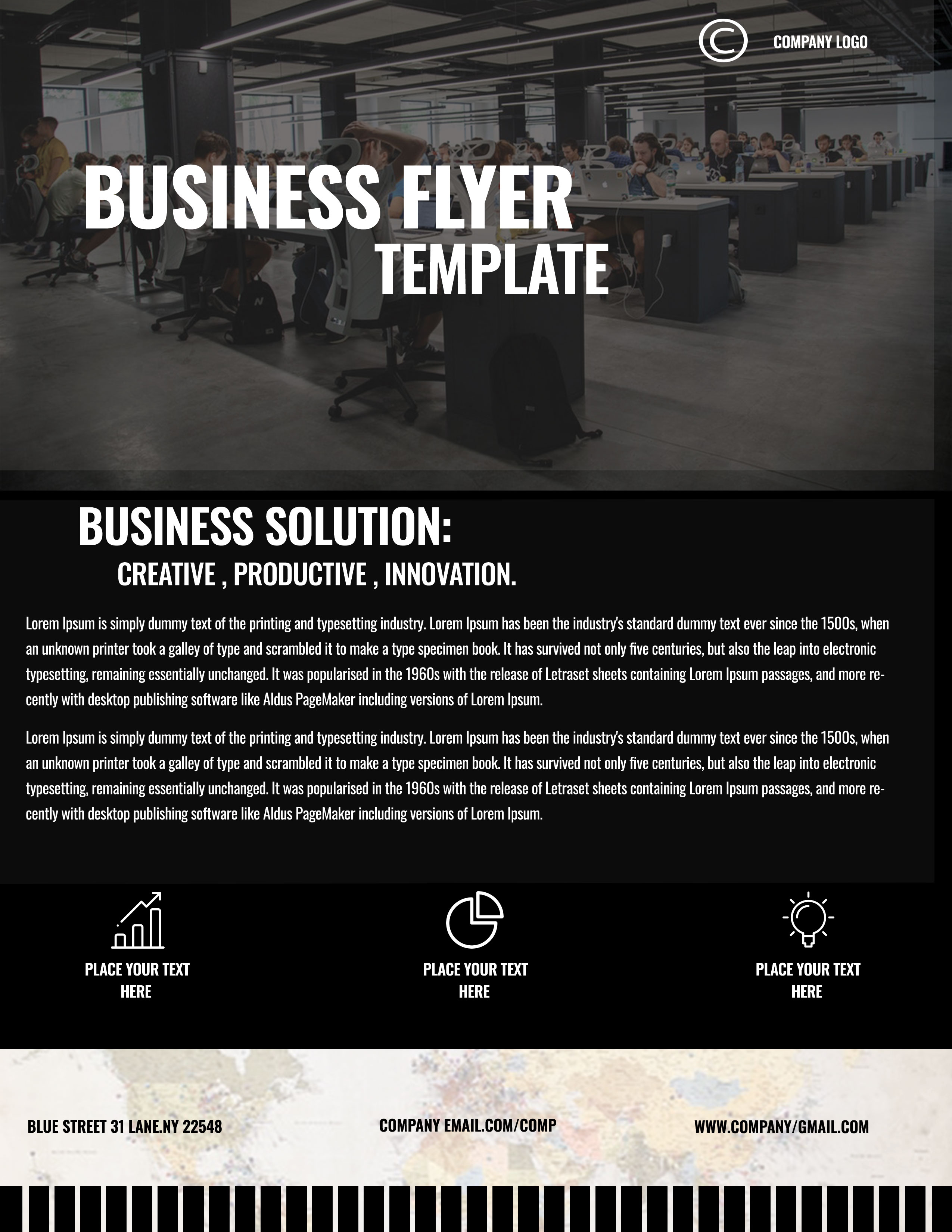
Free Corporate Business Photoshop Flyer Template 25 is a dark, high-contrast corporate flyer designed for organizations that want a serious and modern presentation. It works particularly well for coworking spaces, workplace consultants, technology operations teams, and productivity seminars. The large office photograph establishes context immediately, while the lower sections provide space for a business solution, three concise feature messages, and essential contact information. Use it as a company capability sheet, seminar handout, or B2B service promotion.
Design details
- A wide open-office photograph fills the top portion, darkened with a charcoal overlay so the oversized white headline remains highly legible.
- A small circular company mark sits in the upper-right corner, separated from the central stacked “Business Flyer Template” title.
- The middle section uses a near-black panel with a subtle inner border, tall condensed headings, and two columns of compact white body copy.
- Three white outline icons for growth, analytics, and ideas form a symmetrical row beneath the main description.
- The footer switches to a pale street-map texture, creating contrast while reinforcing the address, email, and website details.
- A decorative black barcode-like pattern runs along the bottom edge and gives the flyer a distinctive urban, technical finish.
How to use it
- Download the ZIP file and open the Photoshop source.
- Replace the logo, headline, solution statement, and supporting paragraphs with your actual company message.
- Choose a panoramic office, studio, event, or facility photograph that still reads clearly when darkened behind white type.
- Match the three icons and captions to your strongest benefits, such as measurable growth, clear reporting, and practical innovation.
- Update all footer details, confirm text contrast, and export a print version plus a compressed digital copy.
Download
Download free-corporate-business-photoshop-flyer-template-14.zip“>Download Flyer-Design-25.zip
Related templates
See more professional layouts in the best flyer templates roundup and browse the business flyer hub for related promotions.
FAQ
Can I edit this flyer in Photoshop?
Yes. The PSD is intended for editing the photo, logo, text, icons, background elements, and contact information.
What type of image should replace the office photo?
Use a wide, detailed workplace image with no essential faces or objects directly behind the large headline.
Will this design work with a lighter brand palette?
It can, but the black field and white type are central to its dramatic character. Preserve strong contrast if you recolor the layout.







