
What this template is for
Free Agency Services Flyer Template for Team and Process Promotions is a vibrant Photoshop layout built around people, stages, and short messages. Three overlapping portrait circles give the design a team-focused personality, while separate circular text badges can identify services or steps. It is a strong fit for a creative agency team introduction, a coaching or recruitment process overview, or a women-led business networking promotion.
Design details
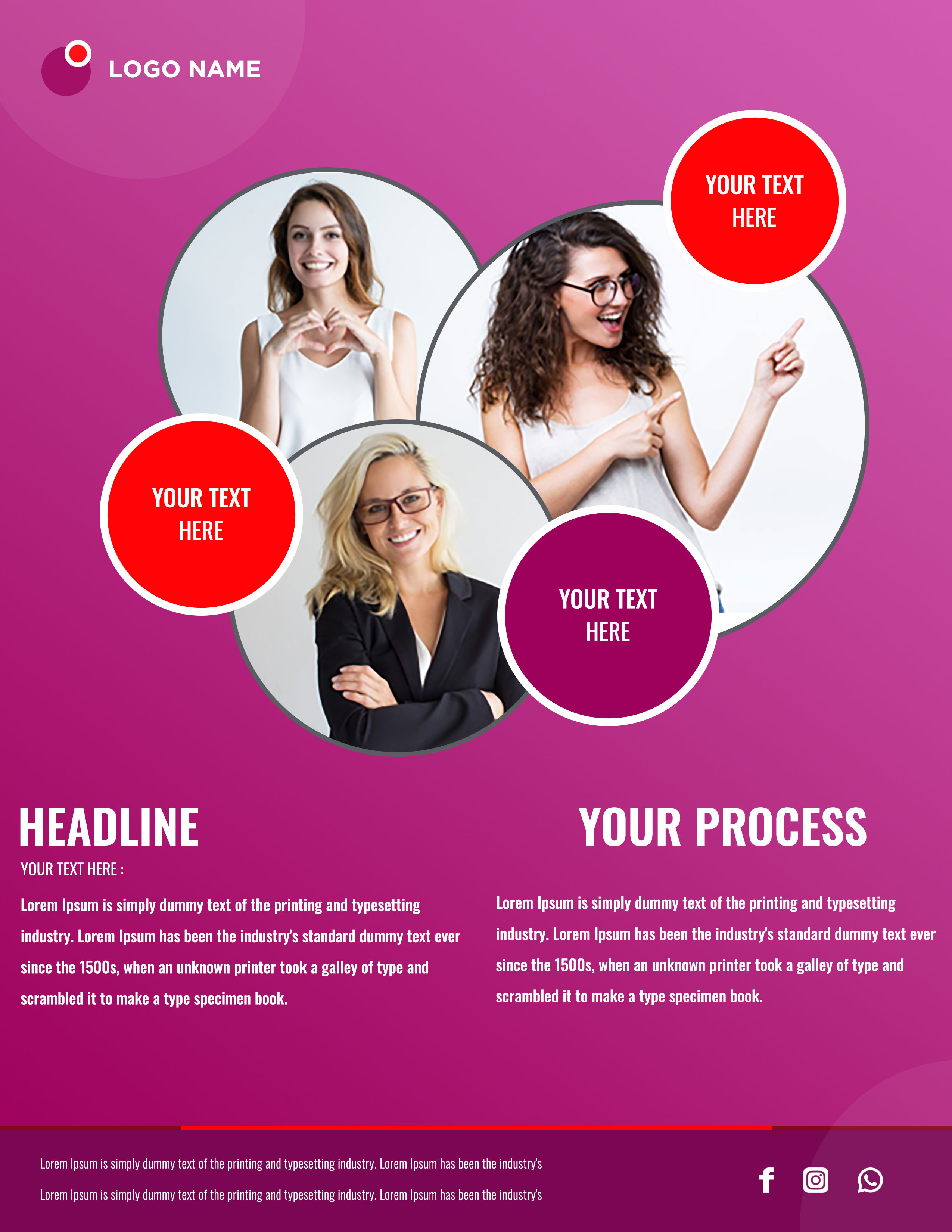
- A rich magenta-to-purple background fills the page, with subtle oversized circular overlays adding depth near the corners.
- Three large photo zones overlap across the upper-middle area. Each image is cropped into a circle with a slim dark outline, creating an energetic collage of approachable professional portraits.
- Two bright red badges with thick white borders and one dark magenta badge provide clear places for short labels, benefits, or numbered process steps.
- A simple logo lockup sits at the upper left, leaving the portraits and callout circles to carry most of the visual emphasis.
- The lower half divides into two balanced columns titled “HEADLINE” and “YOUR PROCESS.” Tall, condensed white sans serif type gives both headings a confident, contemporary feel.
- A darker purple footer, separated by thin red and magenta rules, holds supporting copy and white social icons for Facebook, Instagram, and WhatsApp.
How to use it
- Download the ZIP file and open the source in Photoshop.
- Replace the three circular portraits with team members, clients, or speakers, choosing images with simple light backgrounds and centered faces.
- Turn the three round badges into service names, process numbers, or concise benefits, then rewrite the two lower columns with your main offer and workflow.
- Add your logo, contact copy, and active social channels. Adjust the magenta palette if needed and export for print or online promotion.
Download
Download free-agency-services-flyer-template.zip“>Download Flyer-Design-2.zip
Related templates
Compare more people-focused layouts in the best flyer templates roundup, or visit the business flyer hub for additional agency designs.
FAQ
Can I edit this flyer in Photoshop?
Yes. The PSD lets you replace all three portraits, change badge text, rewrite both content columns, update the logo, and customize the colors.
What should I change first?
Start with the portraits because they define the personality of the design. Then assign one clear message to each circular badge and align the lower text with that sequence.
Can I use it for print and social media?
Yes. Its tall layout suits printed flyers and digital handouts. The circular portraits and badges also translate well into cropped social graphics or a multi-post team introduction.







