
What this template is for
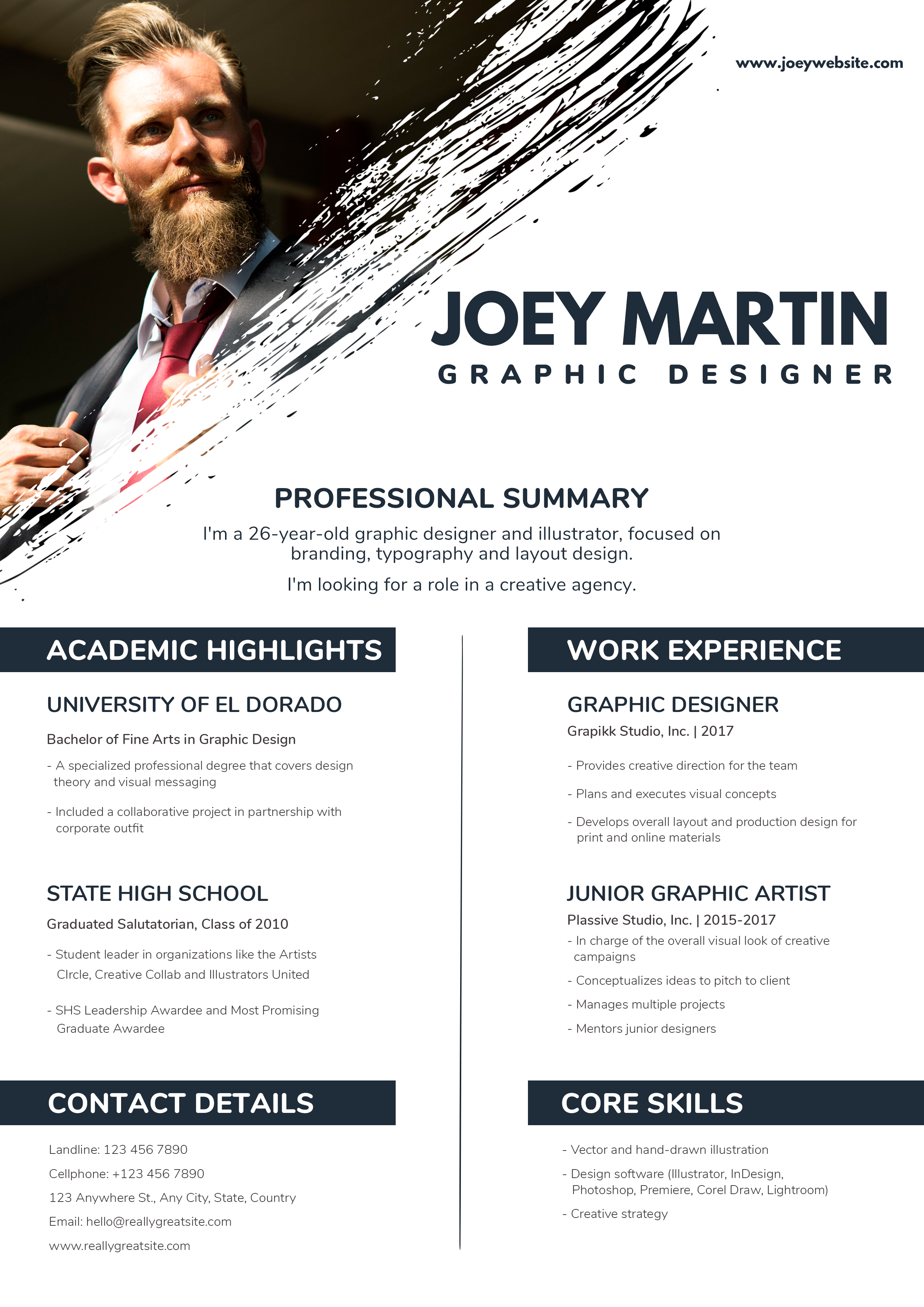
Free Photoshop Resume Template 103 is a dramatic one-page resume that blends a formal portrait with expressive black brushwork. It is aimed at graphic designers and illustrators, but it would also suit creative directors or fashion professionals seeking a strong personal presentation. The design feels sophisticated and editorial, with a restrained monochrome palette that lets the portrait and typography carry the visual impact.
Design details
- A large portrait fills the upper-left corner and transitions into the white page through a rough diagonal paint-stroke mask.
- The candidate name appears in very large dark navy uppercase type, followed by a widely tracked creative job title.
- A centered professional summary bridges the expressive header and the structured resume content below.
- The lower area uses two equal columns separated by a thin vertical rule: academic highlights and contact details on the left, work experience and core skills on the right.
- Dark navy title bars with white rounded lettering give each section a bold, consistent anchor.
How to use it
- Download the ZIP file and open the editable source in Photoshop.
- Replace the portrait with a high-resolution image that has strong directional light and enough background for the brush mask.
- Update the name, creative specialty, summary, education, employment, skill list, and complete contact information.
- Limit each experience or education entry to a few focused bullets so the two columns finish at a visually similar height.
- Export the completed design as a high-quality PDF, then proof the contact details and small gray body text.
Download
Download free-photoshop-resume-template-5.zip“>Download resume103.zip
Related templates
Visit the resume hub for more creative formats. If you plan to recolor the navy bars or brush treatment, the branding guide offers useful direction.
FAQ
Can I edit this resume in Photoshop?
Yes. The PSD format supports portrait replacement, text editing, color changes, and adjustments to the brush-mask composition.
What should I change first?
Start with the portrait and name because the header depends on their scale and placement. Fit the professional summary next, then work through the balanced columns.
Can I use it for job applications today?
Yes, particularly for agency outreach, portfolio meetings, and creative roles. Because the brush art and columns prioritize presentation, use a simpler text-first file when an employer specifically requests ATS formatting.








