
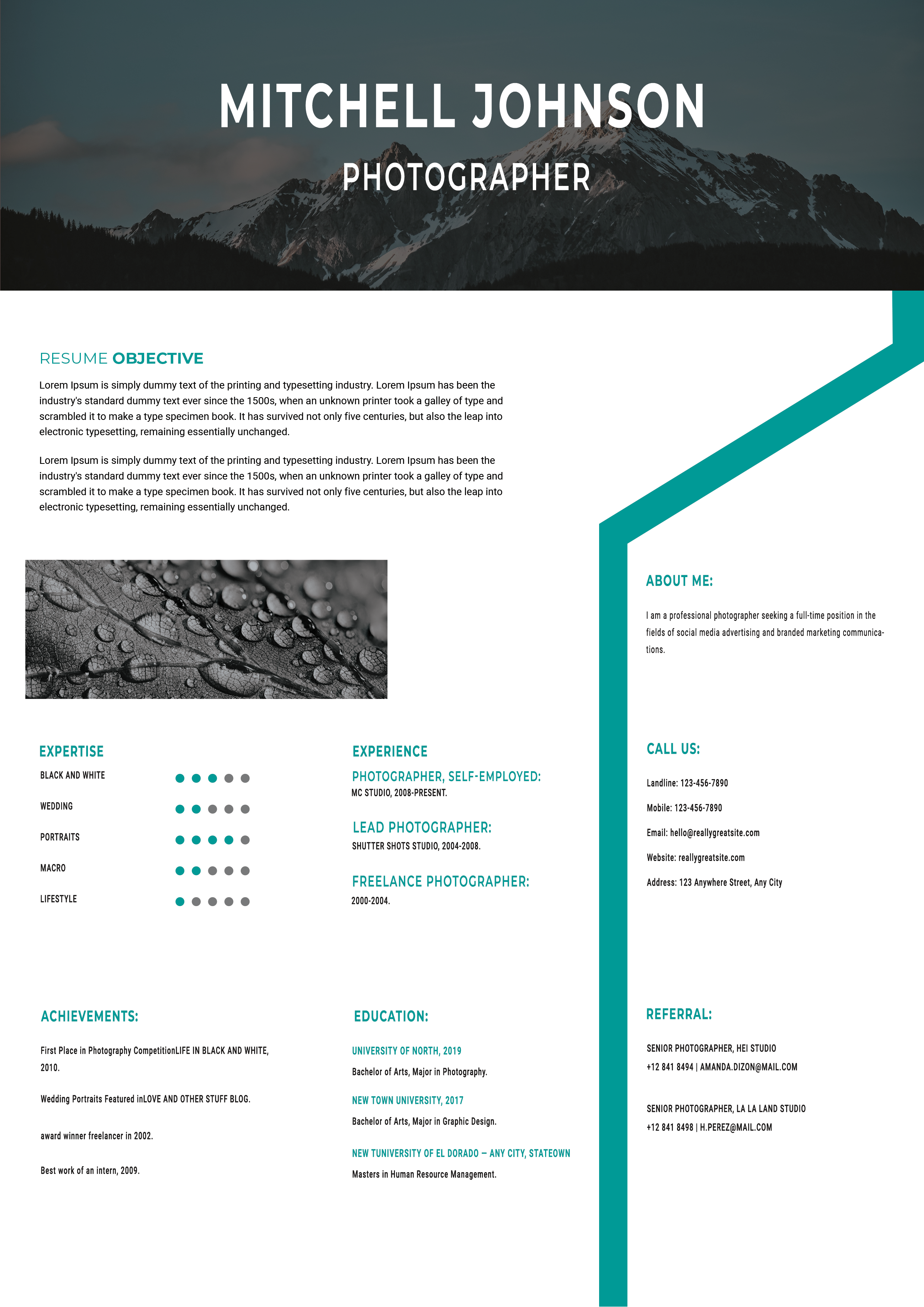
What this template is for
Free Photoshop Resume Template 96 is an expansive photography resume with a full-width mountain banner and a white, teal, and charcoal palette. It gives visual work unusual prominence while still providing room for a detailed career story. The design is well suited to photographers, visual content producers, and branded lifestyle or social media creatives.
Design details
- A dramatic landscape photograph spans the top behind a dark overlay, oversized white name, and centered professional title.
- The main white canvas uses a wide left area for an objective, sample image, expertise ratings, experience, achievements, and education.
- A narrow right column is framed by a tall teal geometric border and contains the profile, contact details, and referrals.
- Condensed uppercase headings use teal for a crisp editorial rhythm, while clean sans serif body text remains highly readable.
- A second horizontal photograph offers space for a portfolio sample, and dot scales communicate photography specialties quickly.
The combination of alpine imagery, dark overlays, and turquoise accents feels adventurous and professional. Choose a panoramic hero photograph with a clear center for the name. The smaller image should demonstrate a different specialty so the two visual zones show useful range.
How to use it
- Download the ZIP file and open the Photoshop source.
- Replace both photographs with high-resolution original work and update the name, title, profile, and contact information.
- Customize the expertise dots, experience, achievements, and education with evidence that supports your target photography niche.
- Review cropping and contrast at full size, then export a compressed but sharp PDF that is easy to email.
Download
Download free-photoshop-resume-template-112.zip“>Download resume96.zip
Related templates
Use the resume hub to strengthen your application copy, and see the branding guide for help coordinating imagery and accent colors.
FAQ
Can I edit this resume in Photoshop?
Yes. You can replace both image zones and edit the text, colors, dot ratings, geometric border, and section arrangement in Photoshop.
What should I change first?
Start with the hero image because it controls the mood and text contrast. Then choose a portfolio sample and update the expertise ratings to match the work shown.
Can I use it for job applications today?
Yes, for direct applications, freelance pitches, or creative portfolio packages. Since it is image-heavy, also prepare a lighter text-first resume for automated hiring portals.








