
What this template is for
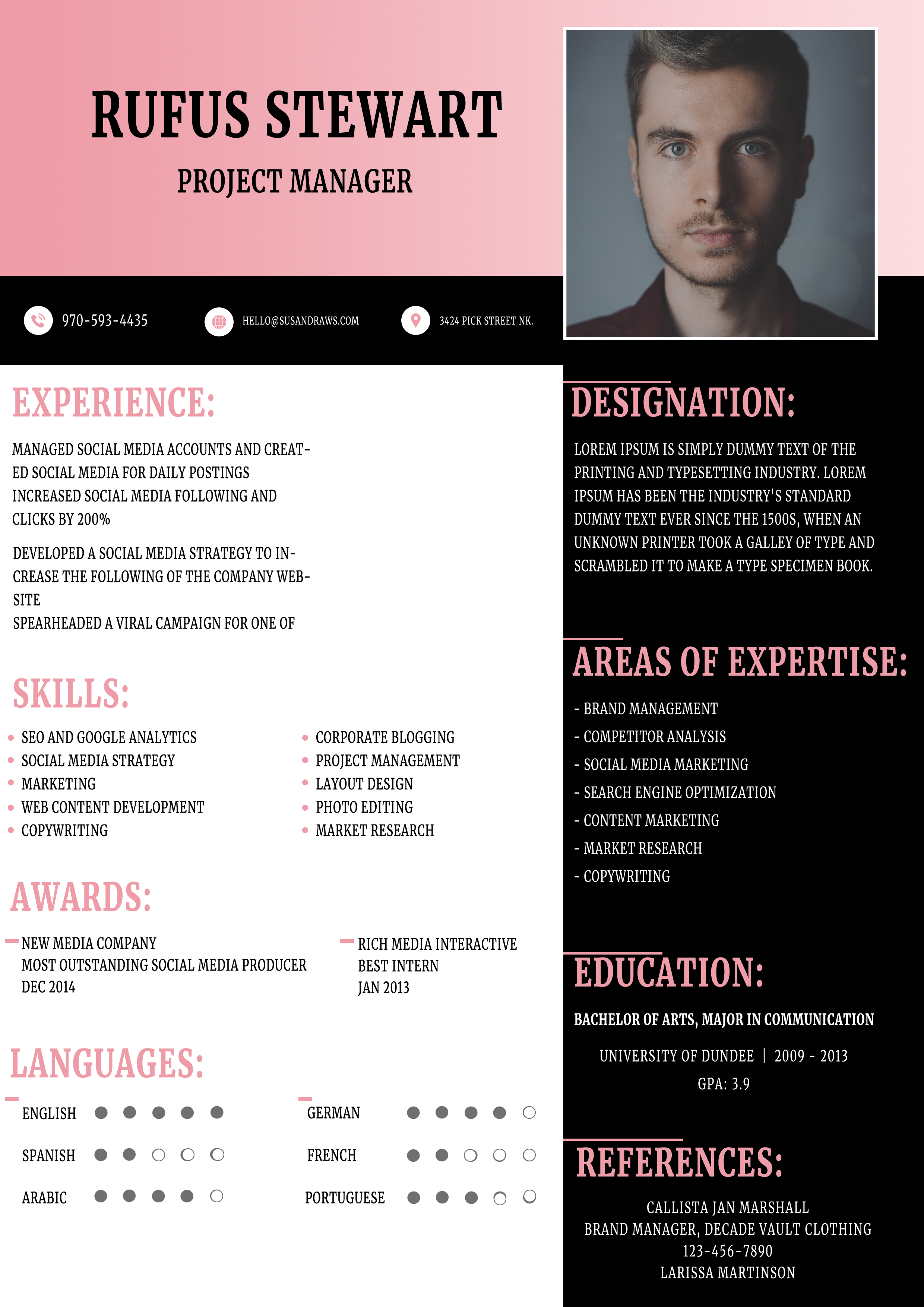
Free Photoshop Resume Template 91 is a bold, polished CV for applicants who want a classic editorial look with a modern split layout. Its pink, black, and white palette feels confident without becoming loud. The design suits project managers, social media specialists, and brand or communications professionals who need to present varied experience and skills on one page.
Design details
- A wide blush-pink header places the name and job title beside a large rectangular portrait.
- A slim black contact strip creates a strong divider and keeps phone, email, and address details easy to find.
- The white left column holds experience, two-column skills, awards, and language ratings, while the black right column organizes designation, expertise, education, and references.
- Tall condensed display type gives section headings a fashion-editorial character. Pink headings and fine rules maintain a clear reading path.
- Small bullets, compact text blocks, and dot-based language scales make good use of the available space.
The strong contrast and symmetrical top area create a formal mood, while the soft pink accent adds personality. Replace the portrait with a tightly cropped headshot that has a simple background so it remains clear against the dark panel.
How to use it
- Download the ZIP file and open the PSD source in Photoshop.
- Replace the sample portrait, then update the name, professional title, and contact strip.
- Rewrite each content block, keeping experience statements concise enough for the narrow columns.
- Adjust the pink accent if needed, check that the white text remains readable on black, and export a high-quality PDF.
Download
Download free-photoshop-resume-template-107.zip“>Download resume91.zip
Related templates
Explore the resume hub for application tips, or use the branding guide to select an accent color and portrait style that fit your professional identity.
FAQ
Can I edit this resume in Photoshop?
Yes. The PSD format lets you replace the portrait and edit the text, colors, rules, and section content in Photoshop.
What should I change first?
Begin with the portrait and header because they set the visual tone. Next, shorten the experience and expertise copy so every block keeps comfortable spacing.
Can I use it for job applications today?
Yes. It is especially effective when a human reviewer will see the designed PDF. For automated application portals, also keep a simpler text-first resume available.








