
What this template is for
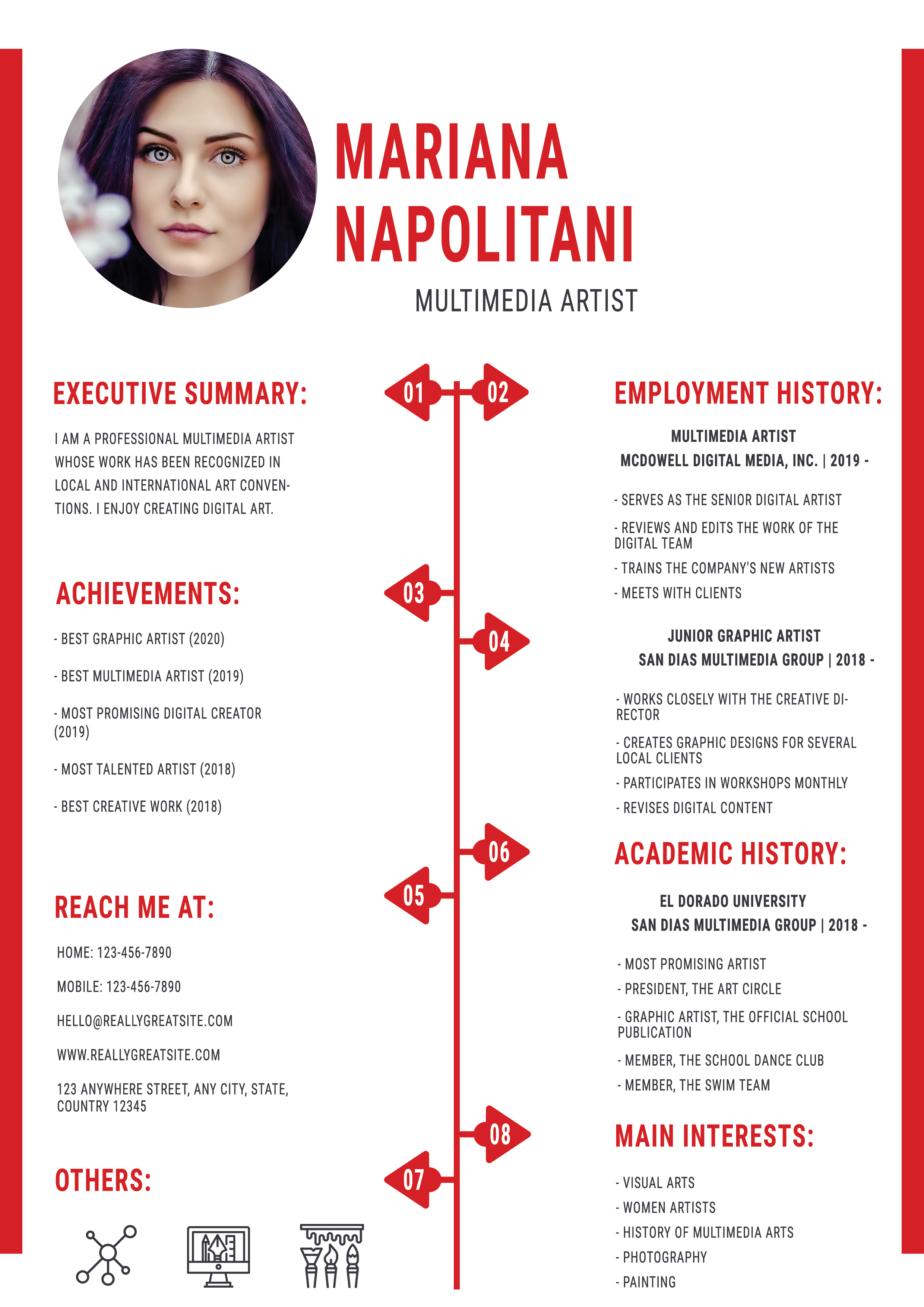
Free Photoshop Resume Template 90 is a vivid red, white, and black resume for creative candidates who want a strong editorial personality. The preview shows three overlapping copies, but the actual design is a single symmetrical page built around a central numbered timeline. Its arts-focused sections make it a convincing option for multimedia artists, graphic designers, illustrators, and creative graduates who want to combine achievements, employment, education, interests, and contact details on one page.
Design details
- A large circular portrait sits at the upper left of the header, beside a tall condensed red name and a centered multimedia artist title.
- Bright red edge bars frame the white page, while matching condensed uppercase headings create a poster-like visual identity.
- The body is split into two columns by a red vertical timeline with eight numbered arrow markers, giving the resume a distinctive infographic structure.
- The left column contains an executive summary, achievements, contact information, and small interest icons. The right column holds employment history, academic history, and main interests.
- Black compact body text contrasts with generous white space, and the preview’s paper texture and soft shadows reinforce the polished print presentation.
How to use it
- Download the ZIP file and open the resume source in Photoshop.
- Replace the circular portrait and update the name, creative discipline, executive summary, and contact information.
- Rewrite achievements, employment, education, and interests with concise phrases that fit the narrow columns.
- Relabel or simplify the numbered timeline markers if the supplied sequence does not correspond to your content. Keep the central line visually balanced between both columns.
- Export one clean resume page as a high-resolution PDF. Use the three-sheet composition as a portfolio preview rather than an application file.
Download
Download free-photoshop-resume-template-106.zip“>Download resume90.zip
Related templates
Use the resume hub to refine your accomplishment statements, then explore the branding guide before adapting the red poster-style identity across your portfolio.
FAQ
Can I edit this resume in Photoshop?
Yes. The editable source allows you to replace the portrait, change the red accents, revise all text, update icons, and adjust the central timeline.
What should I change first?
Start with the portrait, name, and creative title, then tailor the summary and strongest achievements. After the text is final, align the numbered markers with the surrounding sections.
Can I use it for job applications today?
Yes, especially for creative roles where visual presentation matters. Submit the single clean page, test the PDF at normal zoom, and prepare a simpler text-led version when an automated system is involved.








