
What this template is for
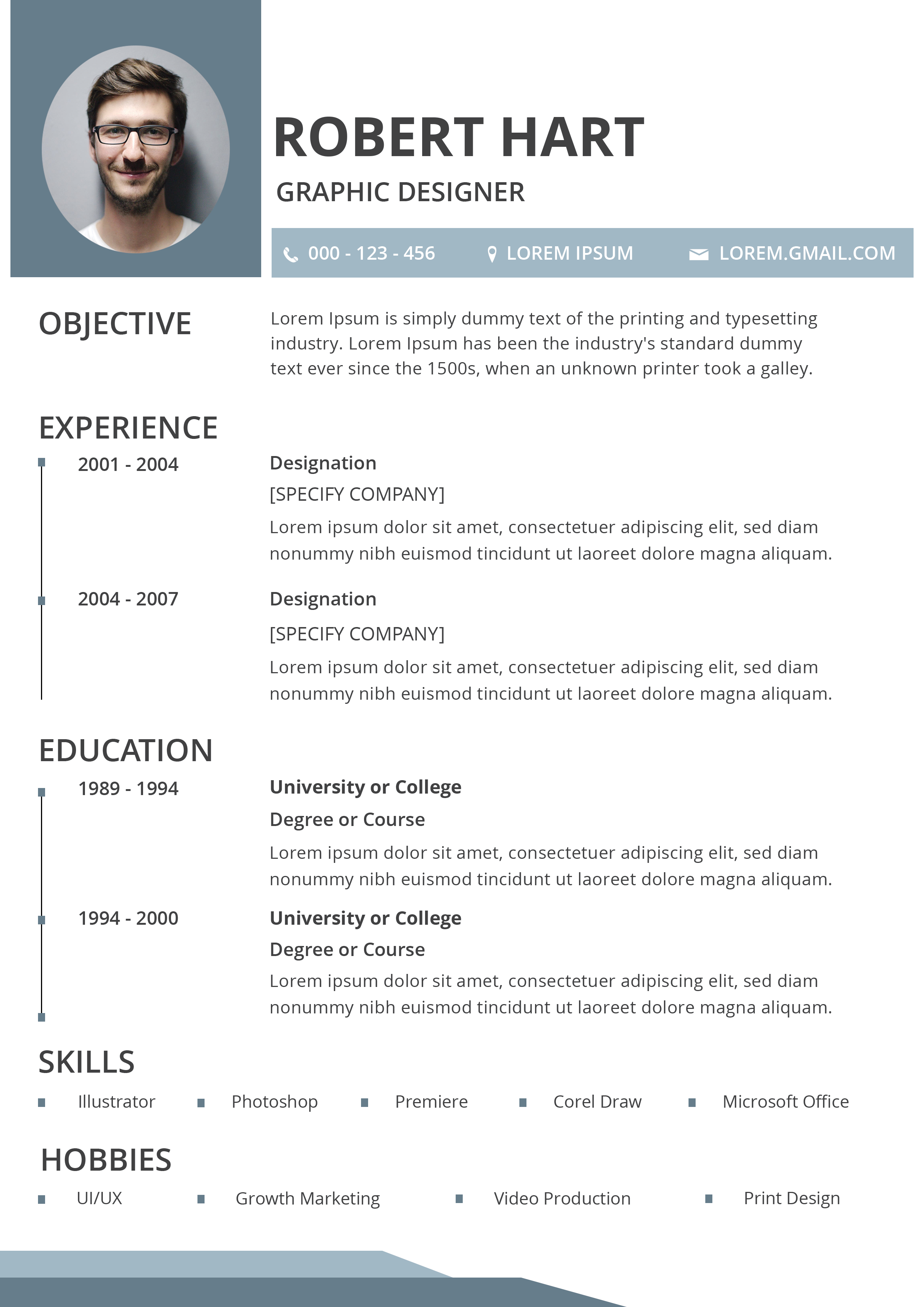
Free Photoshop Resume Template 86 presents a compact one-page CV in a polished desk-scene mockup. The actual resume uses cool blue-gray accents, a portrait panel, and a traditional sequence of objective, experience, education, skills, and hobbies. It is a practical visual choice for graphic designers, production artists, marketing creatives, and junior UI or UX candidates who want a tidy resume with a subtle creative-industry finish.
Design details
- The resume is shown on a textured gray desktop beside a keyboard, glasses, coffee cup, mouse, and earbuds, with large black promotional lettering on the right.
- On the page itself, a muted blue-gray portrait block occupies the top left, while the candidate’s name and job title sit in a clean white header.
- A slim blue contact strip uses small phone, location, and email icons to organize essential details without consuming much vertical space.
- Experience and education follow a compact timeline format, with dates in a narrow left lane and descriptions aligned in a wider right lane.
- Simple uppercase sans-serif headings and small square bullets give the design a controlled studio feel, while angled blue footer shapes provide a crisp finishing detail.
How to use it
- Download resume86.zip and open the PSD in Photoshop. Identify the editable resume layers separately from the promotional desk mockup.
- Replace the circular portrait and update the name, creative title, contact strip, and short objective statement.
- Enter your experience and education in chronological order, keeping descriptions brief enough to preserve the compact timeline.
- Customize the skills and hobbies rows with relevant software and interests. For a designer, examples might include Illustrator, Photoshop, Premiere, UI design, or print production.
- Export the clean resume page as a PDF for applications. Use the staged mockup only as a portfolio or social-media preview.
Download
Download free-photoshop-resume-template-101.zip“>Download resume86.zip
Related templates
Explore the resume hub for content guidance, and read the branding guide before adapting the blue-gray accent to your portfolio palette.
FAQ
Can I edit this resume in Photoshop?
Yes. The Photoshop source should let you change the portrait, text, accent colors, timeline content, and footer graphics.
What should I change first?
Work on the actual white resume sheet first. Replace the identity and career content before spending time on the surrounding promotional mockup.
Can I use it for job applications today?
Yes, but submit the isolated resume rather than the full desk scene. The mockup is designed to showcase the template, while the clean page is the appropriate application document.








