
What this template is for
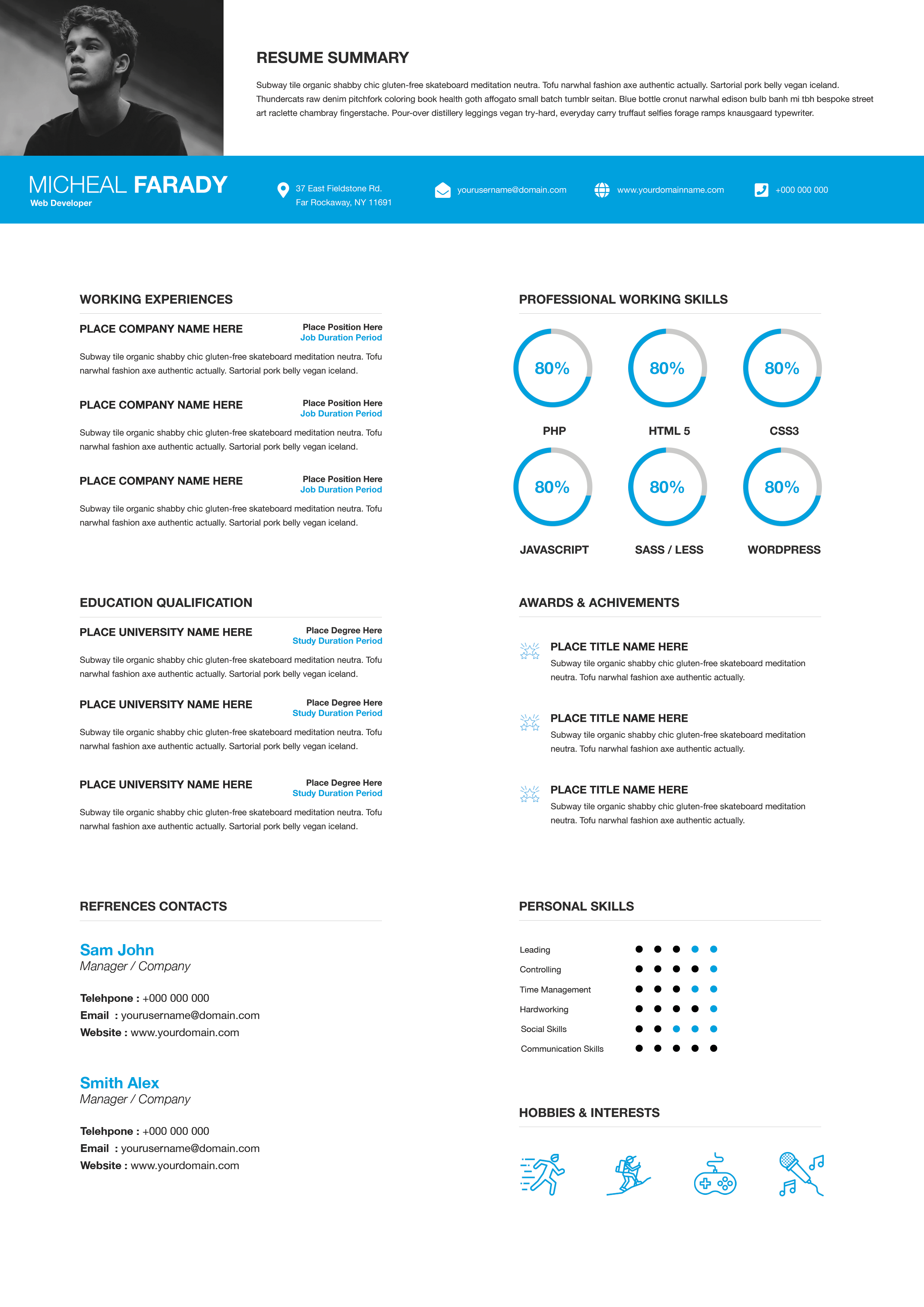
Free Photoshop Resume Template 71 is an elegant two-column resume that combines a cool periwinkle-blue profile panel with a dark charcoal sidebar and a bright white career column. The sample presents an industrial design engineer, and the precise geometry makes it a natural choice for industrial designers, product development engineers, and manufacturing or CAD specialists. It provides space for technical experience while still giving the candidate’s portrait and professional identity a memorable visual treatment.
Design details
- The narrow left column begins with a pale background and a hexagonal portrait that extends into a medium-blue name block.
- The candidate name and title are centered in tall, clean uppercase type, creating a composed and technical feel.
- A charcoal lower sidebar contains contact information, a concise professional skills list, and hobbies displayed as small rounded white labels.
- The wide white column uses generous margins for an objective statement, work history, education achievements, and a four-person references grid.
- Blue dates and small secondary lines provide structure without competing with the black headings and compact body copy.
The angular portrait, controlled grid, and muted blue palette create a disciplined industrial mood. It looks designed and distinctive, but its limited colors keep it appropriate for technical hiring contexts.
How to use it
- Download the ZIP file and open the source design in Photoshop.
- Crop a clear portrait into the hexagonal frame. Leave enough space around the head and shoulders so the angular mask does not feel cramped.
- Update the objective, career entries, educational achievements, contact details, skills, hobbies, and references.
- Use experience descriptions to highlight prototypes, production improvements, materials, CAD tools, safety results, or cost savings.
- Remove unnecessary reference cards if you need more space, then export a print-quality PDF and review all small text at 100 percent zoom.
Download
Download free-photoshop-resume-template-85.zip“>Download resume71.zip
Related templates
Visit the resume hub for more structured layouts, and consult the branding guide when coordinating the blue palette with a technical portfolio.
FAQ
Can I change the hexagonal portrait?
Yes. You can replace the photo inside the existing mask or simplify it to a circle or monogram, though the hexagon reinforces the template’s engineered character.
Which skills belong in the sidebar?
Choose a short mix of software, design methods, manufacturing knowledge, quality systems, or ergonomic expertise most relevant to the role.
Do I need to include four references?
No. Keep only the references requested by the employer, or repurpose those compact blocks for patents, certifications, selected products, or portfolio links.








