
What this template is for
Free Photoshop Resume Template 60 is a bright, contemporary resume built around a confident personal introduction. It is a natural fit for graphic designers, UI designers, and creative account professionals who want a friendly visual identity alongside conventional experience and education sections.
Design details
- The full-width header uses a smooth orange-to-lilac gradient, giving the page a youthful, upbeat mood without overwhelming the white content area below.
- A large circular portrait overlaps the header and body on the left, framed by a crisp white ring that makes the photograph feel intentional and prominent.
- The candidate’s name appears in large rounded white capitals beside a slim vertical rule and a lighter job title. A short italic personal profile sits above, aligned to the right.
- A charcoal contact strip crosses the page beneath the header, placing email, telephone, and address on one compact line.
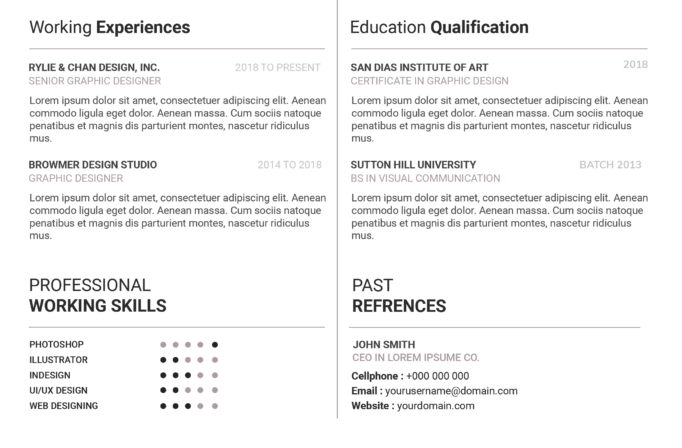
- The body uses two balanced columns for work experience and education, followed by three smaller panels for awards, working skills, and references. Gradient-colored headings, pale rules, certificate icons, and dot ratings unify the sections.
How to use it
- Download the ZIP file and open the editable PSD in Photoshop.
- Replace the circular portrait with a high-resolution vertical photo that has enough space around the head and shoulders for a clean crop.
- Add a brief two-line profile, then update the work, education, awards, skills, reference, and contact fields. Use short paragraphs to preserve the spacious grid.
- Change the gradient stops if your brand uses different colors, and update every dot rating rather than leaving decorative placeholder values.
- Proofread the page at full size, then export a PDF for applications and a JPG for online display.
Download
Download free-photoshop-resume-template-73.zip“>Download resume60.zip
Related templates
Visit the resume hub for writing and presentation tips, and consult the branding guide before changing the gradient, portrait style, or headline typography.
FAQ
Can I edit this resume in Photoshop?
Yes. You can replace the photograph and text, revise the gradient palette, and customize the icons, dividers, and skill dots in Photoshop.
What should I change first?
Start with the portrait, name, title, and profile in the header. These elements carry most of the visual weight, so finishing them first makes later spacing decisions easier.
Can I use it for job applications today?
Yes. It works particularly well for creative teams and client-facing roles where presentation matters. For portals that extract resume text automatically, submit a plain companion version if requested.








