
What this template is for
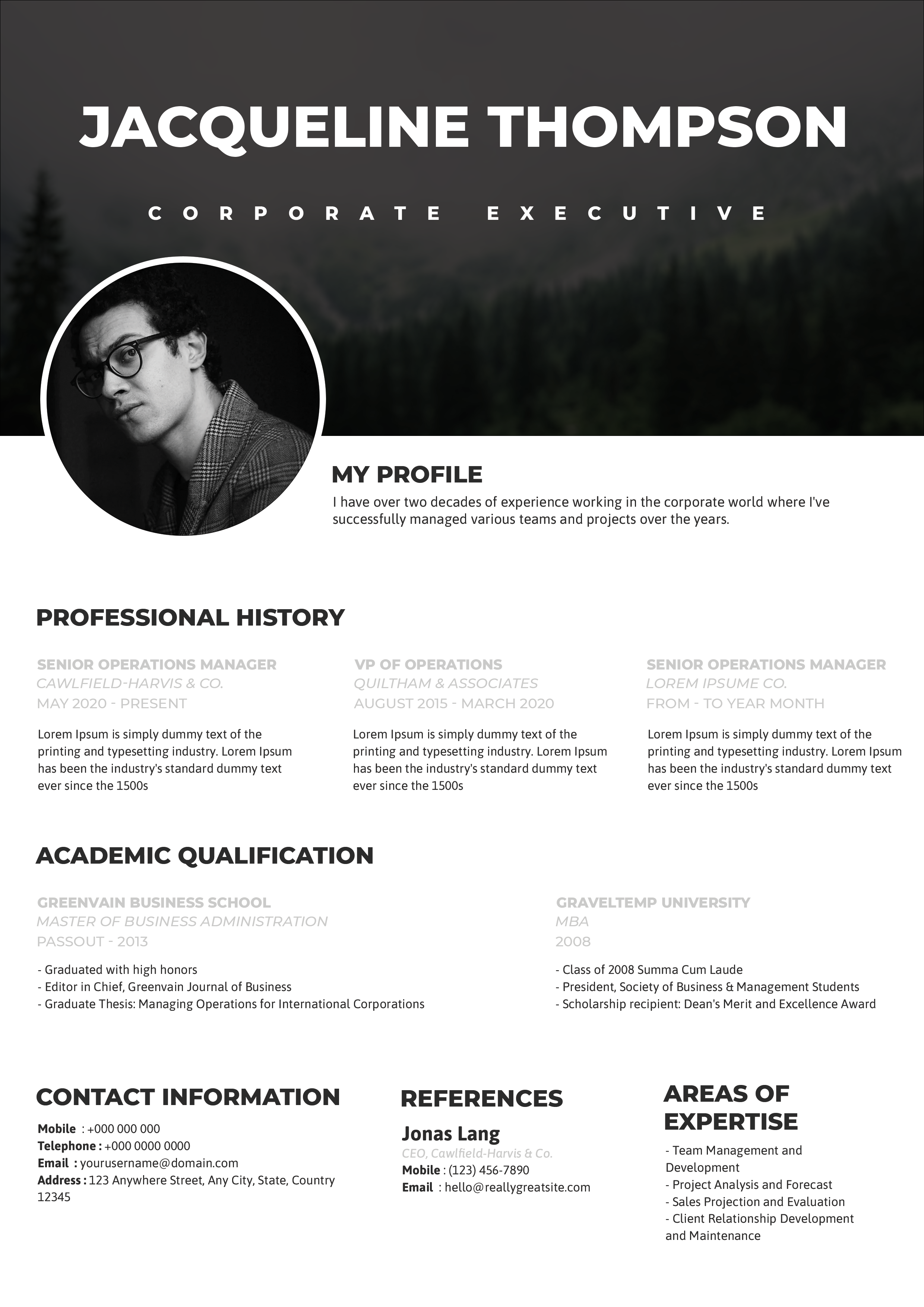
Free Photoshop Resume Template 45 is a quiet, structured resume for applicants who prefer an understated editorial look. Its warm stone accents, near-black portrait panel, and generous white space feel refined rather than decorative. It is particularly well suited to graphic designers, creative directors, and architecture or interiors professionals who want a designed page that still reads as disciplined and mature.
Design details
- A neutral palette of white, charcoal, warm taupe, and pale beige
- A circular portrait centered inside a tall dark panel near the top
- A large two-tone uppercase name with a slim role banner beneath it
- A compact two-column grid for profile, contact, education, work history, skills, and interests
- Thin rules and small uppercase headings that organize content without heavy boxes
The top section is the visual signature. The portrait panel interrupts the white header and aligns with a pale horizontal band carrying the job title. Two subtly different name colors add character while remaining professional. Below, content is arranged as paired blocks with ample margins and restrained typographic contrast. Skill ratings use small stars, and interests appear as a simple text list, maintaining the minimalist mood. The circular image crop favors a close portrait with a clean background and even lighting.
How to use it
- Download the ZIP and open the PSD in Photoshop.
- Place a professional headshot into the circular photo area and reposition it inside the mask.
- Replace the profile, contact details, academic training, work background, skills, and interests.
- Keep descriptions concise so the paired columns retain their balanced alignment.
- Customize the taupe accents if desired, then export a sharp PDF for sending or printing.
Download
Download free-photoshop-resume-template-56.zip“>Download resume45.zip
Related templates
Use the resume hub to strengthen your content and the branding guide to coordinate the neutral palette with a portfolio or cover letter.
FAQ
Can I edit this resume in Photoshop?
Yes. The Photoshop source lets you change every text section, the portrait, accent colors, and rating symbols.
What portrait should I use?
A close, softly lit head-and-shoulders image works best. Check the circular crop carefully so hair and facial features are not cut off.
Can I add more work entries?
Yes, although the design depends on open space. Add only the most relevant roles, shorten the supporting bullets, or remove the interests block before reducing type size.








