
What this template is for
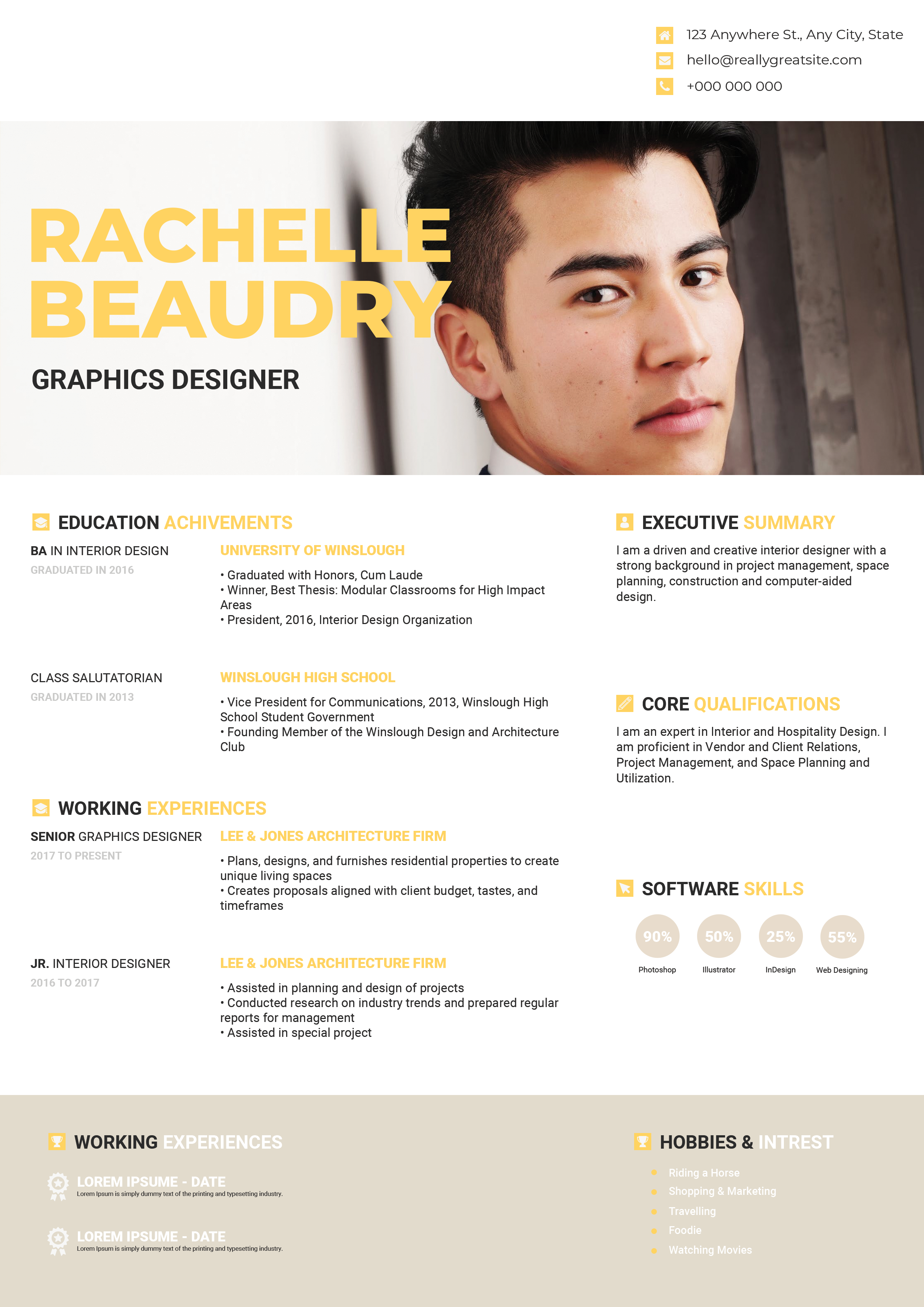
Free Photoshop Resume Template 43 is a bold, portfolio-minded resume for creative professionals who want their personality to appear before the fine print. The vivid orange, oversized name treatment, and wide lifestyle photograph create an energetic editorial introduction. It is especially fitting for graphic designers, art directors, and brand or social media creatives whose applications benefit from a confident visual identity.
Design details
- A vivid orange, white, and charcoal palette with strong blocks of color
- An extra-large uppercase name overlapping a wide rectangular hero photo
- A modular two-column body for skills, awards, education, interests, and experience
- Dot-based software ratings, small award icons, and simple contact symbols
- Heavy geometric sans serif headings balanced by lighter body typography
The composition feels more like a magazine profile than a conventional office document. The dark skills panel gives the long orange header visual weight, while the white education area keeps detailed information readable. A full-width orange experience block finishes the page and repeats the opening color. The generous photo zone works best with a horizontal portrait showing the applicant at work, preferably with some open space beside the subject for the overlapping name.
How to use it
- Download the ZIP file and open the PSD source in Photoshop.
- Replace the hero image with a high-resolution professional photo, then adjust its crop so your face remains clear beside the large name.
- Update the name, role, awards, education, employment history, interests, and contact information.
- Change the filled skill dots honestly and shorten entries where needed to protect the open spacing.
- Export a high-quality PDF for direct sharing and a JPG for portfolio previews.
Download
Download free-photoshop-resume-template-54.zip“>Download resume43.zip
Related templates
Explore the resume hub for application guidance, or use the branding guide to adapt the orange palette and typography to your own creative identity.
FAQ
Can I edit this resume in Photoshop?
Yes. The PSD is intended for changing text, colors, photo placement, and skill indicators in Photoshop.
What kind of photo works best?
Choose a bright horizontal workplace or environmental portrait. Leave enough uncluttered background on the left so the oversized name stays legible.
Is this suitable for traditional corporate roles?
It can work for design-led companies, but its saturated color and prominent photograph are strongest for creative applications. Keep a simpler text-first version available when an employer requests an ATS-focused resume.








