
What this template is for
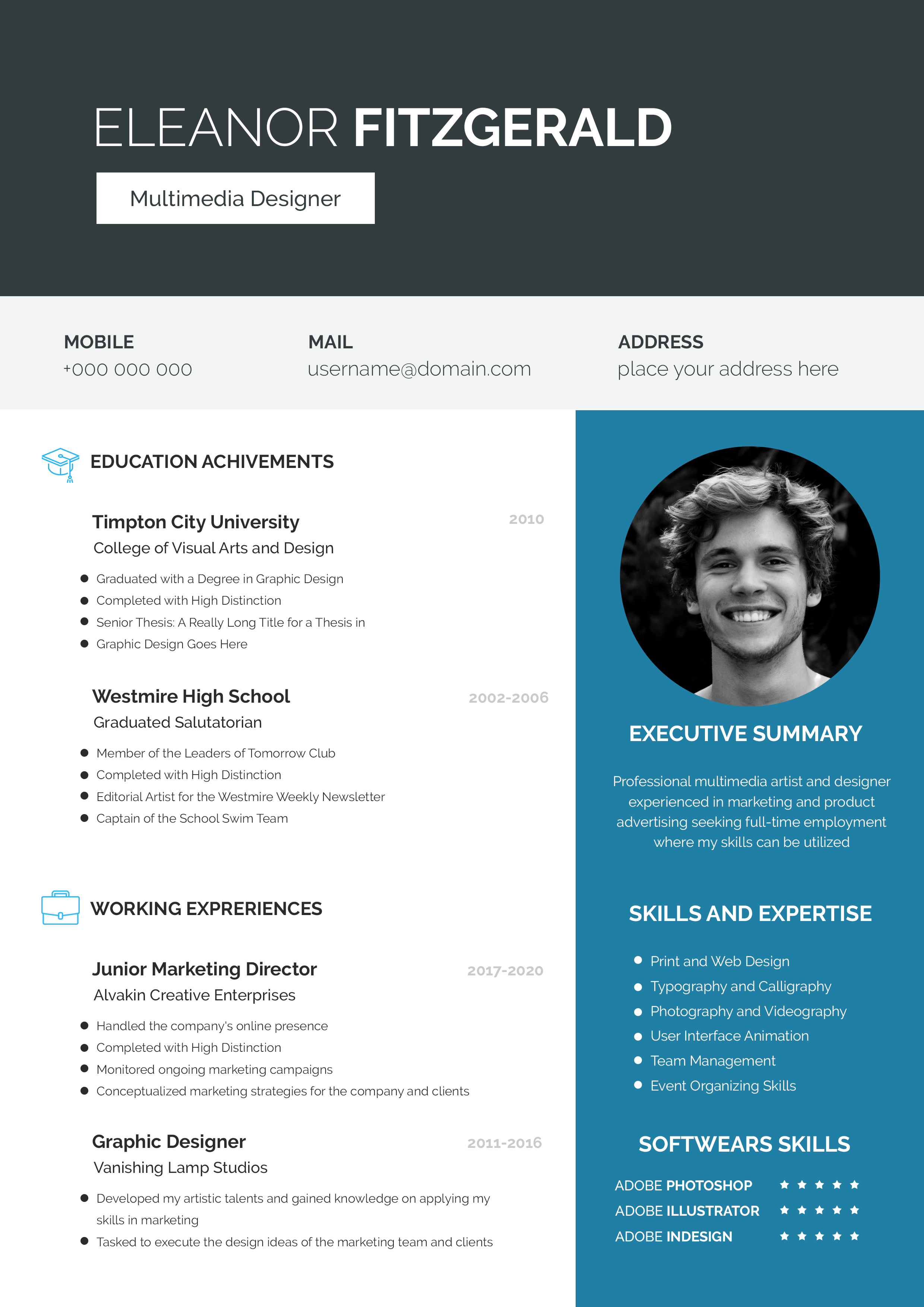
Free Photoshop Resume Template 41 is a crisp blue-and-white resume for candidates who want a friendly, organized presentation. The cobalt sidebar, pale blue identity panel, square lifestyle portrait, and uncluttered chronology make it especially suitable for a social media manager, communications coordinator, or community specialist. Its approachable color palette and compact content areas work well for an early-career professional with a focused employment history.
Design details
- A solid medium-blue left rail paired with a clean white main column
- A large square portrait that overlaps the blue rail and the pale blue name panel near the top
- Bold black sans serif name typography with a smaller uppercase professional title
- Profile, personal skills, and contact details grouped in white text within the sidebar
- Experience and education set in compact blue entries with job dates aligned along the right edge
The offset portrait is the template’s defining feature. It bridges the two columns and creates depth without using shadows or ornate decoration. The sidebar occupies less than half the page, giving the white content area room to breathe. Small square bullets and bright blue section headings maintain visual consistency. Overall, the design feels clean, sociable, and contemporary rather than formal or executive.
How to use it
- Download the ZIP file and open the PSD source in Photoshop.
- Replace the square photograph with a well-lit portrait or professional lifestyle image that works in the existing crop.
- Update the name, role, profile, personal skills, contact details, experience, and education.
- Write short achievement statements under each role and keep dates on one line to protect the clean alignment.
- Change the blue tones only if needed for your personal brand, then export a high-resolution PDF and check small text carefully.
Download
Download free-photoshop-resume-template-52.zip“>Download resume41.zip
Related templates
Visit the resume hub for help refining your content, and consult the branding guide when coordinating the blue palette with social profiles or a portfolio.
FAQ
Can I edit this resume in Photoshop?
Yes. The PSD supports changes to the portrait, all text, blue panels, section headings, and bullet details.
What should I change first?
Start with the overlapping portrait and identity panel, since they dominate the first impression. Then tailor the profile and two main chronology sections to your target role.
Can I use it for job applications today?
Yes. It is a good choice for direct applications, agency introductions, and communications portfolios. For automated systems, verify that the exported PDF contains readable text and keep a plain layout as a backup.








