
What this template is for
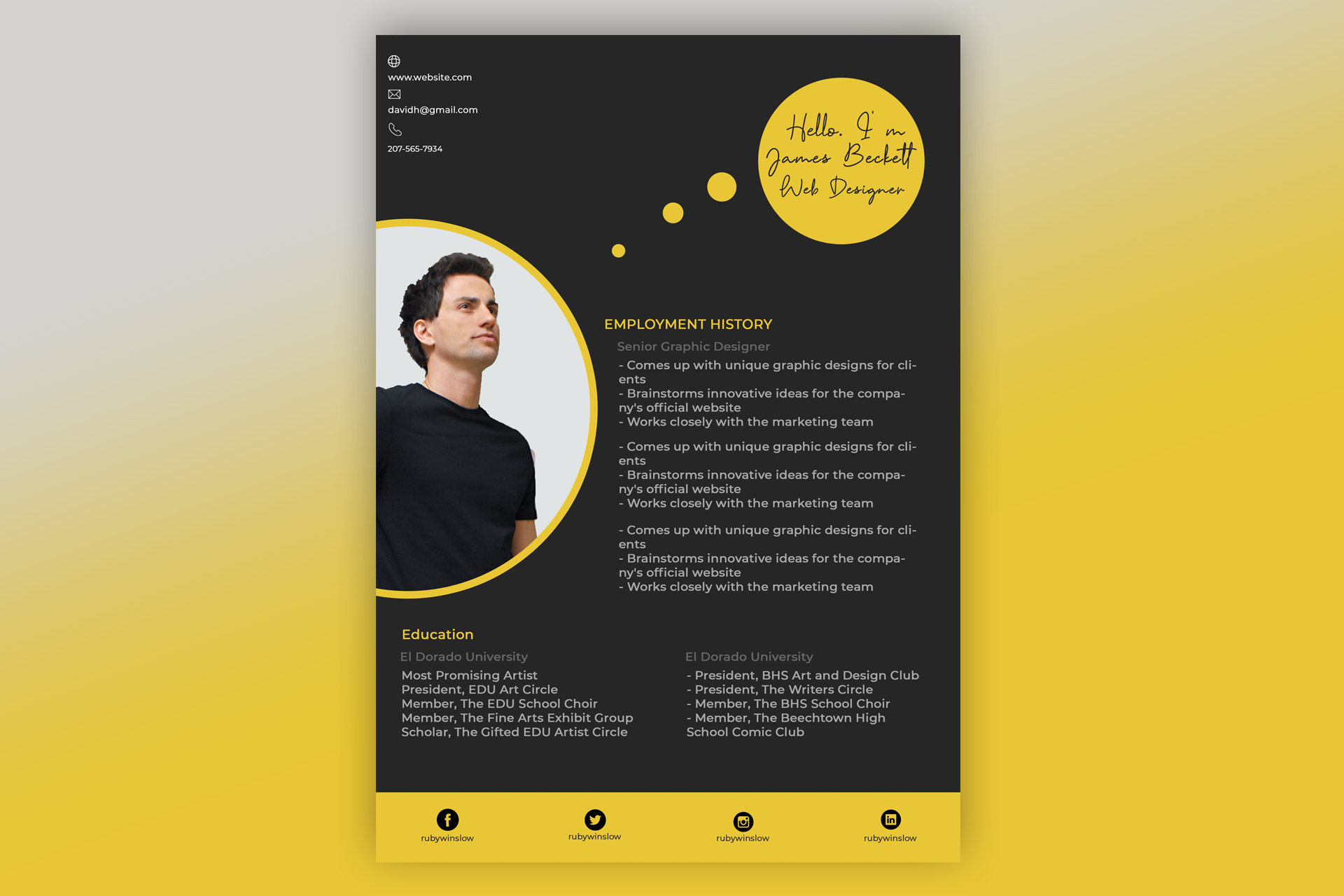
Free Photoshop Resume Template 21 is an expressive black-and-yellow resume that treats personal presentation like a poster. The layout is a natural fit for web designers, visual designers, and creative developers who want to show personality immediately. It could also suit an event creative or junior art director applying directly to studios where bold visual branding is appreciated.
Design details
- A near-black full-page background framed by a vivid yellow outer presentation and a matching yellow footer
- A very large circular portrait zone that enters from the left edge, outlined in yellow and cropped dramatically through the middle of the page
- A yellow speech-bubble circle near the upper-right corner, connected by smaller dots and designed for a handwritten introduction
- Small contact details and white outline icons placed unobtrusively in the upper-left corner
- An employment-history block beside the portrait, followed by two education columns beneath it
- A bottom social strip with evenly spaced black circular icons and usernames for Facebook, Twitter, Instagram, and LinkedIn
The typography mixes clean sans serif text with a casual script inside the introduction bubble. Yellow section labels, gray body copy, and the charcoal ground create a high-contrast, modern mood. The design is visually memorable, but its oversized portrait and open areas leave less room than a traditional resume. It works best with selected highlights rather than a complete career archive.
How to use it
- Download the ZIP file and open the PSD source in Photoshop.
- Insert a cutout portrait with a clean edge, then position it inside the large circular photo area.
- Rewrite the handwritten greeting with your name and role, or choose a legible script font that supports your language.
- Add concise experience and education entries, then update contact details and only the social profiles relevant to your work.
- Test the gray text against the dark background and export a PDF or high-resolution JPG after checking every line break.
Download
Download free-photoshop-resume-template-30.zip
Related templates
The resume hub can help you trim your experience to the essentials, while the branding guide explains how to carry the yellow accent into a portfolio.
FAQ
Can I edit this resume in Photoshop?
Yes. The photo, colors, script greeting, contact information, social links, and career sections can all be personalized in the PSD.
What should I change first?
Replace the portrait and greeting first because they dominate the page. Then reduce your career history to short, scannable highlights.
Can I use it for job applications today?
Yes, especially for direct creative applications. Its poster-like design is less suitable for conservative roles or automated resume systems.








